
10 Essential GOOGLEFINANCE Functions for Google Sheets Users
Discover essential GOOGLEFINANCE functions to enhance your Google Finance Google Sheet experience.

Introduction
Navigating the finance landscape can be overwhelming, particularly when it comes to managing investments and analyzing stock data. For users of Google Sheets, mastering the GOOGLEFINANCE function is crucial for streamlining this process. This article delves into ten essential GOOGLEFINANCE functions that not only enhance stock analysis but also empower users to make informed financial decisions. With a plethora of features available, how can investors ensure they are effectively utilizing these tools to maximize their investment strategies?
ShortieCuts: Streamline Google Sheets with Excel-Style Shortcuts
Unlock Seamless Navigation in Sheets with ShortieCuts
Navigating Google Sheets can be a challenge for those accustomed to Excel. Enter ShortieCuts, a powerful Chrome extension designed to bridge that gap.
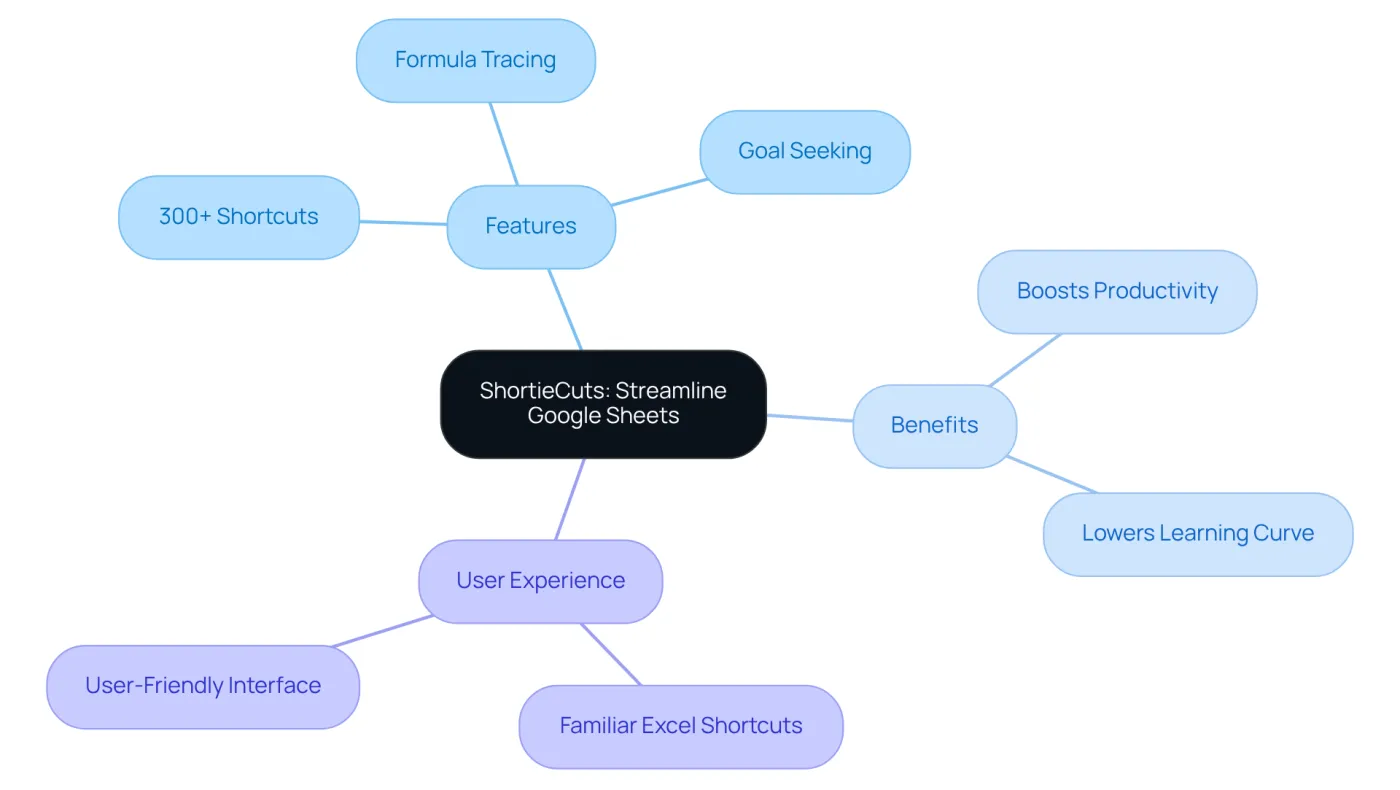
With over 230 Excel-style shortcuts at your fingertips, ShortieCuts transforms your Sheets experience. By simply pressing the 'ALT' key (or Option on Mac), you can access key-tips that pop up in the corner of your screen, guiding you step-by-step through the shortcuts.
Imagine features like formula tracing and goal seeking, all enhanced by a user-friendly color palette. These tools not only streamline your workflow but also significantly boost your productivity.
ShortieCuts replicates familiar functionalities, effectively lowering the learning curve for finance experts and analysts. This means you can operate more efficiently in Google Finance Google Sheet, allowing you to focus on what truly matters - your data.
Are you ready to elevate your Sheets experience? Embrace ShortieCuts today and transform the way you work!
GOOGLEFINANCE: Access Real-Time Stock Information
Unlock the power of the GOOGLEFINANCE function within a Google Finance Google Sheet, a vital tool for anyone serious about investment monitoring. This function allows you to access real-time share prices directly within a Google Finance Google Sheet, making it easier than ever to keep tabs on your investments.
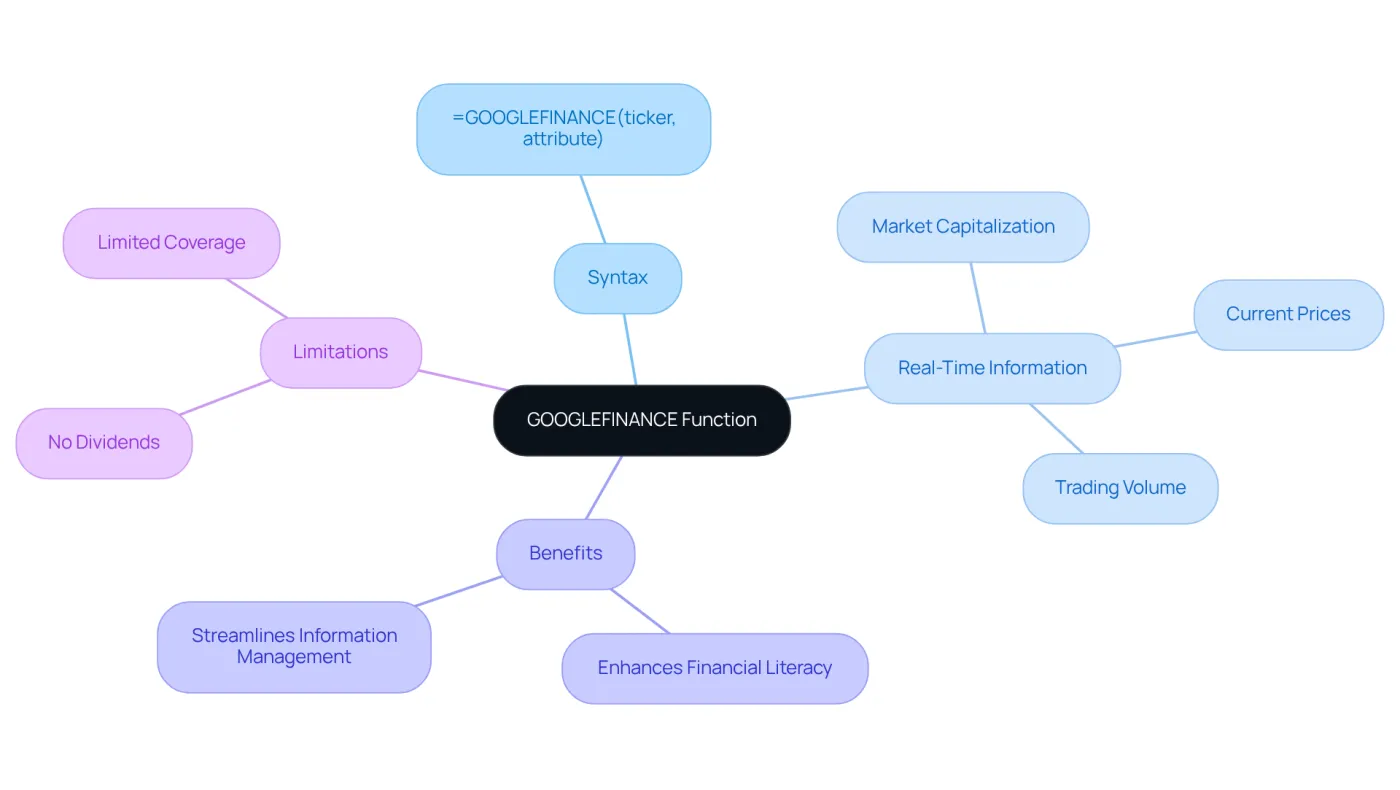
With the simple syntax =GOOGLEFINANCE("ticker", "attribute"), you can effortlessly pull live information, including current prices, market capitalization, and trading volume. For instance, by using =GOOGLEFINANCE("NASDAQ:GOOG", "price"), you can obtain the latest price of Google shares, enabling efficient tracking of your portfolio.
Financial analysts emphasize the versatility of this function. It not only enhances financial literacy but also streamlines information management. A significant percentage of finance professionals rely on the Google Finance Google Sheet for tracking shares, underscoring its value in the industry.
However, it’s crucial to recognize the limitations of GOOGLEFINANCE. While it provides essential information, it does not support dividends and may lack comprehensive coverage for all financial instruments. Despite these drawbacks, integrating this function into your workflow can lead to comprehensive market analysis and informed investment decisions, ultimately optimizing your financial strategies.
GOOGLEFINANCE: Retrieve Historical Stock Data
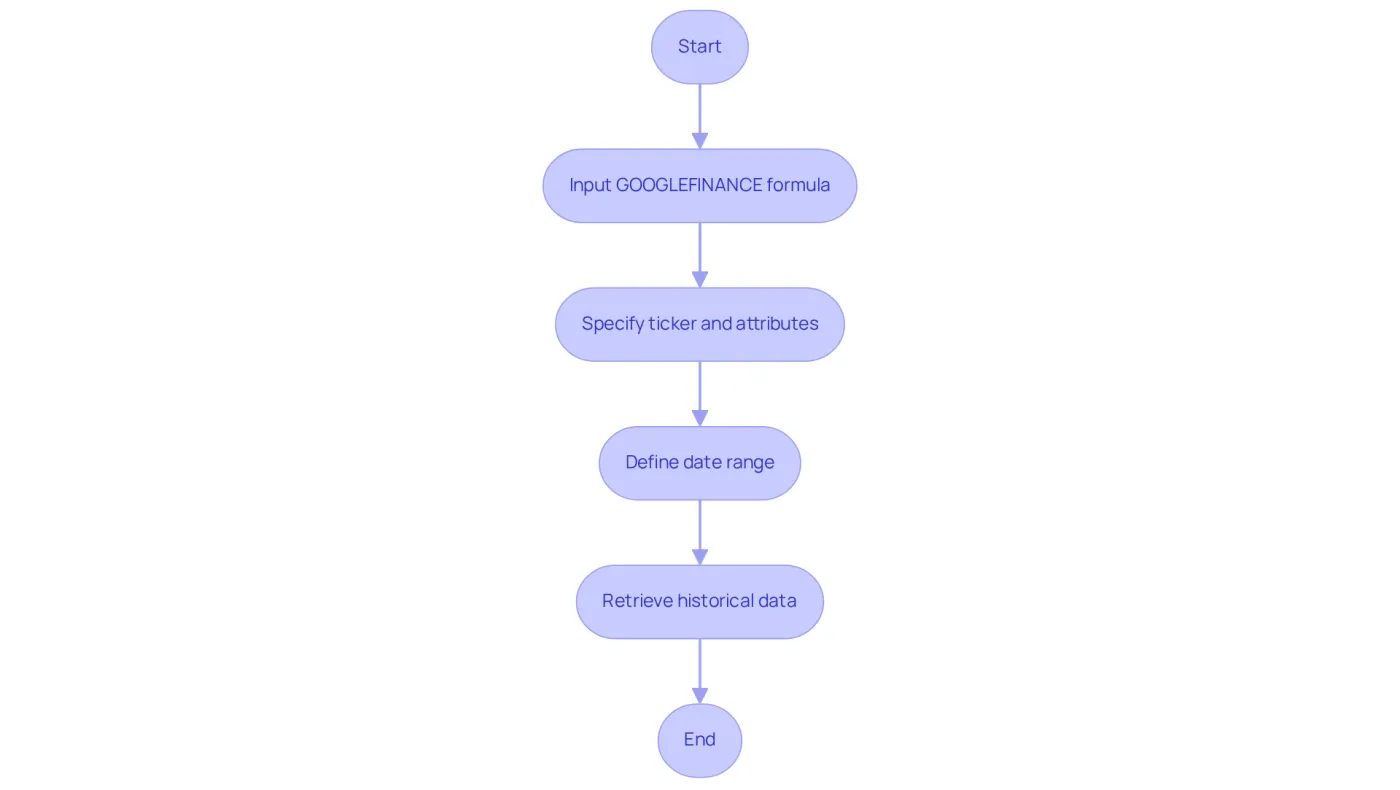
Users can effectively analyze historical market trends in a Google Finance Google Sheet by utilizing the GOOGLEFINANCE function. This powerful tool retrieves market information over specified date ranges, allowing for a comprehensive understanding of market dynamics. The syntax =GOOGLEFINANCE("ticker", "attribute", start_date, end_date) enables individuals to extract various data points, such as closing prices, during a defined period. For example, the formula =GOOGLEFINANCE("NASDAQ:GOOG", "close", DATE(2020,1,1), DATE(2020,12,31)) retrieves the closing prices for Google shares throughout 2020, laying a solid foundation for trend analysis.
A significant percentage of users leverage this functionality to monitor historical market performance, which is essential for making informed investment choices. Financial analysts emphasize the importance of understanding historical data, as it can reveal patterns and trends that guide future market behavior. As one analyst noted, "Examining historical share data is crucial for recognizing potential investment prospects and comprehending market dynamics."
By utilizing the GOOGLEFINANCE function in a Google Finance Google Sheet, individuals can conduct thorough financial analyses, such as comparing stock performance over time or evaluating the impact of market events on stock prices. This capability not only enhances decision-making but also empowers individuals to develop more robust investment strategies. However, it is crucial to recognize that the GOOGLEFINANCE function is not entirely reliable. Users are advised to have a backup plan, such as employing an API service connected to Google Sheets. Additionally, individuals can explore various attributes available within the function, including:
- 'volumeavg'
- 'pe'
- 'eps'
to further customize their data retrieval.
GOOGLEFINANCE: Obtain Year-to-Date Stock Information
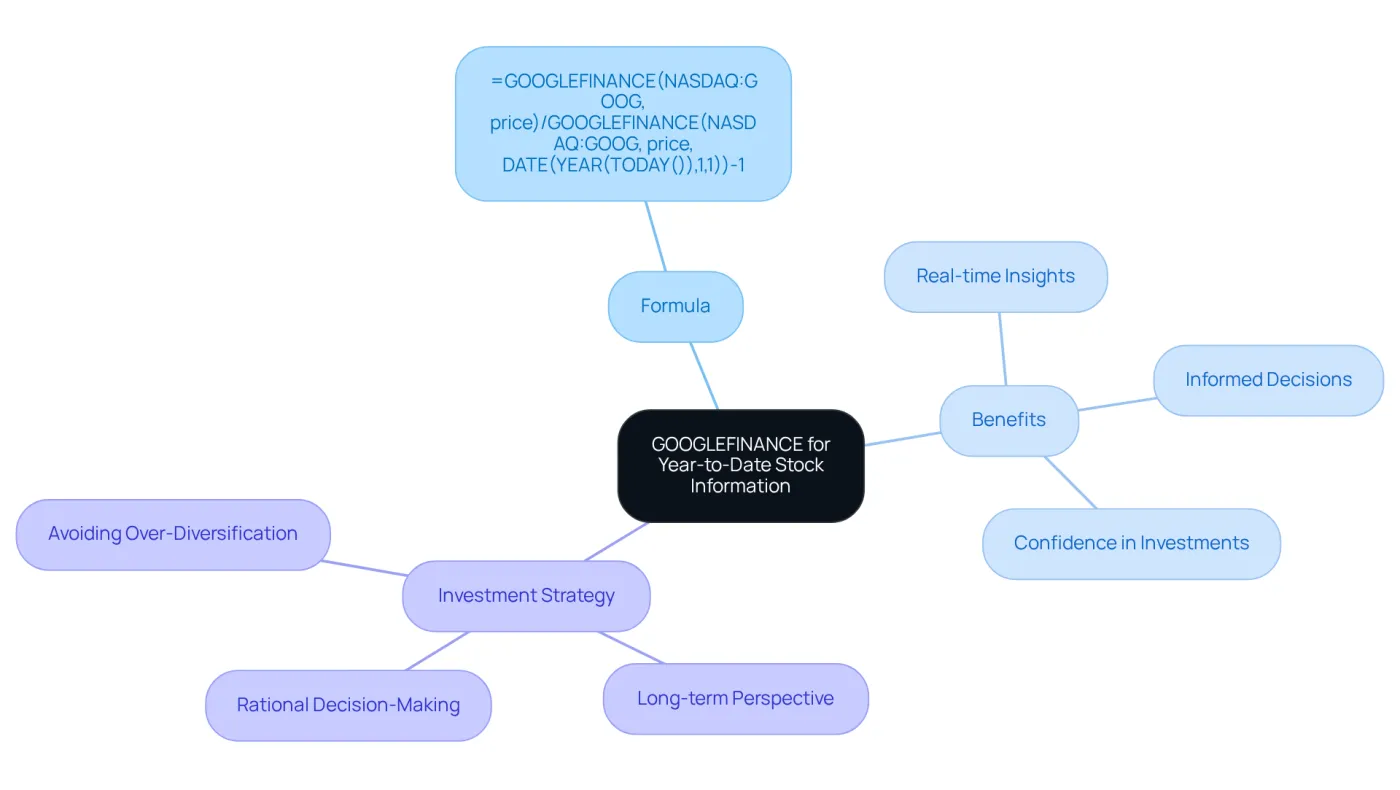
To effectively track year-to-date equity performance, investors can utilize the GOOGLEFINANCE function in a Google Finance Google Sheet. This powerful tool allows individuals to calculate the percentage change from the beginning of the year with ease. For instance, the formula
=GOOGLEFINANCE("NASDAQ:GOOG", "price")/GOOGLEFINANCE("NASDAQ:GOOG", "price", DATE(YEAR(TODAY()),1,1))-1
provides the year-to-date return for Google stock. By employing this formula, investors can quickly assess their performance and make informed decisions.
The ability to gauge stock performance in real-time is invaluable in today’s fast-paced market. With the GOOGLEFINANCE function, you gain immediate insights into your investments, empowering you to act decisively. This not only enhances your investment strategy but also builds confidence in your financial decisions.
In summary, leveraging the GOOGLEFINANCE function in a Google Finance Google Sheet is a strategic move for any investor looking to stay ahead. It simplifies the process of tracking equity performance, allowing for timely and informed investment choices.
GOOGLEFINANCE: Perform Currency Conversion
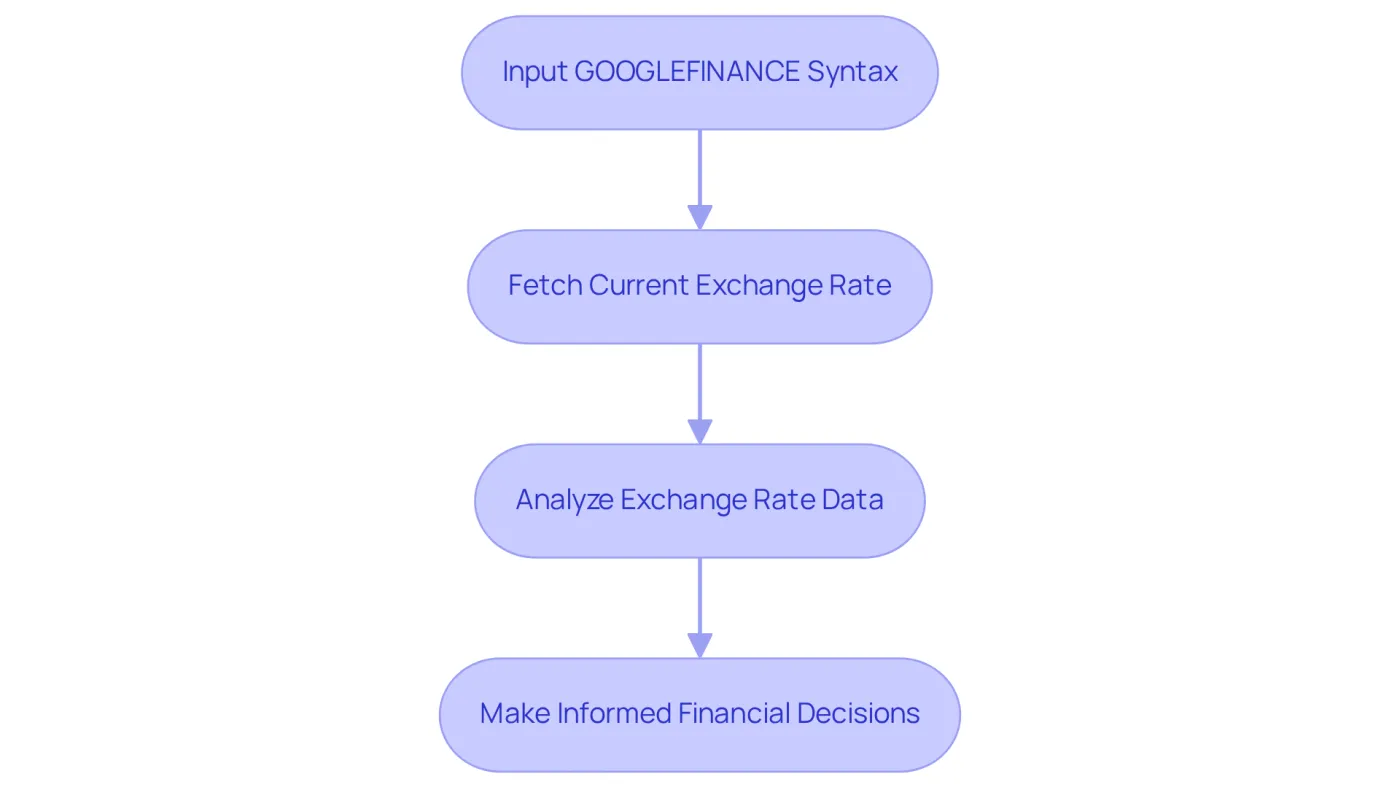
The GOOGLEFINANCE function is an essential tool for currency conversion, utilizing the syntax =GOOGLEFINANCE("CURRENCY:USDEUR") to fetch the current exchange rate from USD to EUR. This capability is invaluable for businesses and investors engaged in international transactions, enabling informed financial decisions based on real-time exchange rates.
Companies operating across borders can leverage this function to monitor fluctuations in currency values. By doing so, they can optimize pricing strategies and manage risks effectively. Recent statistics indicate that over 113 million downloads of the Xe App globally highlight a significant reliance on tools like the Google Finance Google Sheet for currency conversion. Many users report enhanced efficiency in their financial operations.
Economists emphasize the importance of real-time information in today’s fast-paced market. Tools such as GOOGLEFINANCE empower individuals to stay ahead of currency trends. As noted by the Board of Governors of the Federal Reserve System, "The U.S. Dollars to Euro Spot Exchange Rate is crucial for understanding market dynamics." By retrieving exchange rates directly within their google finance google sheet, users can streamline financial analyses and enhance decision-making processes.
As of December 5, 2025, the current USD/EUR exchange rate stands at 0.8588, with a trading range of 0.8568 to 0.8599. This information provides users with a clear understanding of the present market context.
GOOGLEFINANCE: Analyze Stock Trends Over Time
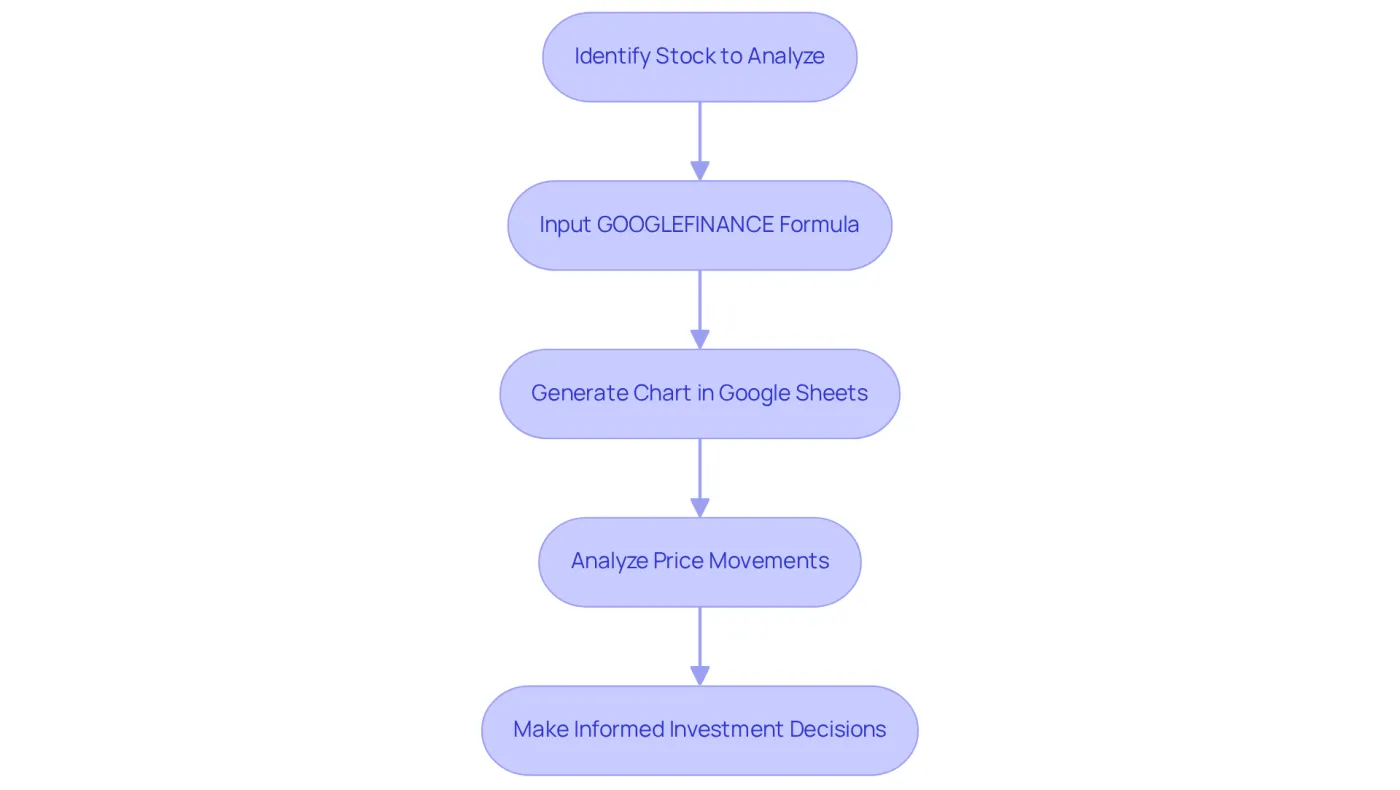
Investors face a critical challenge: understanding market trends over time. Fortunately, there's a powerful solution at hand. By generating charts in Google Sheets and utilizing historical data through the FINANCE function, investors can effectively visualize price movements using Google Finance Google Sheet. This approach not only aids in recognizing trends but also empowers informed decision-making.
Consider this formula: =GOOGLEFINANCE("NASDAQ:GOOG", "close", DATE(2020,1,1), TODAY()). It charts Google's market performance from January 1, 2020, to today, revealing valuable insights into its price fluctuations. Such data is essential for investors aiming to navigate the complexities of the market.
Market analysts emphasize the importance of charting equity performance. In fact, only about 20% of stocks endure and surpass the market over two decades. This statistic underscores the significance of leveraging historical information for stock trend evaluation. By employing these tools, individuals can enhance their investment strategies and make more informed choices.
In summary, utilizing Google Finance Google Sheet along with the FINANCE function not only simplifies the process of tracking market trends but also equips investors with the insights needed to thrive in a competitive landscape. Don't miss out on the opportunity to refine your investment approach-start charting today!
GOOGLEFINANCE Attributes: Understand Function Parameters
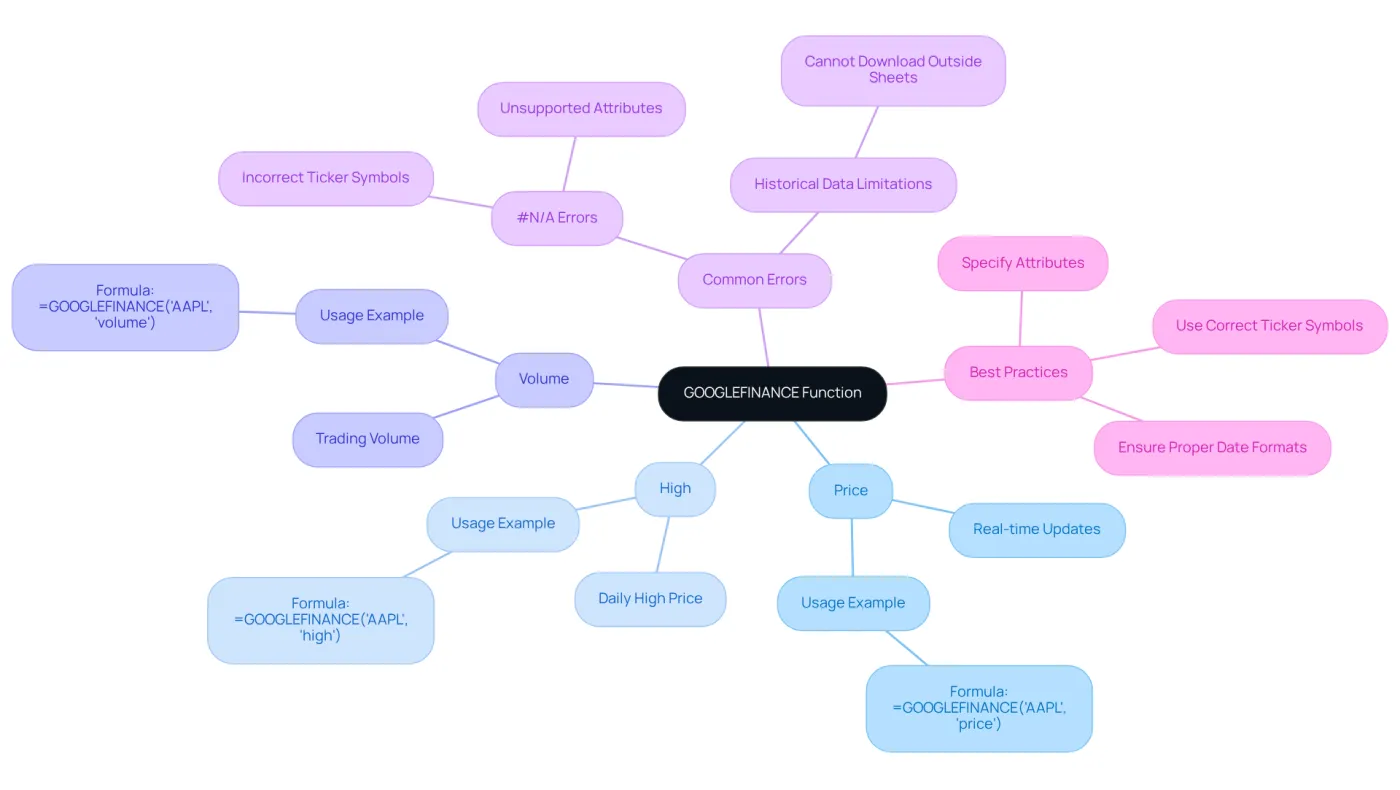
The GOOGLEFINANCE function is a powerful tool that offers a variety of attributes for accessing essential financial information. Key attributes such as 'price,' which retrieves the current market price, 'high,' indicating the highest price for the day, and 'volume,' showing the trading volume, are crucial for finance professionals. Mastering these attributes allows users to tailor their information retrieval to meet specific analytical needs.
For example, using the formula =GOOGLEFINANCE('AAPL', 'price') provides real-time updates on Apple Inc.'s stock price. In contrast, =GOOGLEFINANCE('AAPL', 'high') reveals the highest price reached during the trading day. By understanding and effectively utilizing these features, individuals can significantly enhance their financial analysis skills, making informed decisions based on accurate and timely information.
However, it’s important to recognize the limitations of the GOOGLEFINANCE function. For instance, it cannot download historical data outside of Sheets, which may affect analysis. Additionally, common errors like #N/A can occur due to incorrect ticker symbols or unsupported attributes, so users must exercise caution when entering data.
For finance specialists, customizing information retrieval in Google Finance Google Sheets can involve leveraging specific attributes to analyze trends or performance metrics. This approach not only improves their analytical capabilities but also strengthens their overall financial management strategies.
Wisesheets: Enhance Stock Reporting in Google Sheets
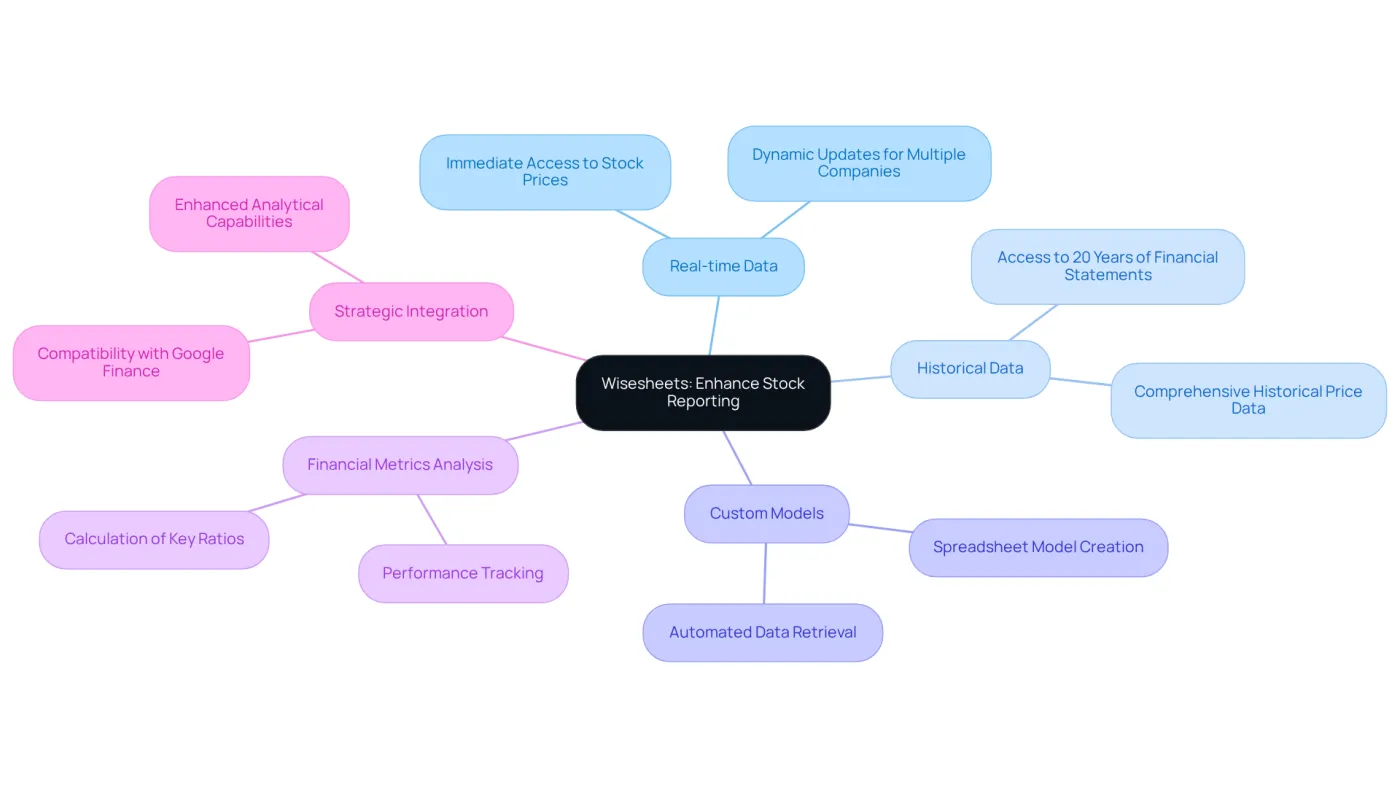
Wisesheets stands out as a powerful add-on for Google Finance Google Sheets, effectively addressing the critical need for improved financial reporting. It provides users with access to both real-time and historical data for thousands of securities, a game-changer for anyone involved in finance.
With Wisesheets, users can effortlessly create custom models, evaluate shares, and analyze financial metrics directly within their spreadsheets. This seamless integration not only simplifies the process but also enhances the overall analytical capabilities of users.
When combined with the Google Finance Google Sheet, Wisesheets significantly boosts stock analysis abilities. This powerful duo empowers individuals to make informed investment decisions based on comprehensive data, ultimately leading to better financial outcomes.
Incorporating Wisesheets into your financial toolkit is not just an upgrade; it's a strategic move towards more effective investment strategies. Don't miss out on the opportunity to elevate your financial reporting and analysis - consider integrating Wisesheets today.
Formula Tracing: Track Dependencies in Google Sheets
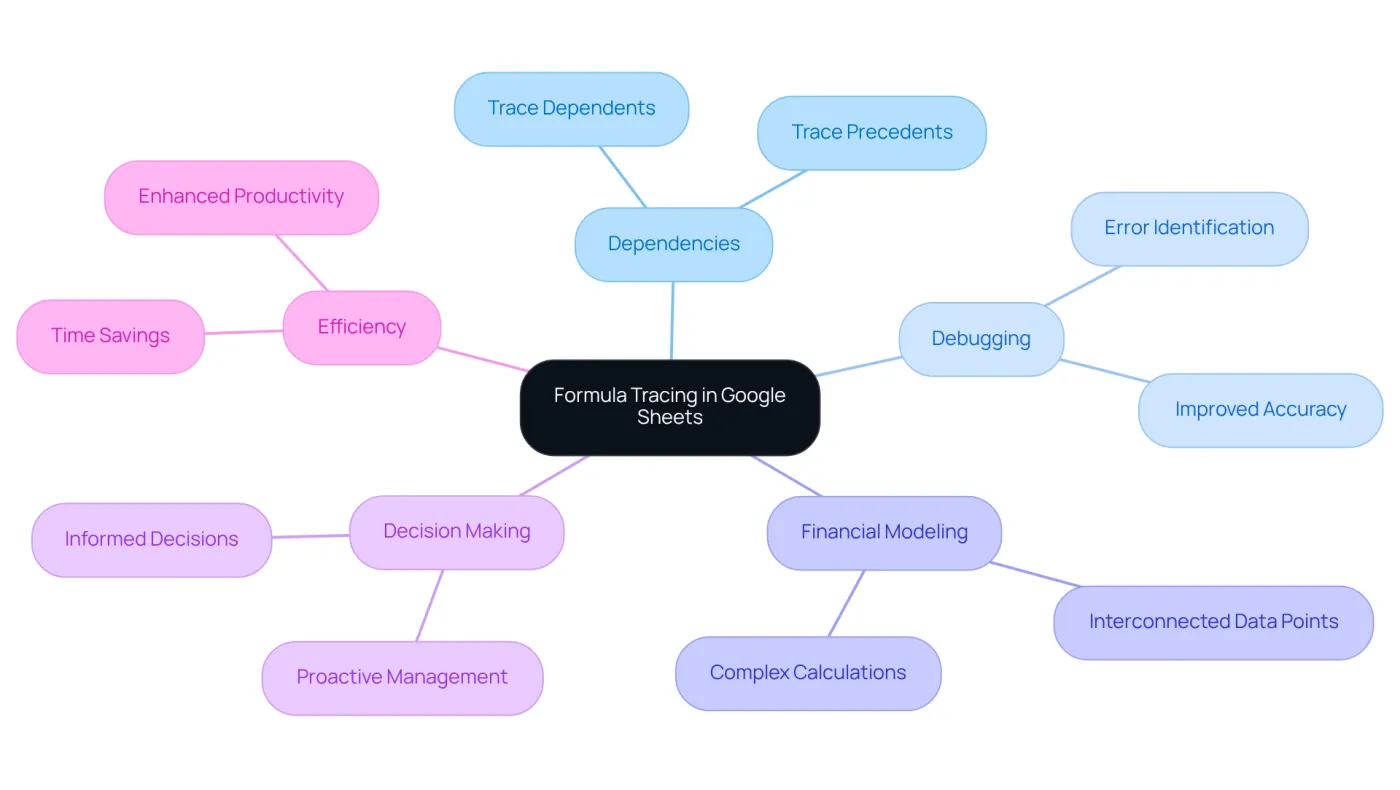
Formula tracing in Google Sheets is an essential tool for finance professionals using Google Finance Google Sheet. It enables them to monitor dependencies between cells and understand how information flows throughout their spreadsheets. By utilizing the Trace Dependents and Trace Precedents features, users can visualize the relationships between cells, simplifying the debugging of formulas and enhancing accuracy.
This capability is crucial for financial modeling, where complex calculations often rely on interconnected data points. As one analyst noted, "Comprehending how information interacts within a spreadsheet is essential for guaranteeing precision in financial reports." The ability to trace formulas not only helps identify errors but also fosters a deeper understanding of the foundational structure, ultimately leading to more reliable financial analyses.
Moreover, monitoring dependencies empowers finance specialists to make informed decisions based on accurate and well-structured information. This reinforces the idea that "what gets measured gets managed." Such a proactive approach to information management is vital in a field where precision is paramount.
As Thomas H. Davenport stated, "Business analytics is about being proactive rather than reactive," underscoring the importance of accuracy in financial reports. Additionally, considering that "individuals devote 60% to 80% of their time attempting to locate information," formula tracing can significantly save time and boost efficiency for finance professionals.
W. Edwards Deming's assertion that "without data, you’re just another person with an opinion" highlights the necessity of accurate data management in financial analyses, reinforcing the value of formula tracing.
Goal Seek: Quickly Find Values for Financial Calculations
Unlock the Power of Goal Seek in Google Sheets
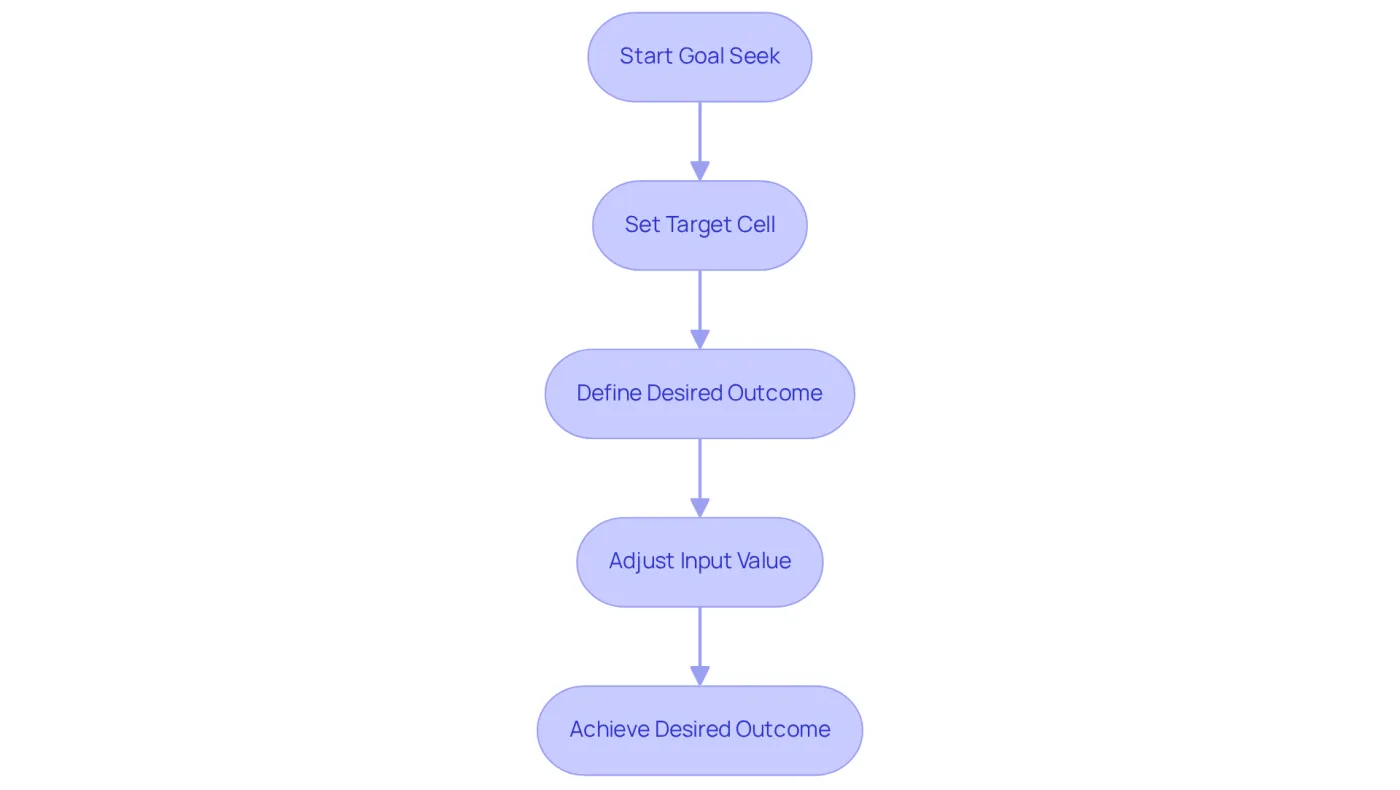
Are you struggling to determine the input value needed to achieve a specific outcome in your financial formulas? The Goal Seek function in Google Sheets is your solution. This powerful tool allows you to establish a target cell and define your desired outcome, enabling you to swiftly ascertain which input value will yield that result.
For instance, consider a scenario where you want to find out what sales figure is necessary to achieve a profit of $10,000. By setting up Goal Seek, you can adjust the sales input until you reach your target profit. This not only simplifies complex financial calculations but also enhances your strategic planning efforts.
Embrace the efficiency of Goal Seek and transform your approach to financial analysis. With this tool at your disposal, you can make informed decisions that drive success.
Conclusion
Harnessing the power of GOOGLEFINANCE functions within Google Sheets is crucial for anyone serious about financial analysis. These functions provide real-time stock information, historical data retrieval, currency conversions, and trend analysis, all while enhancing workflow efficiency through tools like ShortieCuts and Wisesheets. By mastering these essential functions, finance professionals can make informed decisions that drive successful investment strategies.
The article underscores several key functions, such as:
- Monitoring real-time stock prices
- Analyzing historical trends
- Calculating year-to-date performance
It also highlights the significance of utilizing tools like formula tracing and Goal Seek to enhance accuracy and streamline financial calculations. These capabilities not only simplify complex processes but also equip users with the insights necessary to navigate the ever-evolving financial landscape.
Incorporating these GOOGLEFINANCE functions into daily financial practices is not merely beneficial; it is essential. Embrace the power of these tools to refine your financial analysis, improve reporting, and ultimately make more strategic investment decisions. Take the first step today to leverage these functions and elevate your Google Sheets experience, ensuring you stay ahead in the competitive world of finance.
Frequently Asked Questions
What is ShortieCuts and how does it enhance Google Sheets?
ShortieCuts is a Chrome extension that provides over 230 Excel-style shortcuts for Google Sheets, making navigation easier for users familiar with Excel. It allows users to access key-tips by pressing the 'ALT' key (or Option on Mac), which helps streamline workflows and boost productivity.
How does ShortieCuts improve productivity in Google Sheets?
ShortieCuts enhances productivity by replicating familiar Excel functionalities, such as formula tracing and goal seeking, within Google Sheets. This reduces the learning curve for users, enabling them to work more efficiently with their data.
What is the GOOGLEFINANCE function and what does it do?
The GOOGLEFINANCE function is a tool within Google Sheets that allows users to access real-time stock information, such as current prices, market capitalization, and trading volume, directly in their spreadsheets. It uses the syntax =GOOGLEFINANCE("ticker", "attribute") to pull live data.
How can I use the GOOGLEFINANCE function to track stock prices?
You can track stock prices using the GOOGLEFINANCE function by entering a formula like =GOOGLEFINANCE("NASDAQ:GOOG", "price") to obtain the latest price of Google shares, facilitating efficient investment monitoring.
What are the limitations of the GOOGLEFINANCE function?
The GOOGLEFINANCE function does not support dividends and may not provide comprehensive coverage for all financial instruments. Users should be aware of these limitations when integrating it into their financial analysis.
How can I retrieve historical stock data using GOOGLEFINANCE?
You can retrieve historical stock data by using the syntax =GOOGLEFINANCE("ticker", "attribute", start_date, end_date). For example, =GOOGLEFINANCE("NASDAQ:GOOG", "close", DATE(2020,1,1), DATE(2020,12,31)) retrieves the closing prices for Google shares throughout 2020.
Why is analyzing historical market data important?
Analyzing historical market data is crucial for recognizing patterns and trends that can guide future investment decisions. It helps users understand market dynamics and make informed choices based on past performance.
Are there any additional attributes I can use with the GOOGLEFINANCE function?
Yes, users can explore various attributes available within the GOOGLEFINANCE function, including 'volumeavg', 'pe', and 'eps', to customize their data retrieval further.
What should I do if I find the GOOGLEFINANCE function unreliable?
If the GOOGLEFINANCE function is found to be unreliable, users are advised to have a backup plan, such as using an API service connected to Google Sheets, to ensure accurate data retrieval.