
Create a Stock Report Format in Excel: A Step-by-Step Guide
Master the stock report format in Excel for efficient inventory management and decision-making.

Introduction
Creating an effective stock report is crucial for inventory management and can significantly influence a business's financial health. Many organizations face challenges in setting up and maintaining accurate stock reports, which can hinder their operational efficiency.
By mastering stock reporting in Excel, companies can gain valuable insights into their inventory levels. This not only streamlines operations but also empowers businesses to make informed decisions that drive profitability. Imagine having the ability to track your inventory with precision, leading to reduced costs and increased revenue.
However, the complexities of stock reporting can be daunting. How can businesses overcome these challenges? The answer lies in harnessing the full potential of stock reporting. By implementing effective strategies, organizations can enhance their operational efficiency and ultimately improve their bottom line.
Understand Stock Reports and Their Importance
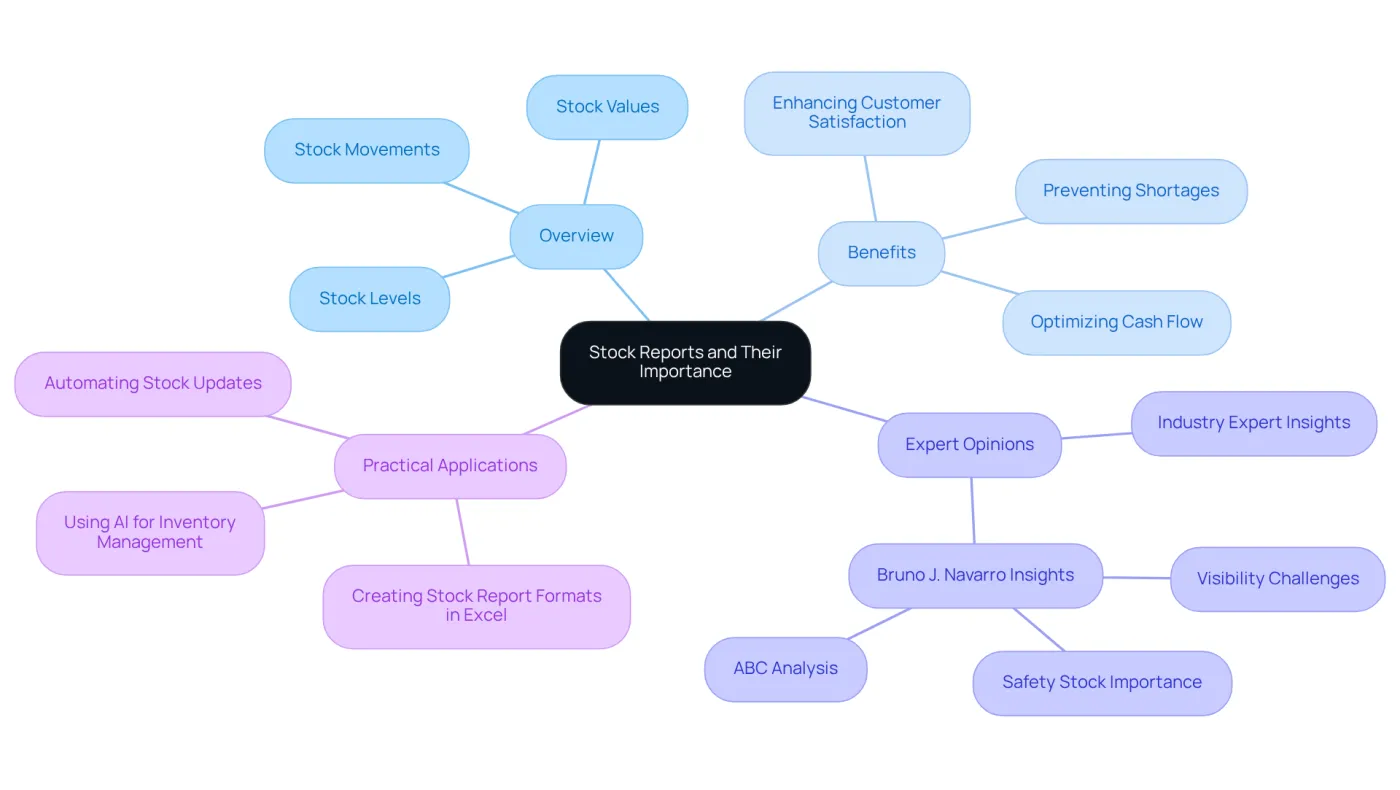
Stock statements serve as essential documents that provide a comprehensive overview of stock levels, movements, and values. They empower companies to monitor current supplies, pinpoint items needing restocking, and track resource changes over time. Understanding these financial statements is crucial for effective supply management, as they help prevent both overaccumulation and shortages, ultimately leading to better financial outcomes. For instance, a clothing retailer adeptly managed its inventory by maintaining a reserve of winter jackets, ensuring they met peak demand without excess. This strategic approach not only optimized cash flow but also enhanced customer satisfaction by guaranteeing product availability.
Moreover, businesses that leverage financial statements can make informed decisions that align with their financial goals. Industry experts emphasize that efficient stock control is a cornerstone of supply chain effectiveness, directly impacting profitability. In fact, 98% of CEOs anticipate immediate business advantages from implementing AI-driven resource solutions, which can enhance the accuracy of supply summaries and forecasting. Bruno J. Navarro underscores that effective stock oversight is a strategic foundation influencing nearly every aspect of a business.
By creating a stock report format in Excel, companies can refine their tracking processes, which facilitates trend analysis and informed decision-making. This proactive approach to inventory management not only mitigates risks associated with demand variability but also positions companies for sustainable growth in a competitive landscape.
Identify Key Components of a Stock Report
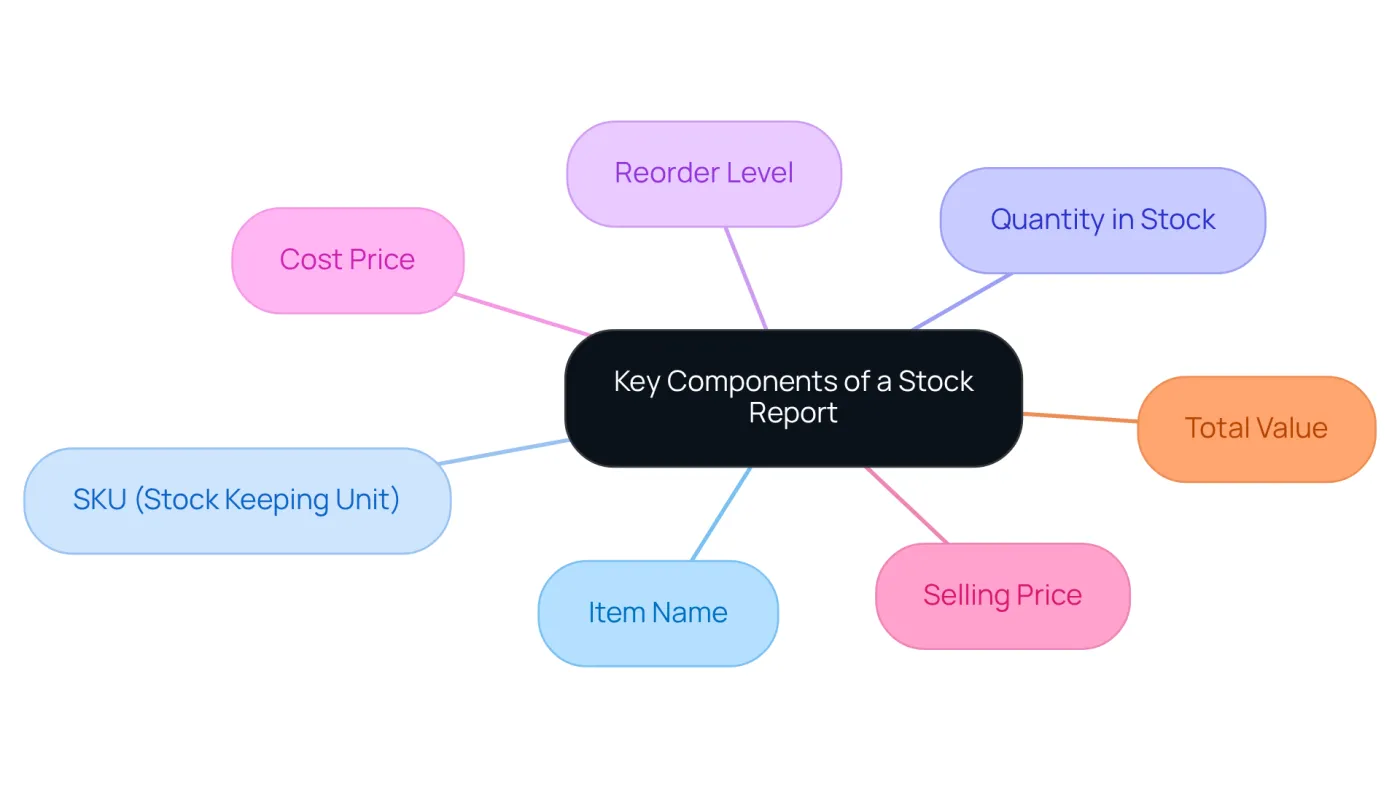
For effective inventory management, utilizing a stock report format in excel is essential. It typically includes several key components that provide a comprehensive overview of your supplies:
- Item Name: The name of the product or stock item.
- SKU (Stock Keeping Unit): A unique identifier for each item.
- Quantity in Stock: The current number of units available.
- Reorder Level: The inventory level at which new orders should be placed.
- Cost Price: The purchase price of each item.
- Selling Price: The price at which the item is sold.
- Total Value: The overall worth of the inventory on hand, calculated as Quantity in Inventory multiplied by Cost Price.
By incorporating these elements, you ensure that your stock report format in excel provides a clear and actionable understanding of supplies. This clarity not only aids in decision-making but also enhances your ability to respond to inventory needs promptly. Embrace these components to elevate your stock management practices.
Set Up Your Stock Report in Excel
To set up your stock report in Excel, follow these essential steps:
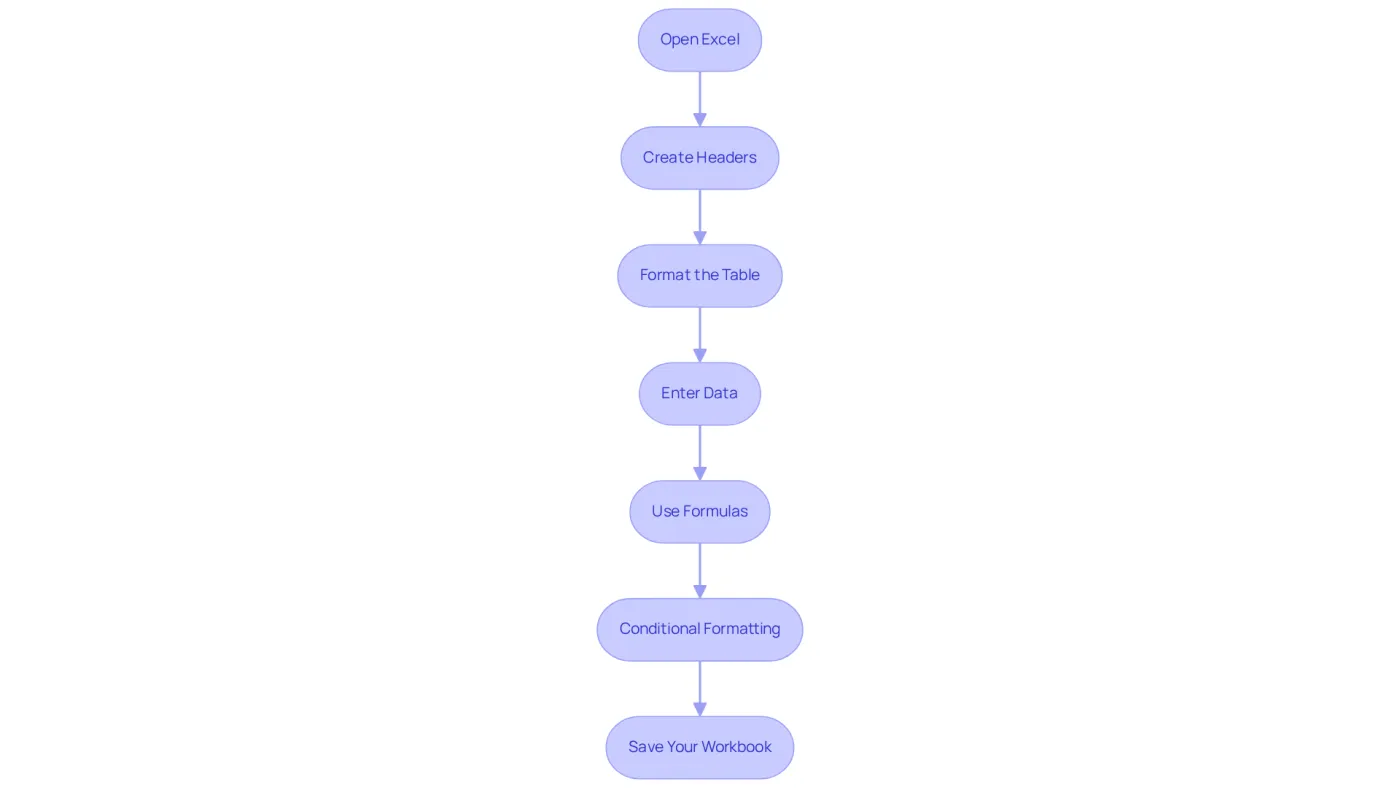
- Open Excel: Launch Microsoft Excel and create a new blank workbook.
- Create Headers: In the first row, label your columns with vital components such as Item Name, SKU, Quantity in Stock, Reorder Level, Cost Price, Selling Price, and Total Value.
- Format the Table: Select the header row and apply bold formatting. Utilize the 'Format as Table' feature for improved organization and visual clarity. A well-structured inventory sheet can save time and reduce errors.
- Enter Data: Begin entering your stock data in the rows below the headers. Ensure accuracy to maintain the integrity of your report, as 90% of spreadsheets contain errors often due to simple typing mistakes. Remember, 43% of small enterprises still depend on Excel to manage their systems and stock levels.
- Use Formulas: In the Total Value column, apply a formula to calculate the total value for each item (e.g.,
=B2*C2, where B2 is Quantity in Stock and C2 is Cost Price). Additionally, consider using simple formulas likeSUM()andAVERAGE()to monitor stock trends. This automation enhances efficiency and reduces manual errors. - Conditional Formatting: To enhance functionality, utilize conditional formatting for reorder alerts, which can assist you in managing inventory levels effectively.
- Save Your Workbook: Save your Excel file with a descriptive name for easy access in the future.
By adhering to these steps, you will develop a practical stock report format in Excel that is not only structured but also prepared for efficient management of goods.
Maintain and Update Your Stock Report Regularly
Essential Practices for Accurate Stock Reporting
To maintain the accuracy and utility of your stock report, it’s crucial to follow these essential practices:
-
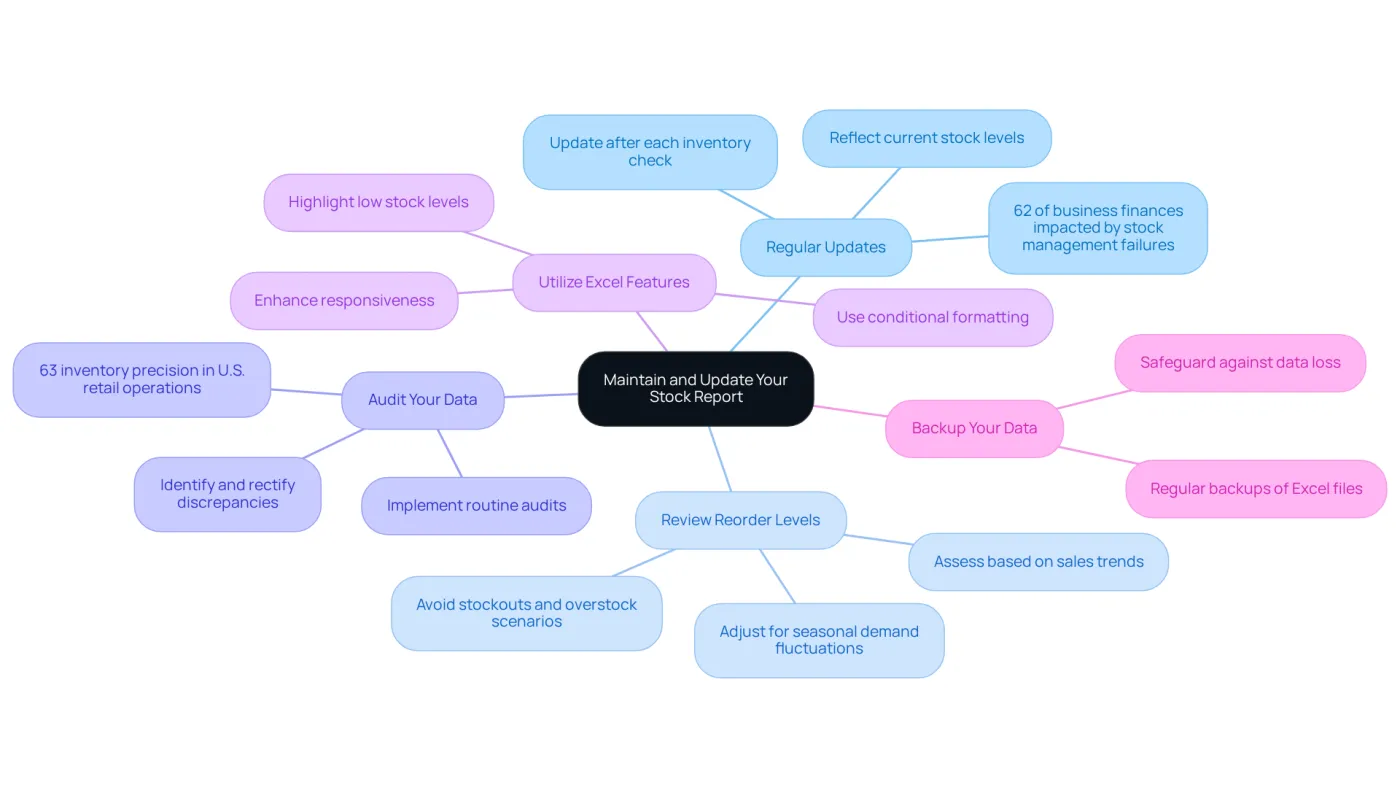
Regular Updates: Consistently updating your stock report is vital - ideally after each inventory check or upon receiving new stock. This ensures your data reflects current stock levels, which is essential for effective decision-making. Did you know that 62% of business finances are impacted due to failures in stock management? This statistic underscores the importance of timely updates.
-
Review Reorder Levels: Regularly assess and adjust reorder levels based on sales trends and seasonal demand fluctuations. This proactive strategy helps avoid stockouts and overstock scenarios, enhancing your stock control.
-
Audit Your Data: Implement routine audits of your inventory data to promptly identify and rectify discrepancies. Regular audits enhance data integrity, which is vital for accurate reporting and forecasting. Notably, stock precision in U.S. retail operations is reported to be only 63%, emphasizing the necessity for careful oversight.
-
Utilize Excel Features: Leverage Excel functionalities, such as conditional formatting, to visually highlight low stock levels or items requiring reordering. These features simplify your stock oversight process and enhance responsiveness.
-
Backup Your Data: Ensure regular backups of your Excel file to safeguard against data loss. This precaution is essential for sustaining the continuity of your stock control practices.
By diligently maintaining and updating your inventory report, you transform it into a vital tool for effective inventory management. This ultimately enhances operational efficiency and accuracy. As Phil Davis notes, timely updates can significantly impact financial outcomes, making it imperative for finance professionals to prioritize accurate stock reporting.
Conclusion
Creating an effective stock report format in Excel transcends mere technicality; it’s a strategic imperative that can profoundly enhance inventory management. Understanding the critical role of stock reports empowers businesses to monitor inventory levels, pinpoint restocking needs, and make informed decisions that align with their financial objectives. This guide outlines the essential components and steps necessary to craft a comprehensive stock report, underscoring the importance of accuracy and regular updates.
Key insights include the necessity of maintaining a clear structure within the stock report, incorporating vital elements such as item names, SKUs, and cost prices, and leveraging Excel's features to streamline the process. Regular updates and audits are indispensable for ensuring data integrity, which directly influences operational efficiency and financial outcomes. Moreover, adapting reorder levels based on sales trends and employing conditional formatting for alerts significantly enhances stock management effectiveness.
In conclusion, adopting a systematic approach to stock reporting in Excel not only mitigates risks associated with inventory mismanagement but also positions businesses for sustainable growth. By prioritizing accurate and timely stock reporting practices, organizations can unlock substantial advantages in their supply chain operations, ultimately driving profitability. Taking the initiative to implement these strategies will lead to improved decision-making and operational success in an increasingly competitive marketplace.
Frequently Asked Questions
What are stock reports and why are they important?
Stock reports are essential documents that provide a comprehensive overview of stock levels, movements, and values. They help companies monitor current supplies, identify items needing restocking, and track resource changes over time, which is crucial for effective supply management.
How do stock reports contribute to financial outcomes?
Understanding stock reports helps prevent overaccumulation and shortages, leading to better financial outcomes. For example, a clothing retailer that maintains an optimal inventory can meet peak demand without excess, optimizing cash flow and enhancing customer satisfaction.
What role do stock reports play in decision-making for businesses?
Businesses that utilize stock reports can make informed decisions that align with their financial goals. Efficient stock control, as highlighted by industry experts, is a cornerstone of supply chain effectiveness and directly impacts profitability.
What is the significance of AI-driven resource solutions in stock management?
98% of CEOs anticipate immediate business advantages from implementing AI-driven resource solutions, which can enhance the accuracy of supply summaries and forecasting, leading to better stock management.
How can companies improve their stock tracking processes?
Companies can refine their tracking processes by creating a stock report format in Excel, which facilitates trend analysis and informed decision-making.
What are the benefits of proactive inventory management?
Proactive inventory management mitigates risks associated with demand variability and positions companies for sustainable growth in a competitive landscape.