
Master Excel Basics Cheat Sheet for Accurate Financial Reporting
Master financial reporting with an excel basics cheat sheet for essential functions and shortcuts.

Introduction
Mastering financial reporting requires precision, and Excel is an indispensable tool for achieving this goal. With nearly 88% of accounting spreadsheets containing errors, finance professionals face a significant challenge. How can they effectively navigate these common pitfalls? By harnessing essential functions and shortcuts outlined in an Excel basics cheat sheet, they can elevate their reporting accuracy and efficiency.
Imagine the impact of reducing errors in your financial reports. Not only does it enhance decision-making, but it also builds trust with stakeholders. Excel’s capabilities, when fully leveraged, can transform the way you approach financial reporting.
Now is the time to take action. Equip yourself with the knowledge and tools necessary to master Excel and improve your financial reporting. The benefits are clear:
- Increased accuracy
- Enhanced efficiency
- Better decision-making
Don’t let errors hold you back - embrace the power of Excel today.
Understand Essential Excel Functions for Financial Reporting
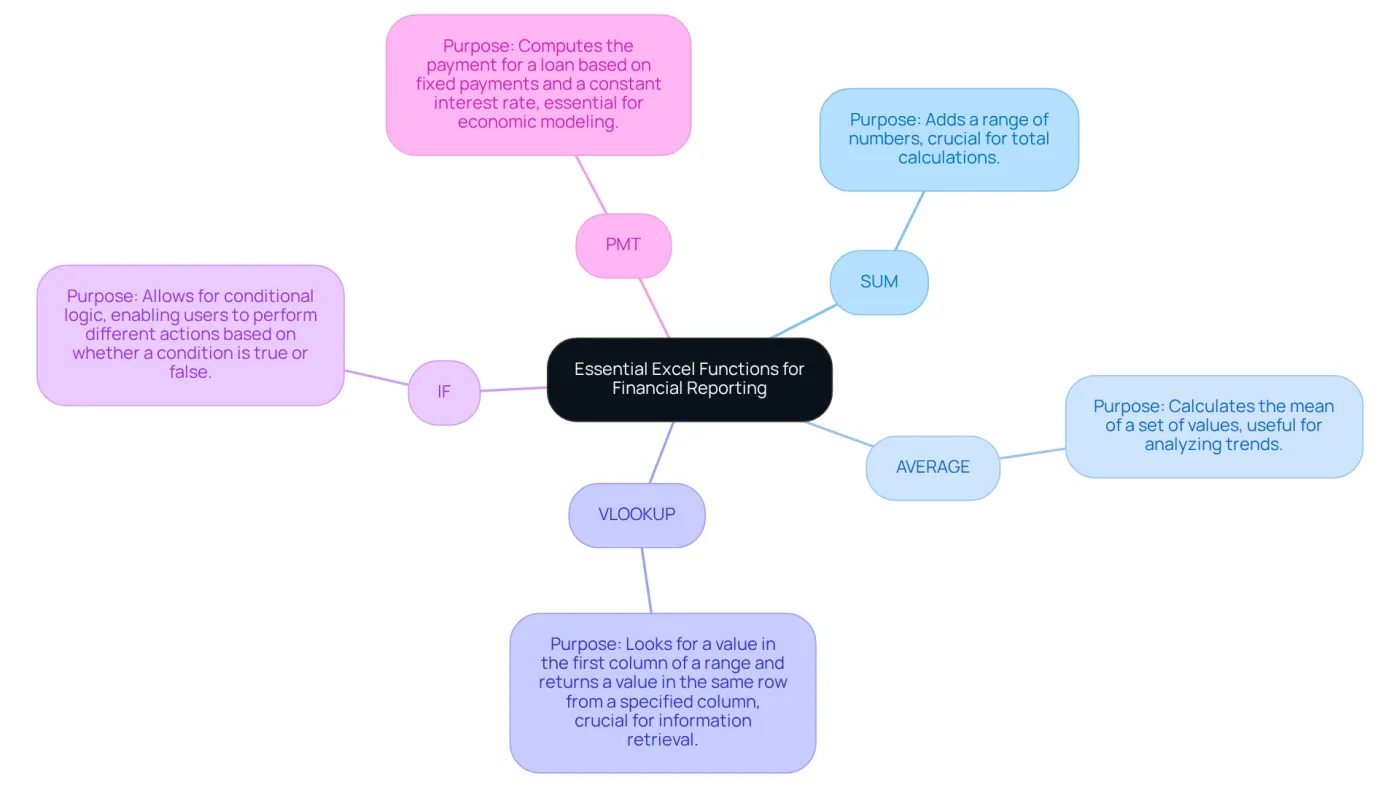
To excel in monetary reporting, it is paramount to refer to an excel basics cheat sheet for familiarity with essential Excel functions. Key functions include:
- SUM: Adds a range of numbers, crucial for total calculations.
- AVERAGE: Calculates the mean of a set of values, useful for analyzing trends.
- VLOOKUP: Looks for a value in the first column of a range and returns a value in the same row from a specified column, crucial for information retrieval.
- IF: Allows for conditional logic, enabling users to perform different actions based on whether a condition is true or false.
- PMT: Computes the payment for a loan based on fixed payments and a constant interest rate, essential for economic modeling.
Understanding these functions, as highlighted in the excel basics cheat sheet, not only enhances reporting precision but also allows users to manage information effectively. This leads to enhanced decision-making in monetary contexts, empowering professionals to navigate financial landscapes with confidence.
Apply Excel Cheat Sheet for Enhanced Reporting Accuracy
Streamline Your Financial Reporting with Excel
Are you struggling with inefficiencies in your financial reporting process? Applying an excel basics cheat sheet can significantly enhance accuracy and save you valuable time. Here’s how you can leverage these powerful tools:
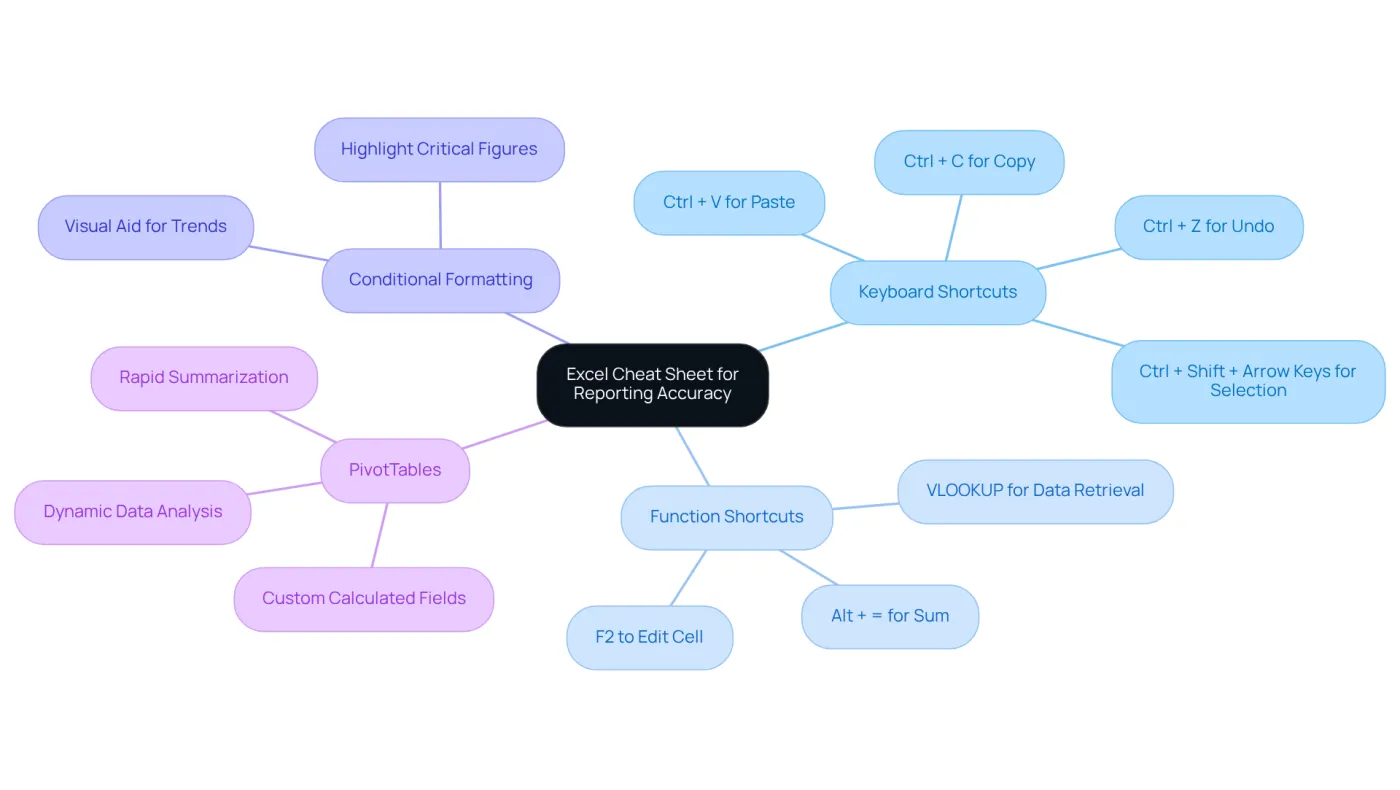
- Keyboard Shortcuts: Mastering shortcuts like
Ctrl + Cfor copy,Ctrl + Vfor paste, andAlt + E, S, Vfor pasting values can drastically reduce data entry errors. For example, usingCtrl + Zto undo mistakes allows for quick corrections, keeping your workflow uninterrupted. - Function Shortcuts: Utilize
Alt + =to swiftly sum a range of cells orF2to edit a cell directly. These shortcuts enable faster information manipulation, allowing finance professionals to concentrate on analysis rather than repetitive tasks. - Conditional Formatting: Apply conditional formatting to highlight critical figures, making it easier to spot trends and anomalies in your data. This visual aid enhances report clarity, facilitating quicker decision-making.
- PivotTables: Leverage PivotTables for dynamic data analysis, enabling rapid summarization and reporting of extensive datasets. This tool not only boosts efficiency but also enhances the precision of insights, allowing users to manipulate data without complicated formulas.
Incorporating an excel basics cheat sheet into your workflow can lead to significant improvements in the accuracy and efficiency of your reports. By streamlining your processes, you empower better decision-making and strategic planning. Don’t let inefficiencies hold you back-start implementing these Excel strategies today!
Troubleshoot Common Excel Issues in Financial Reporting
Common Excel issues can significantly impact the accuracy of financial reporting. Understanding these prevalent problems and their solutions is crucial for maintaining the integrity of your financial data, especially when referring to the excel basics cheat sheet.
-
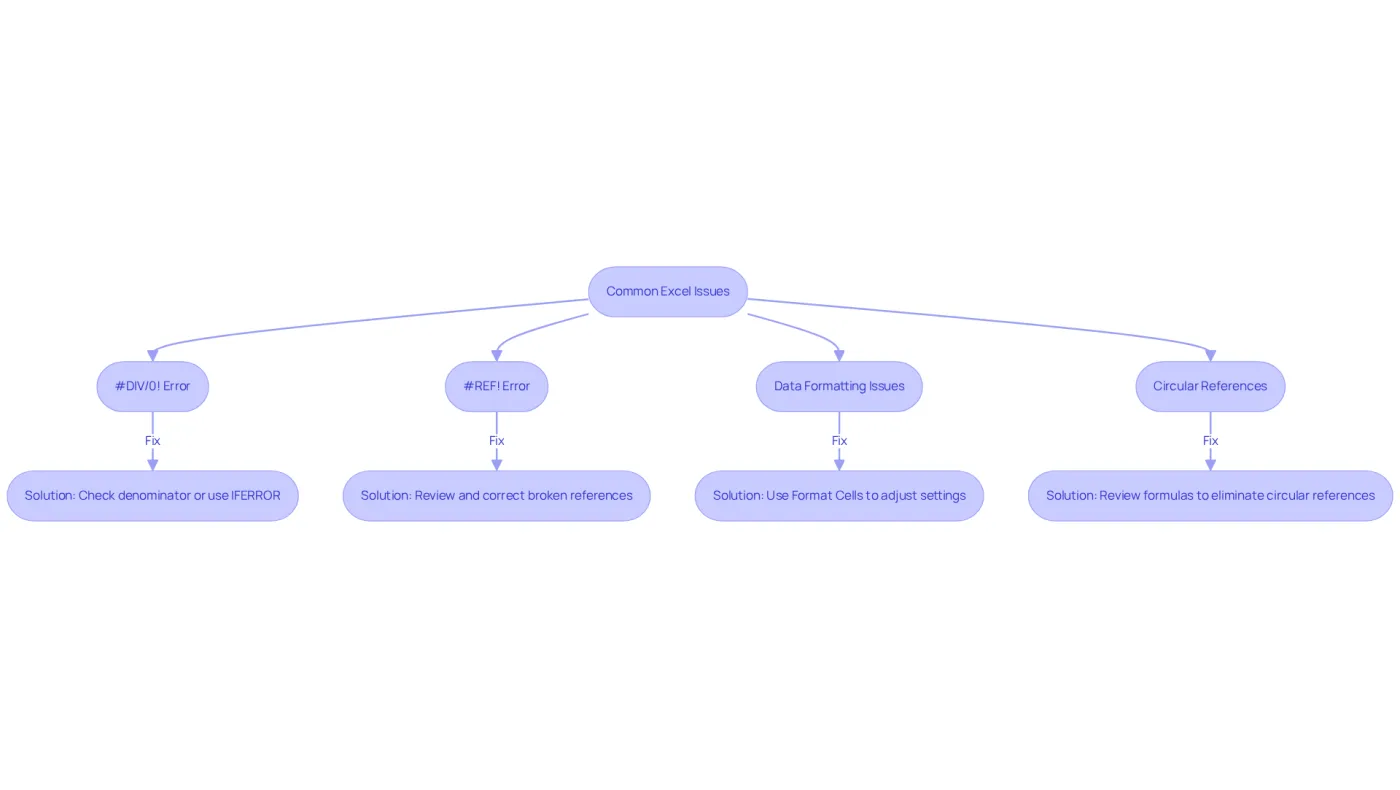
#DIV/0! This error arises when a formula attempts to divide by zero. To resolve it, ensure that the denominator is not zero or utilize the
IFERRORfunction to manage the issue gracefully, preventing disruptions in your calculations. -
#REF! Error: This indicates a broken reference in a formula, often due to deleted cells or ranges. To fix this, review the formula and correct any references that point to non-existent cells.
-
Data Formatting Issues: Proper number formatting is essential for accurate calculations. Ensure that values are formatted correctly (e.g., as currency) by using the
Format Cellsoption to adjust settings as necessary. -
Circular References: These occur when a formula refers back to its own cell, leading to calculation issues. Excel will alert you to this problem; review your formulas to eliminate any circular references.
Statistics reveal that nearly 88% of accounting spreadsheets contain mistakes, and 41% of finance teams struggle to recognize and rectify these issues. This underscores the importance of addressing common Excel problems as outlined in an excel basics cheat sheet. As Luke Hinchliffe, Marketing Director, noted, "It’s stated that almost 90% of spreadsheets have mistakes, and half of spreadsheet models utilized in large companies possess ‘material flaws’." By proactively tackling these issues, finance professionals can uphold the integrity of their financial reports and avert costly errors.
Real-world examples further illustrate the consequences of spreadsheet mistakes. For instance, JP Morgan Chase faced a staggering $6 billion loss due to a cut-and-paste error in 2012, highlighting the critical need for vigilance in spreadsheet management.
Leverage ShortieCuts for Seamless Transition to Google Sheets
Transitioning from spreadsheet software to Google Sheets can feel overwhelming. However, ShortieCuts streamlines this process effectively, empowering finance professionals to enhance their productivity. Here’s how you can leverage its features:
-
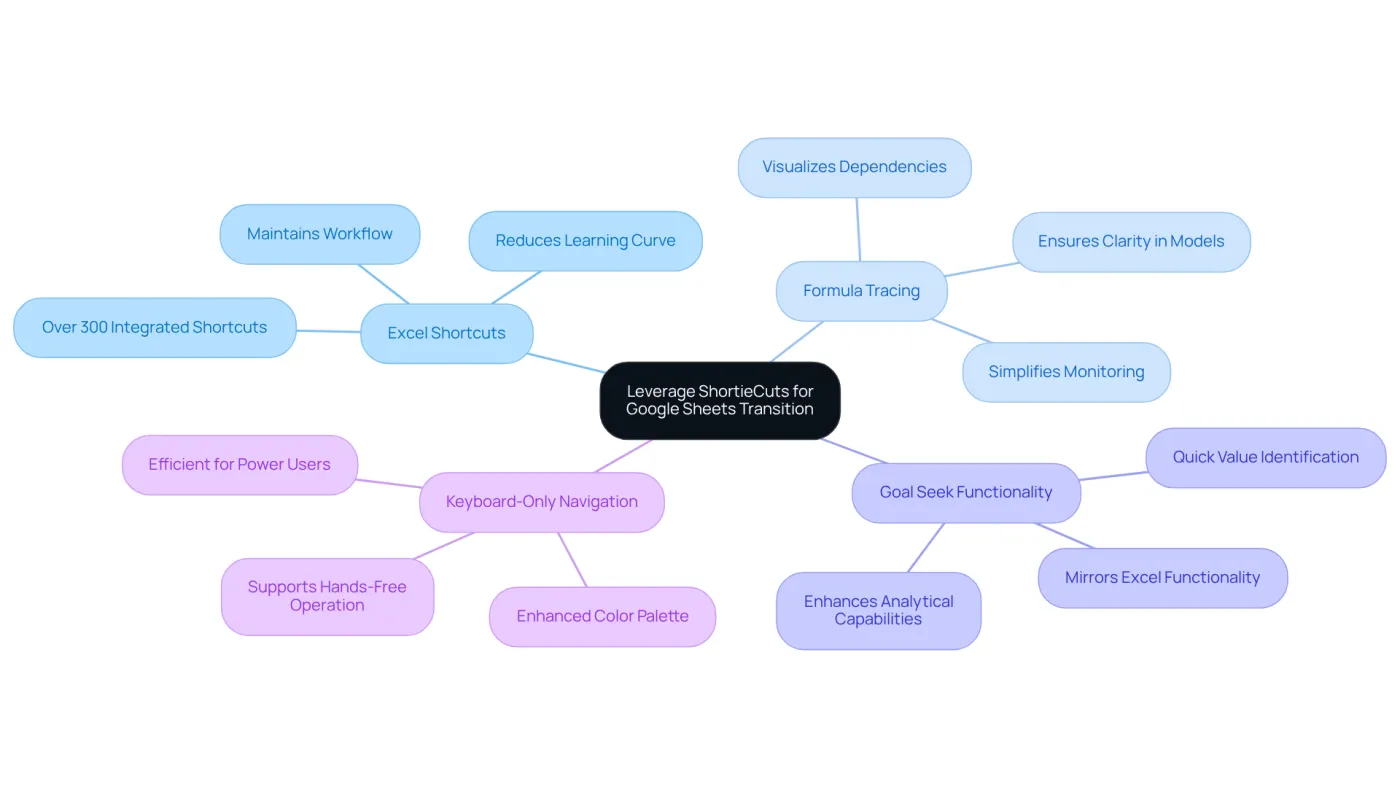
Excel Shortcuts: With 233 integrated Excel ALT key shortcuts, users can perform familiar tasks in Google Sheets without relearning commands. This significantly reduces the learning curve, allowing finance professionals to maintain their workflow seamlessly by utilizing the excel basics cheat sheet. Notably, 31% of finance and accounting professionals utilize Google Sheets for real-time dashboards, underscoring its growing relevance in the finance sector.
-
Formula Tracing: The formula tracing feature allows users to visualize dependencies and precedents in their calculations, similar to Excel. This ensures clarity in complex financial models, simplifying the monitoring and management of relationships. As Robert A. Lee, Senior Editor, states, "Google Sheets isn’t just a spreadsheet tool; it’s a platform reshaping how individuals and businesses collaborate with data."
-
Goal Seek Functionality: ShortieCuts includes a Goal Seek feature that mirrors Excel’s functionality, enabling users to quickly identify necessary values for their calculations. This enhances analytical capabilities, which are crucial for informed financial decision-making. The adoption of Google Sheets has experienced a 9.3% year-over-year increase in enterprise usage, highlighting its growing importance in the business landscape.
-
Keyboard-Only Navigation: The enhanced color palette supports keyboard-only navigation, making it easier to select options without a mouse. This feature is particularly advantageous for power users who prefer efficient, hands-free operation.
By utilizing ShortieCuts along with an excel basics cheat sheet, finance professionals can maintain their productivity and comfort while adapting to Google Sheets, ensuring a smooth and efficient transition.
Conclusion
Mastering the essential functions of Excel is not just beneficial; it’s crucial for anyone involved in financial reporting. An Excel basics cheat sheet can significantly enhance accuracy and efficiency, empowering professionals to navigate financial landscapes with confidence and precision. Familiarizing oneself with key functions, shortcuts, and troubleshooting techniques is vital for streamlining the reporting process.
Consider the significance of functions like:
- SUM
- AVERAGE
- VLOOKUP
These tools facilitate better data management and analysis, making your reporting more effective. Moreover, leveraging keyboard shortcuts and tools such as PivotTables can drastically reduce errors and improve clarity in your reports. Addressing common Excel issues is equally important, as it safeguards the integrity of financial data and helps prevent costly mistakes.
Incorporating these strategies into your daily workflow can revolutionize your approach to financial reporting. By prioritizing Excel proficiency and utilizing available resources, finance professionals can enhance their productivity and contribute to more informed decision-making within their organizations. Embracing these practices is essential for anyone aiming to elevate their financial reporting capabilities and ensure accuracy in their work.
Frequently Asked Questions
What is the importance of understanding Excel functions for financial reporting?
Understanding Excel functions is crucial for enhancing reporting precision and effectively managing information, leading to better decision-making in monetary contexts.
What are some essential Excel functions for financial reporting?
Key Excel functions for financial reporting include SUM, AVERAGE, VLOOKUP, IF, and PMT.
What does the SUM function do?
The SUM function adds a range of numbers, which is essential for total calculations.
How does the AVERAGE function assist in financial analysis?
The AVERAGE function calculates the mean of a set of values, which is useful for analyzing trends.
What is the purpose of the VLOOKUP function?
The VLOOKUP function searches for a value in the first column of a range and returns a value from the same row in a specified column, which is crucial for information retrieval.
How does the IF function work in Excel?
The IF function allows for conditional logic, enabling users to perform different actions based on whether a condition is true or false.
What does the PMT function calculate?
The PMT function computes the payment for a loan based on fixed payments and a constant interest rate, which is essential for economic modeling.