
Master Excel Formula to Round to Nearest Whole Number for Finance
Master the excel formula round to nearest whole number for accurate financial calculations and reporting.

Introduction
Rounding is not merely a mathematical convenience; it stands as a cornerstone of financial accuracy that can significantly influence a report's integrity. For finance professionals, mastering the formula to round to the nearest whole number in Excel is essential for ensuring precision in calculations. Yet, the challenge extends beyond merely applying these rounding techniques; it encompasses understanding their profound impact on financial outcomes.
What best practices should you adopt when utilizing Excel's rounding functions? How can these practices enhance the reliability of your financial data? This guide explores the essential rounding methods in Excel, providing insights that can elevate your financial reporting and analysis to new heights.
Understand Rounding Basics in Excel
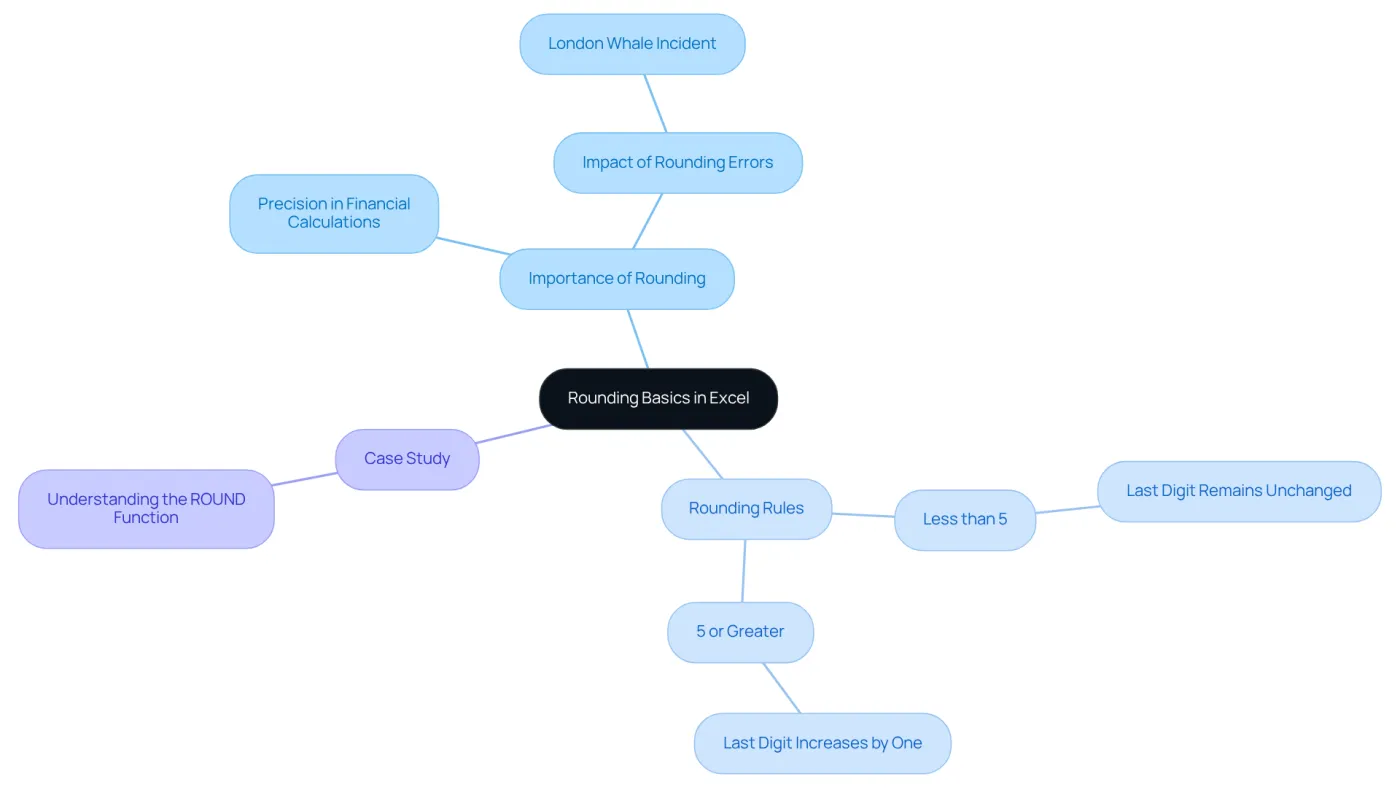
Rounding is a vital mathematical technique that simplifies numbers by reducing the number of digits while closely preserving their original value. In financial contexts, particularly within Excel, using an Excel formula to round to the nearest whole number is essential for maintaining precision in calculations. Understanding the fundamental rules of rounding is crucial:
- If the digit immediately following the rounding point is less than 5, the last digit remains unchanged.
- If the digit is 5 or greater, the last digit increases by one.
For instance, rounding 2.3 results in 2, while rounding 2.5 yields 3. These principles are essential for effectively utilizing Excel's number adjustment features, such as the Excel formula to round to the nearest whole number, ensuring that monetary data is handled with precision. Rounding errors can significantly impact financial calculations; studies indicate that even minor discrepancies can lead to substantial inaccuracies in reporting. A notable case study, the London Whale incident, underscores the importance of proper calculation practices, revealing that incorrect calculations resulted in over $6 billion in losses due to spreadsheet errors. By mastering these approximation techniques, finance professionals can enhance the reliability of their data analysis and reporting. Furthermore, analysts emphasize the critical nature of rounding principles in Excel, especially the Excel formula to round to the nearest whole number, reinforcing the necessity for precision in reporting.
Apply the ROUND Function for Whole Numbers
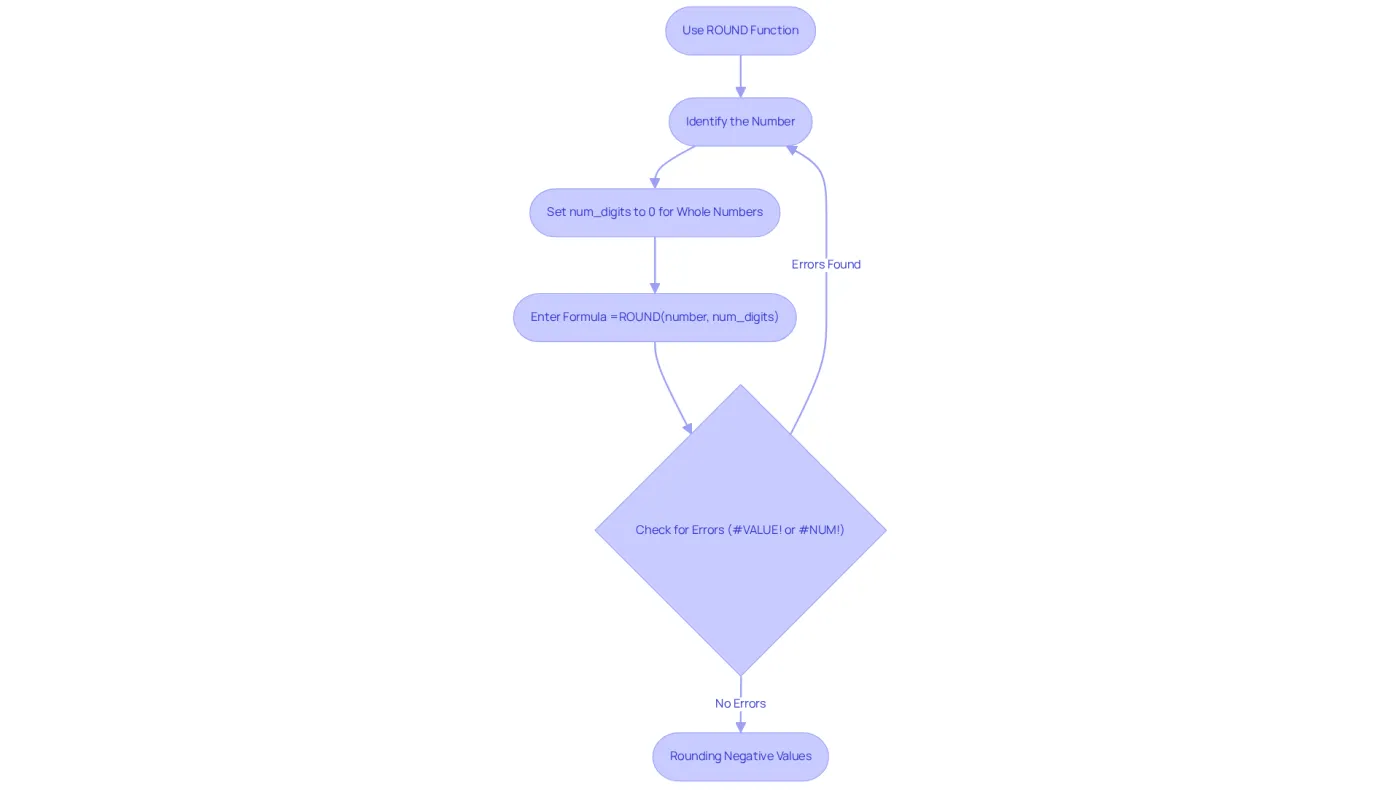
It is essential for maintaining accuracy in financial reports to use an Excel formula to round to the nearest whole number when rounding a value. For this task, the Excel formula to round to the nearest whole number is your go-to tool. Here’s how it works:
=ROUND(number, num_digits)
- number: This is the value you want to round.
- num_digits: Indicate how many digits to round to; for whole numbers, set this to 0.
Example: To round the value in cell A1, simply use:
=ROUND(A1, 0)
This formula rounds the number in A1 to the nearest whole number. For instance, if A1 contains 4.6, using the Excel formula to round to the nearest whole number will give a result of 5; conversely, if it contains 4.4, the result will be 4.
In monetary analysis, where presenting whole numbers is vital for clarity and professionalism, the use of the Excel formula to round to the nearest whole number is particularly crucial. Finance experts emphasize the importance of rounding to avoid discrepancies in monetary data, ensuring that reports are both precise and easy to understand. Current trends indicate a growing reliance on Excel features like ROUND to streamline financial calculations, making it an indispensable tool for efficient data management in 2026.
Be aware that the ROUND function can return errors such as #VALUE! or #NUM! if the provided argument is invalid or exceeds Excel's maximum size, approximately 1.79769313486231E+308. Additionally, the ROUND function can handle negative values, rounding them just like positive numbers. For example, to round to the nearest thousand, you can use:
=ROUND(A1, -3)
Explore Alternative Rounding Functions: ROUNDUP and ROUNDDOWN
Excel offers two crucial rounding functions beyond the standard ROUND function: ROUNDUP and ROUNDDOWN. These functions allow users to control the direction of rounding, which is essential in financial calculations.
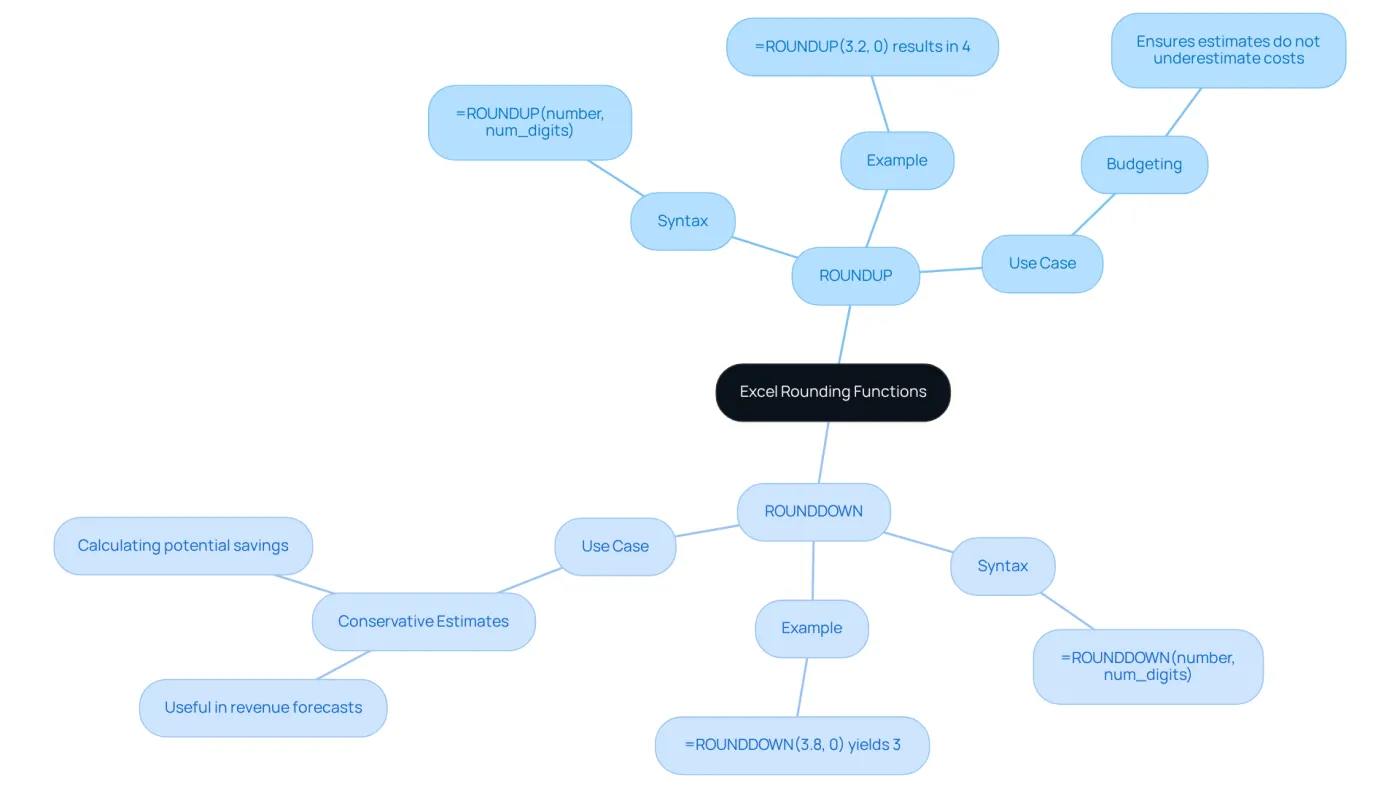
- ROUNDUP: This function consistently rounds a value up, away from zero. The syntax is:
=ROUNDUP(number, num_digits)
For example, =ROUNDUP(3.2, 0) results in 4. This function is particularly beneficial in budgeting scenarios, where rounding up ensures that estimates do not underestimate costs, providing a buffer in financial planning. As Warren Buffett aptly states, "A strong financial strategy isn’t about how much you make-it’s about how well you manage what flows in and out."
- ROUNDDOWN: Conversely, this function rounds a value down, toward zero. The syntax is:
=ROUNDDOWN(number, num_digits)
For instance, =ROUNDDOWN(3.8, 0) yields 3. This function is advantageous when a conservative estimate is desired, such as in revenue forecasts or when calculating potential savings.
In finance, the choice between ROUNDUP and ROUNDDOWN can significantly influence budgeting and forecasting accuracy. Financial experts often emphasize the importance of direction in maintaining fiscal responsibility. Recent studies indicate that approximately 75% of finance professionals frequently utilize these rounding techniques to ensure precision in their calculations, underscoring their vital role in effective financial management. Understanding when to apply these functions, such as an excel formula round to nearest whole number, can enhance monetary decision-making and refine overall budgeting strategies, as highlighted in various case studies on budgeting and saving fundamentals.
Utilize Rounding in Financial Calculations
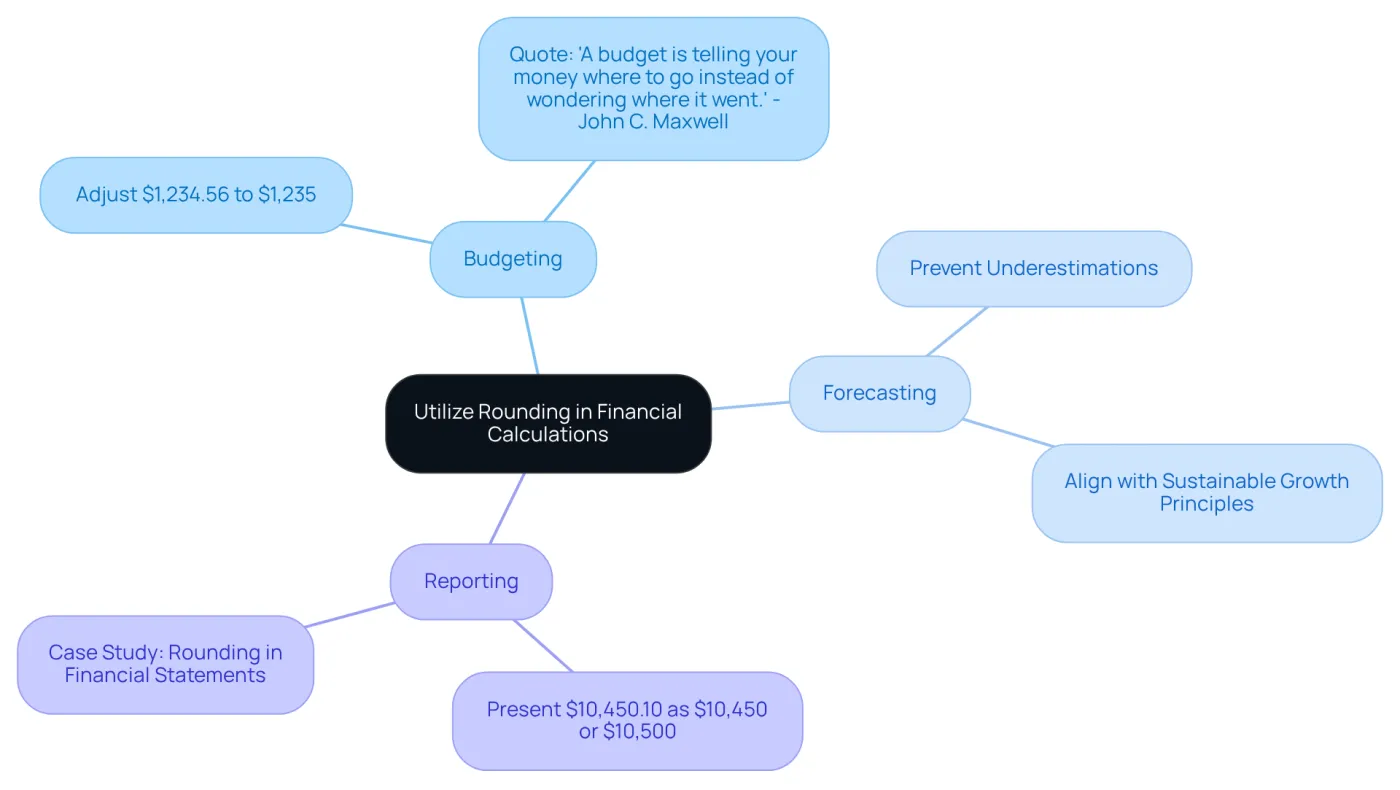
Rounding plays a crucial role in monetary calculations, particularly when applying an excel formula round to nearest whole number to ensure clarity and precision in presenting figures. Let's explore some key applications of rounding in finance:
-
Budgeting: Rounding simplifies figures, making them easier to comprehend. For instance, applying an excel formula round to nearest whole number to adjust $1,234.56 to $1,235 enhances readability and facilitates quicker decision-making. As John C. Maxwell aptly puts it, "A budget is telling your money where to go instead of wondering where it went."
-
Forecasting: Utilizing the excel formula round to nearest whole number in economic forecasting helps prevent underestimations, which is vital for effective planning and resource allocation. This aligns with the principle that effective monetary strategies ensure sustainable growth.
-
In reporting, financial reports benefit from an excel formula round to nearest whole number, contributing to a polished and professional appearance. Presenting a total of $10,450.10 as either $10,450 or $10,500 can significantly improve the report's visual impact. Case studies, such as those on 'Adjustments in Financial Statements,' demonstrate that effective adjustments not only enhance clarity but also conform to best practices in reporting, ensuring adherence to industry standards.
Looking ahead to 2026, the trend toward accurate calculation practices in financial reporting is evolving. Finance professionals are increasingly emphasizing its role in enhancing budgeting and forecasting accuracy. By mastering these rounding techniques, finance professionals can elevate their reports and analyses, achieving greater precision and clarity in their work.
Conclusion
Mastering the art of rounding in Excel is not just a skill; it’s a necessity for finance professionals who demand accuracy and clarity in their calculations. By effectively utilizing the Excel formula to round to the nearest whole number, you can ensure that your financial reports are precise and user-friendly. The significance of rounding is profound, as it directly impacts the reliability of financial analyses and decision-making processes.
In this article, we’ve explored key concepts such as the fundamental rules of rounding, the application of the ROUND function, and the importance of alternative functions like ROUNDUP and ROUNDDOWN. Each function serves a distinct purpose - whether it’s simplifying budgeting, enhancing forecasting accuracy, or presenting polished financial reports. The case studies highlighted illustrate how improper rounding can lead to significant financial repercussions, underscoring the necessity of mastering these techniques.
As the financial landscape evolves, the role of precise rounding practices in Excel becomes increasingly vital. For finance professionals, adopting these rounding methods not only elevates the quality of your work but also aligns with industry best practices. Embracing these tools is a crucial step toward achieving excellence in financial reporting and analysis, ultimately leading to more informed decision-making and successful financial outcomes.
Frequently Asked Questions
What is rounding in Excel?
Rounding in Excel is a mathematical technique that simplifies numbers by reducing the number of digits while closely preserving their original value.
Why is rounding important in financial contexts?
Rounding is essential in financial contexts to maintain precision in calculations and ensure that monetary data is handled accurately.
What are the basic rules of rounding?
The basic rules of rounding are: if the digit immediately following the rounding point is less than 5, the last digit remains unchanged; if the digit is 5 or greater, the last digit increases by one.
Can you provide examples of rounding?
Yes, for example, rounding 2.3 results in 2, while rounding 2.5 yields 3.
What impact can rounding errors have on financial calculations?
Rounding errors can significantly impact financial calculations; even minor discrepancies can lead to substantial inaccuracies in reporting.
What is a notable case study that highlights the importance of proper calculation practices?
The London Whale incident is a notable case study that revealed incorrect calculations resulted in over $6 billion in losses due to spreadsheet errors.
How can mastering rounding techniques benefit finance professionals?
Mastering rounding techniques can enhance the reliability of data analysis and reporting for finance professionals.
Why is the Excel formula to round to the nearest whole number emphasized?
The Excel formula to round to the nearest whole number is emphasized because it reinforces the necessity for precision in financial reporting.