
Master the Day of Week Excel Formula for Financial Analysis
Unlock financial insights with the day of week excel formula for data analysis and decision-making.

Introduction
Understanding the complexities of financial analysis often relies on the effective interpretation of data. One powerful tool in this realm is Excel's WEEKDAY function. This function enables analysts to identify the day of the week for any given date, revealing insights into patterns that can significantly influence decision-making. For instance, it can help pinpoint peak sales days or optimize payment schedules.
However, many users encounter challenges in applying this function or fall into common pitfalls that can hinder their analysis. How can financial professionals fully leverage the WEEKDAY function to enhance their reporting and strategic planning? By mastering this tool, you can unlock a new level of analytical capability that drives informed decisions.
Understand the WEEKDAY Function: Purpose and Syntax
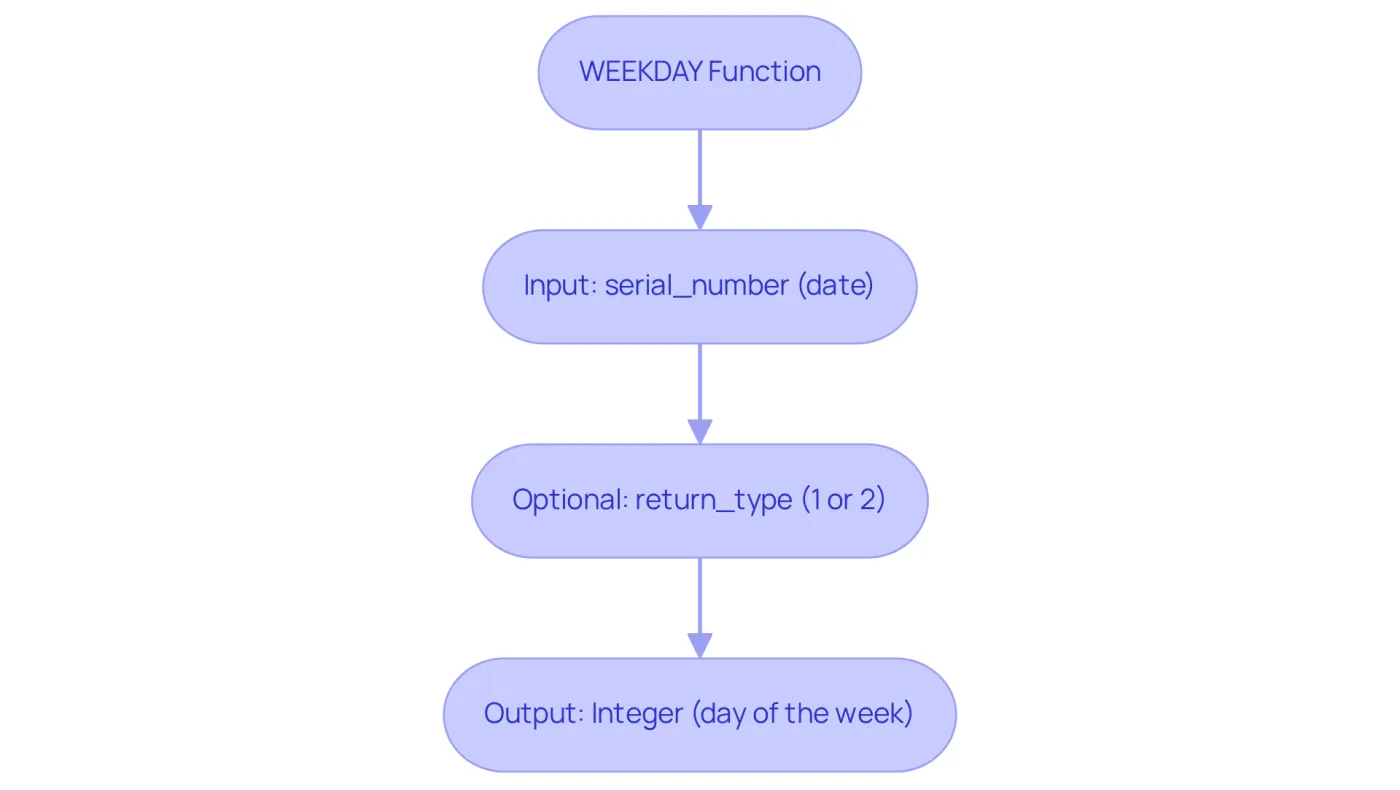
The WEEKDAY function in Excel serves a crucial role by returning an integer that signifies the day of the week for a specified timestamp, a key element in financial analysis. Its syntax is straightforward:
=WEEKDAY(serial_number, [return_type])
- serial_number: This represents the date you wish to evaluate, which can be a cell reference or a date entered directly.
- return_type: This optional argument defines how the days are numbered. The default is 1, where Sunday is 1 and Saturday is 7. Alternatively, you can set it to 2 to start the week on Monday (1 = Monday, 7 = Sunday).
Understanding the day of week excel formula is essential for financial analysts who need to identify trends based on weekdays, such as peak sales days or optimal task scheduling. For example, using a day of week excel formula to analyze sales data can uncover patterns that enhance inventory management and marketing strategies. As Ian Schnoor, Executive Director of the Financial Modeling Institute, notes, "With the appropriate features, Excel transforms into a potent catalyst for strategic understanding." Leveraging the day of week excel formula can significantly improve decision-making and operational efficiency in finance.
Moreover, a 2025 survey by the Association for Financial Professionals revealed that 96% of FP&A teams rely on Excel daily. This statistic underscores the importance of mastering such capabilities in a professional context.
Apply the WEEKDAY Function: Real-World Examples for Finance
Here are some practical examples of how to effectively use the WEEKDAY function in financial analysis:
-
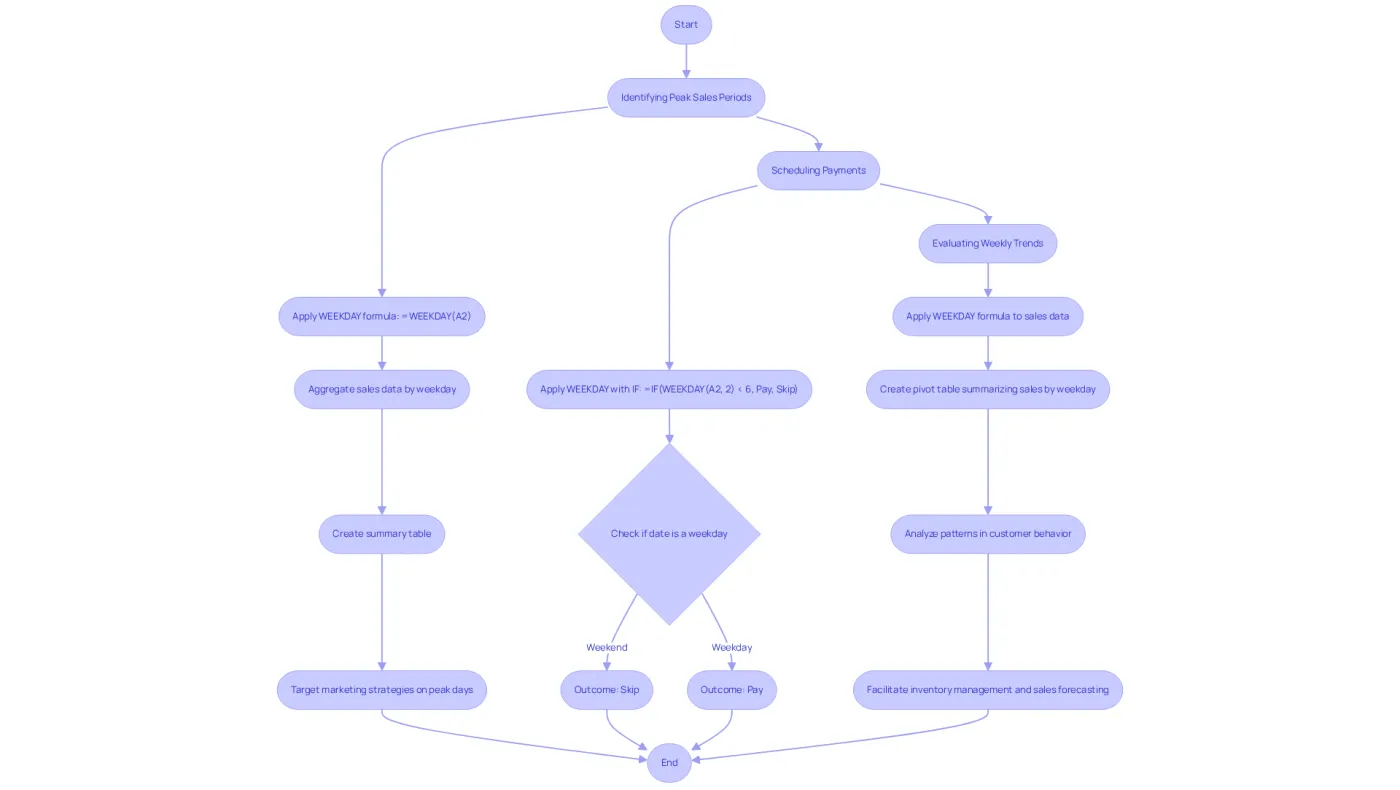
Identifying Peak Sales Periods: To determine which days of the week yield the highest sales, apply the day of week excel formula to your sales data. For instance, if your sales dates are in column A, the formula:
=WEEKDAY(A2)will return a number corresponding to the day of the week for the date in A2. This data can then be aggregated to create a summary table that highlights sales performance using the day of week excel formula, enabling targeted marketing strategies on peak days.
-
Scheduling Payments: When organizing payments that should occur only on weekdays, utilize the day of week excel formula in conjunction with an IF statement. For example:
=IF(WEEKDAY(A2, 2) < 6, "Pay", "Skip")This formula checks if the date in A2 falls on a weekday (Monday to Friday) and returns "Pay" or "Skip" accordingly, ensuring timely payments without weekend delays.
-
Evaluating Weekly Trends: By utilizing the day of week excel formula on your dataset, you can analyze sales patterns across various days of the week. For instance, creating a pivot table that summarizes total sales by weekday can reveal patterns in customer behavior, facilitating more effective inventory management and sales forecasting.
Troubleshoot Common Issues with the WEEKDAY Function
When using the WEEKDAY function, users often encounter several common issues that can hinder their productivity:
-
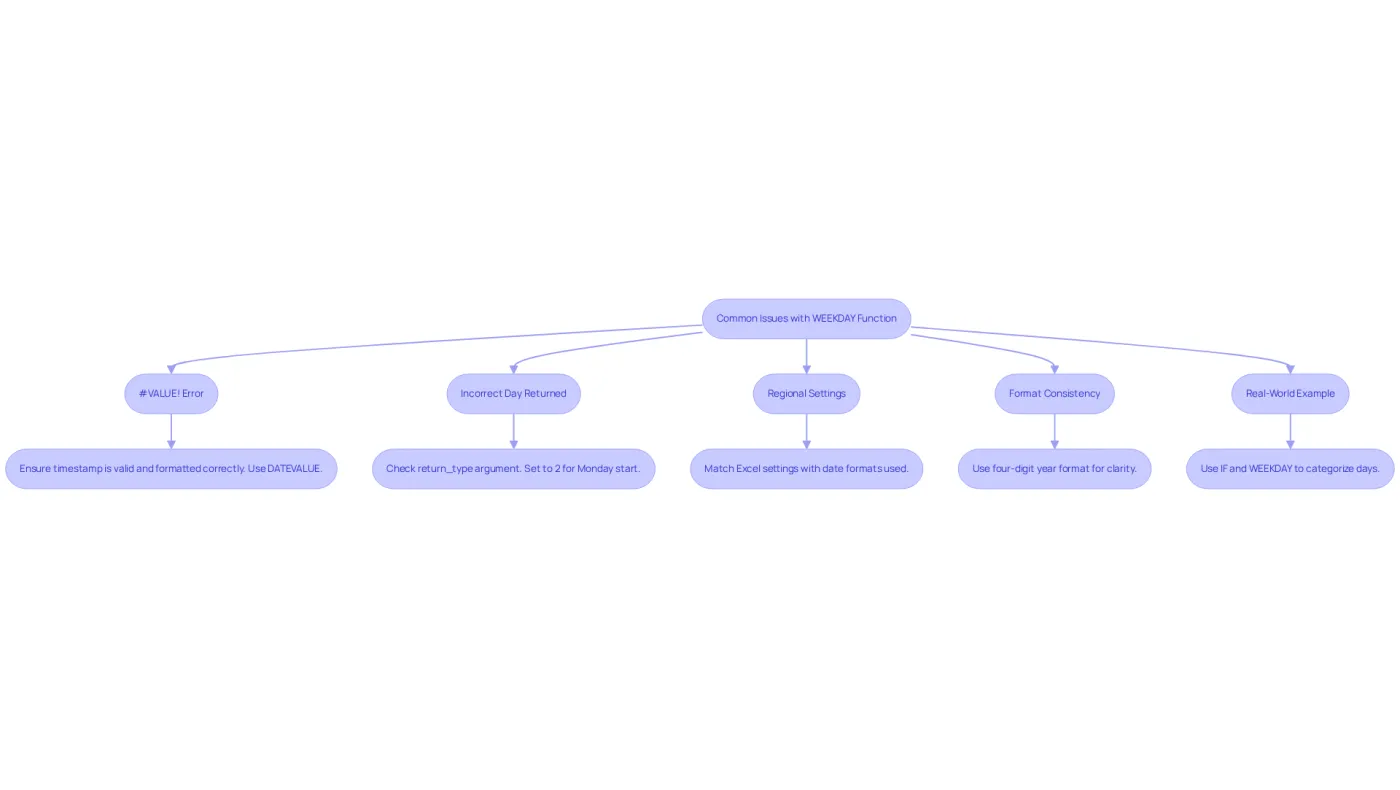
#VALUE! Error: This error arises when Excel does not recognize the provided information as a valid entry. To fix this, ensure that the timestamp is correctly formatted and not merely a text string. You can convert text to a date using the DATEVALUE function:
=WEEKDAY(DATEVALUE(A2))Additionally, be cautious with two-digit years, as Excel may misinterpret them. Always input dates with a four-digit year to prevent confusion.
-
Incorrect Day Returned: If the function returns an unexpected day, check the return_type argument. For a week starting on Monday, set it to 2:
=WEEKDAY(A2, 2)Remember, when return_type is set to 2, Monday is considered day 1.
-
Regional Settings: The function's behavior can vary based on regional settings. If you're working with date formats from a different locale, ensure your Excel settings match the format in use.
-
Format Consistency: Inconsistent date formats can lead to errors. Highlight the relevant cells, right-click, select Format Cells, and choose a four-digit year format to ensure clarity.
-
Real-World Example: Imagine needing to categorize a list of days as 'Workday' or 'Weekend'. You can use the formula:
=IF(WEEKDAY(A2, 2)<6, "Workday", "Weekend")This effectively identifies weekdays and weekends, enhancing your financial analysis. To count weekends in a list of dates, apply:
=SUM(--(WEEKDAY(A3:A20, 2)>5))This formula accurately counts the number of weekends in your specified date range.
By understanding these common issues and their solutions, users can effectively troubleshoot problems and ensure accurate outcomes when using the day of week excel formula for calculations. Addressing these errors promptly can significantly enhance the reliability of your financial calculations.
Enhance Data Analysis: Advanced Techniques with WEEKDAY
To elevate your analysis, consider these advanced techniques utilizing the WEEKDAY function:
-
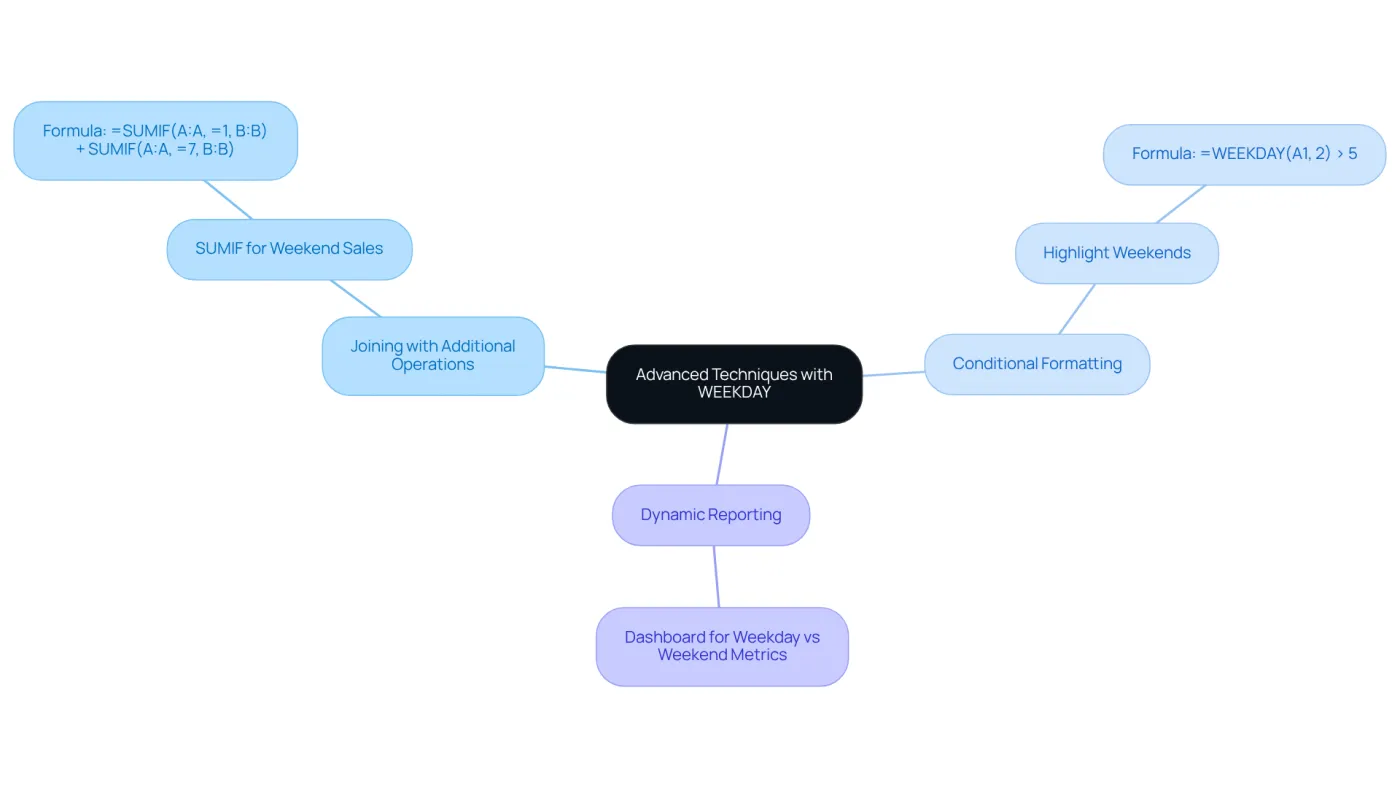
Joining with Additional Operations: Merge the day of week excel formula with operations like SUMIF or AVERAGEIF to evaluate data by weekdays. For instance, to calculate total sales for weekends:
=SUMIF(A:A, "=1", B:B) + SUMIF(A:A, "=7", B:B)This formula sums sales in column B where the corresponding date in column A is either Saturday or Sunday.
-
Conditional Formatting: Leverage the day of week excel formula to apply conditional formatting, emphasizing weekends in your data. Establish a rule that formats cells based on the WEEKDAY value:
=WEEKDAY(A1, 2) > 5This highlights cells in column A that fall on Saturday or Sunday.
-
Dynamic Reporting: Develop dynamic reports that adjust according to the day of the week. For example, set up a dashboard displaying key metrics for weekdays versus weekends, enabling informed decisions based on day-specific performance.
By mastering these advanced techniques, users can utilize the day of week excel formula with the WEEKDAY function to enhance their financial analysis and reporting capabilities.
Conclusion
Mastering the WEEKDAY function in Excel is crucial for financial analysts who want to elevate their data analysis and reporting. This powerful tool not only pinpoints the day of the week for any given date but also empowers users to uncover insights that can drive strategic decisions in finance. By leveraging this function, professionals can deepen their understanding of trends, boost operational efficiency, and ultimately make more informed decisions.
Key applications of the WEEKDAY function include:
- Identifying peak sales periods
- Scheduling payments effectively
- Evaluating weekly trends
Common issues faced by users have been addressed, along with practical solutions to ensure accurate outcomes. Moreover, advanced techniques such as combining the WEEKDAY function with other Excel operations and utilizing conditional formatting further showcase its versatility in financial analysis.
Incorporating the WEEKDAY function into financial practices transcends mere technical skill; it represents a strategic advantage in a competitive landscape. As financial professionals increasingly depend on Excel for their daily operations, mastering this function can lead to enhanced data analysis, improved forecasting, and better decision-making. Embracing these tools equips analysts to navigate the complexities of financial data with confidence, ensuring they remain at the forefront of their field.
Frequently Asked Questions
What is the purpose of the WEEKDAY function in Excel?
The WEEKDAY function in Excel returns an integer that signifies the day of the week for a specified timestamp, which is essential for financial analysis.
What is the syntax of the WEEKDAY function?
The syntax of the WEEKDAY function is =WEEKDAY(serial_number, [return_type]).
What does the 'serial_number' argument represent in the WEEKDAY function?
The 'serial_number' argument represents the date you wish to evaluate, which can be a cell reference or a date entered directly.
What is the optional 'return_type' argument in the WEEKDAY function?
The 'return_type' argument defines how the days are numbered. The default is 1, where Sunday is 1 and Saturday is 7. Alternatively, setting it to 2 starts the week on Monday, where 1 = Monday and 7 = Sunday.
Why is understanding the WEEKDAY function important for financial analysts?
Understanding the WEEKDAY function is important for financial analysts as it helps identify trends based on weekdays, such as peak sales days or optimal task scheduling, which can enhance inventory management and marketing strategies.
How can the WEEKDAY function improve decision-making in finance?
Leveraging the WEEKDAY function can significantly improve decision-making and operational efficiency by uncovering patterns in data that inform strategic understanding and planning.
How prevalent is the use of Excel among financial planning and analysis teams?
A 2025 survey by the Association for Financial Professionals revealed that 96% of FP&A teams rely on Excel daily, highlighting the importance of mastering such capabilities in a professional context.