
Master the Formula for Weighted Average in Google Sheets
Learn how to effectively use the formula for weighted average in Google Sheets for accurate data analysis.
Introduction
Calculating a weighted average accurately is essential for effective data analysis, particularly in tools like Google Sheets. This method not only improves the precision of your results but also enables a deeper understanding of datasets where certain elements carry more weight than others. Yet, many users find themselves grappling with the complexities of applying this formula correctly.
What common pitfalls do they encounter, and how can mastering the weighted average lead to more insightful analyses?
By addressing these challenges head-on, you can enhance your analytical skills and unlock the full potential of your data. Understanding the nuances of weighted averages allows you to interpret your findings with greater clarity and confidence. As you delve deeper into this topic, you'll discover how to navigate the intricacies of the formula, transforming your approach to data analysis.
Understand the Concept of Weighted Average
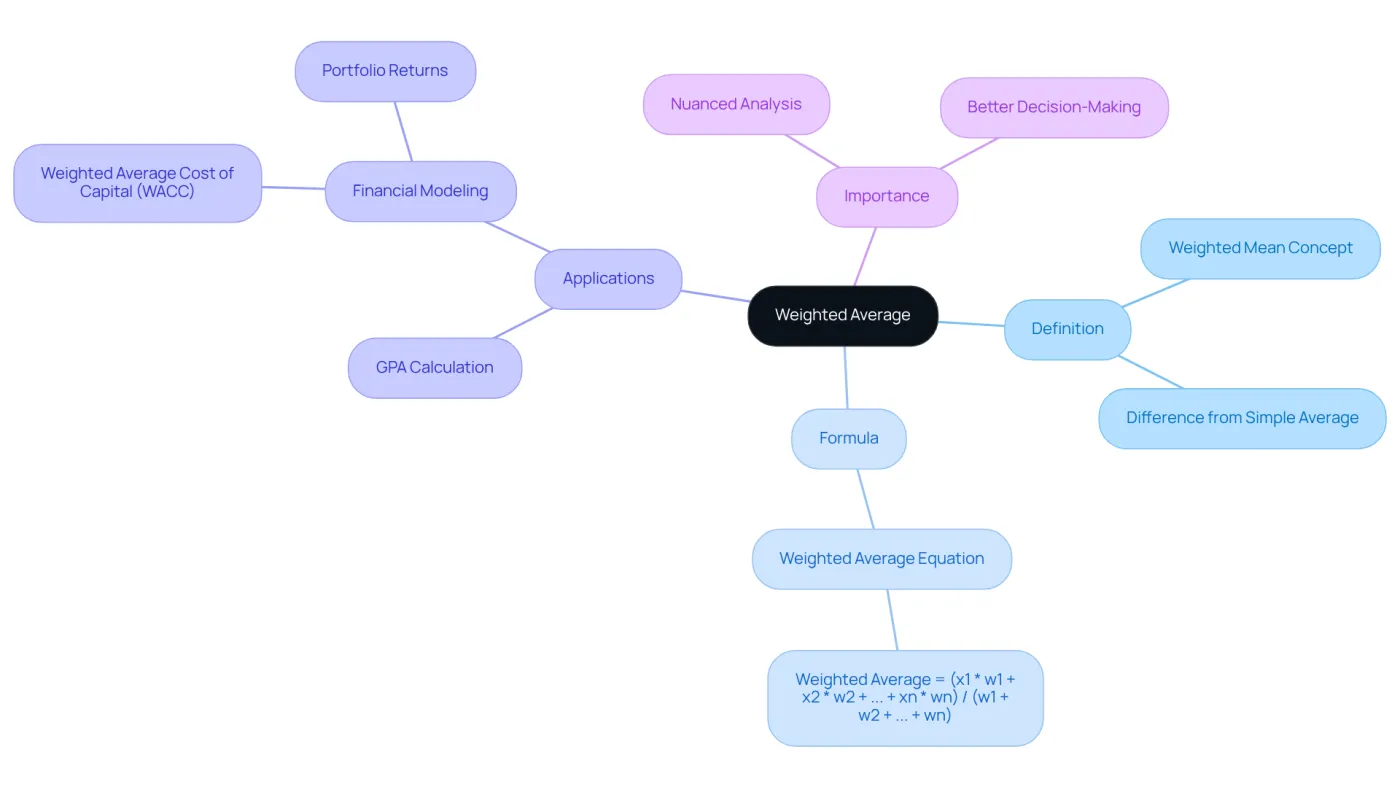
A weighted mean represents a specific type of mean where each item in a dataset contributes differently to the final result based on its assigned weight. This method proves particularly advantageous in scenarios where certain aspects hold greater significance than others. For instance, when calculating a student's GPA, different courses may carry varying credit weights, thereby influencing the overall mean.
To illustrate this concept, consider the formula for calculating a weighted average:
Weighted Average = (x1 * w1 + x2 * w2 + ... + xn * wn) / (w1 + w2 + ... + wn)
In this formula:
xidenotes each value in the dataset.wisignifies the weight assigned to each item.
This calculation underscores how the adjusted mean, based on the formula for weighted average, takes into account the relative importance of each value, resulting in a more accurate representation of the dataset compared to a simple mean. In financial modeling, for example, calculated means are vital for establishing metrics such as the mean cost of capital (WACC), which reflects the typical rate a company is expected to pay to finance its assets. This approach facilitates nuanced analysis, empowering better decision-making in investment strategies.
Moreover, in educational settings, proportional calculations are evident in various assessments, where different tasks or tests may uniquely impact a student's final score. As finance experts emphasize, understanding and applying calculated means is essential for precise data analysis and effective financial modeling, as they provide a clearer perspective on performance and value.
Learn the Weighted Average Formula
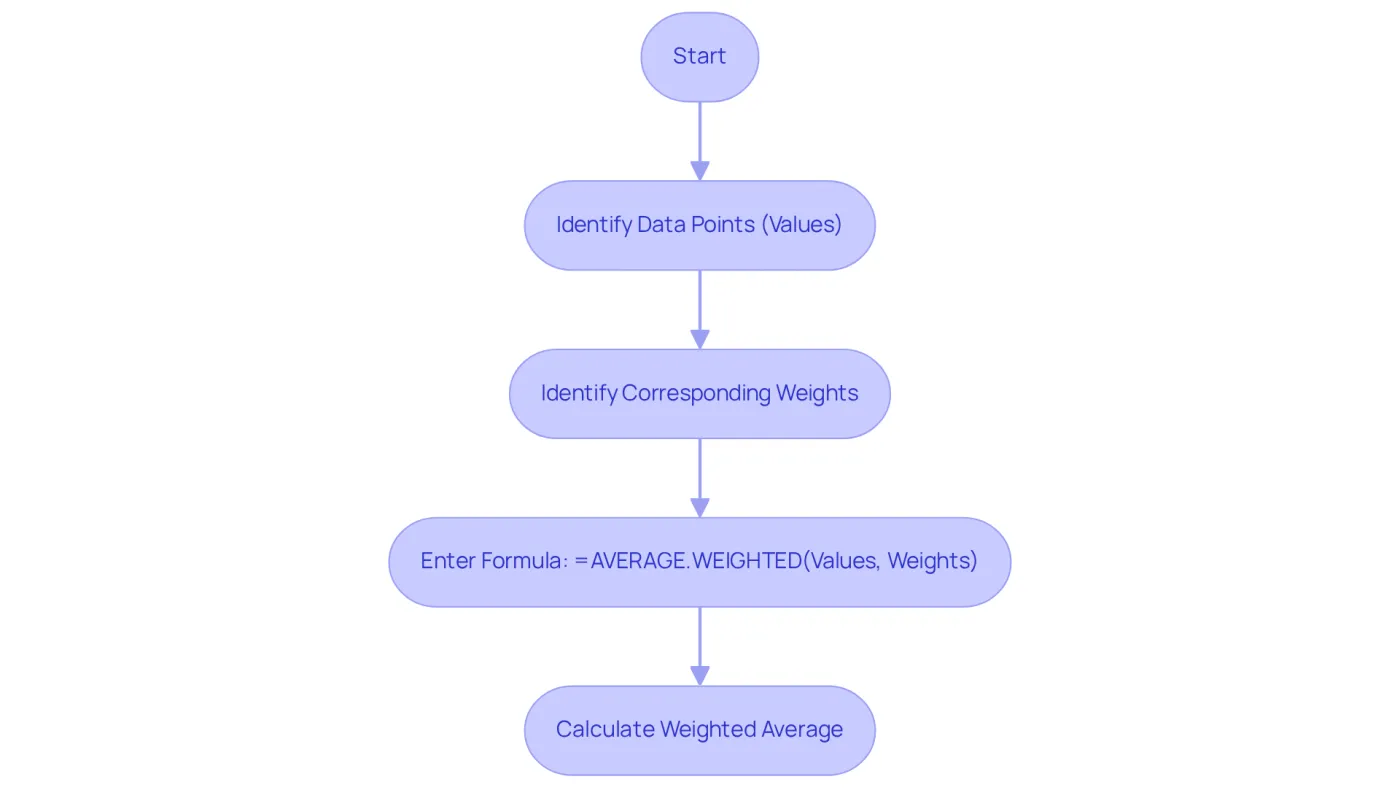
In Google Sheets, the formula for weighted average allows for straightforward calculation using the built-in function AVERAGE.WEIGHTED. The syntax for this function is:
=AVERAGE.WEIGHTED(values, weights)
Where:
valuesrefers to the range of cells containing the data points you want to average.weightsindicates the range of cells containing the corresponding measures for each amount.
For example, if your scores are in cells A2 to A5 and their corresponding weights are in B2 to B5, you would enter:
=AVERAGE.WEIGHTED(A2:A5, B2:B5)
This formula calculates the weighted average of the scores based on the specified weights, allowing for a more nuanced analysis of your data. The function AVERAGE.WEIGHTED is crucial in scenarios where the formula for weighted average is used to give more significance to certain numbers, such as customer ratings or financial metrics. In an e-commerce customer data analysis, for instance, applying the AVERAGE.WEIGHTED function enables businesses to prioritize feedback from frequent purchasers, leading to insights that more accurately reflect overall customer satisfaction.
As organizations increasingly recognize the necessity of data literacy, mastering such functions is essential for effective analytics. Notably, only 20% of analytics insights are expected to yield business outcomes, highlighting the importance of using the formula for weighted average to derive meaningful insights. Furthermore, as Veda Bawo aptly states, "You can have all of the fancy tools, but if [your] data quality is not good, you're nowhere." This highlights the critical need for good data quality when utilizing the formula for weighted average, reinforcing its significance in the realm of effective data analysis.
Apply the Weighted Average Formula in Google Sheets
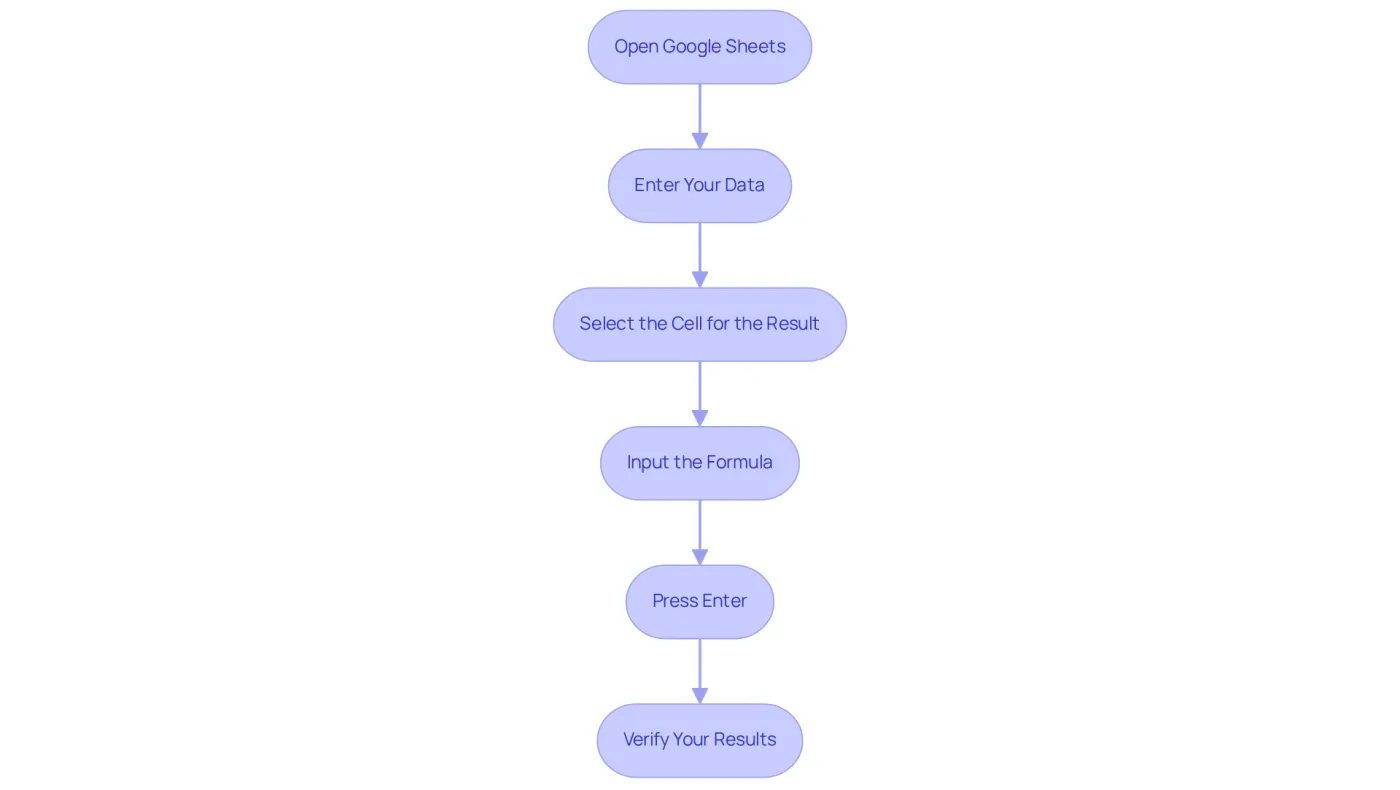
To effectively apply the weighted average formula in Google Sheets, follow these steps:
- Open Google Sheets: Access your Google Sheets document containing the relevant data.
- Enter Your Data: Organize your entries and their corresponding measures in separate columns. For instance, input your values in column A (A2:A5) and weights in column B (B2:B5).
- Select the Cell for the Result: Click on the cell where you want to display the calculated mean.
- Input the Formula: Enter the formula
=AVERAGE.WEIGHTED(A2:A5, B2:B5)into the selected cell. - Press Enter: Hit Enter to execute the formula. The cell will now show the calculated mean based on your data.
- Verify Your Results: Cross-check the result with manual calculations to ensure accuracy. Alternatively, you can use the
SUMPRODUCTfunction to confirm your findings:=SUMPRODUCT(A2:A5, B2:B5) / SUM(B2:B5).
This method uses the formula for weighted average, which multiplies each amount by its importance, totals the outcomes, and divides by the sum of the importances, producing the same weighted average.
Frequent errors when utilizing the AVERAGE.WEIGHTED function include mismatched ranges for values and measures, which can lead to mistakes. Additionally, users often overlook the necessity of ensuring that at least one weight is positive, as negative weights can skew results.
Successful execution of calculated means is vital in financial modeling. It enables more precise evaluations of data, such as customer ratings or investment returns. As Robert Kiyosaki noted, "Finance is not about money. It’s about making dreams come true." Mastering these calculations can significantly enhance decision-making in financial contexts.
Consider the case study of using the AVERAGE.WEIGHTED function to analyze customer reviews. This illustrates how prioritizing feedback from frequent buyers can lead to better insights into customer satisfaction.
Troubleshoot Common Issues with Weighted Averages
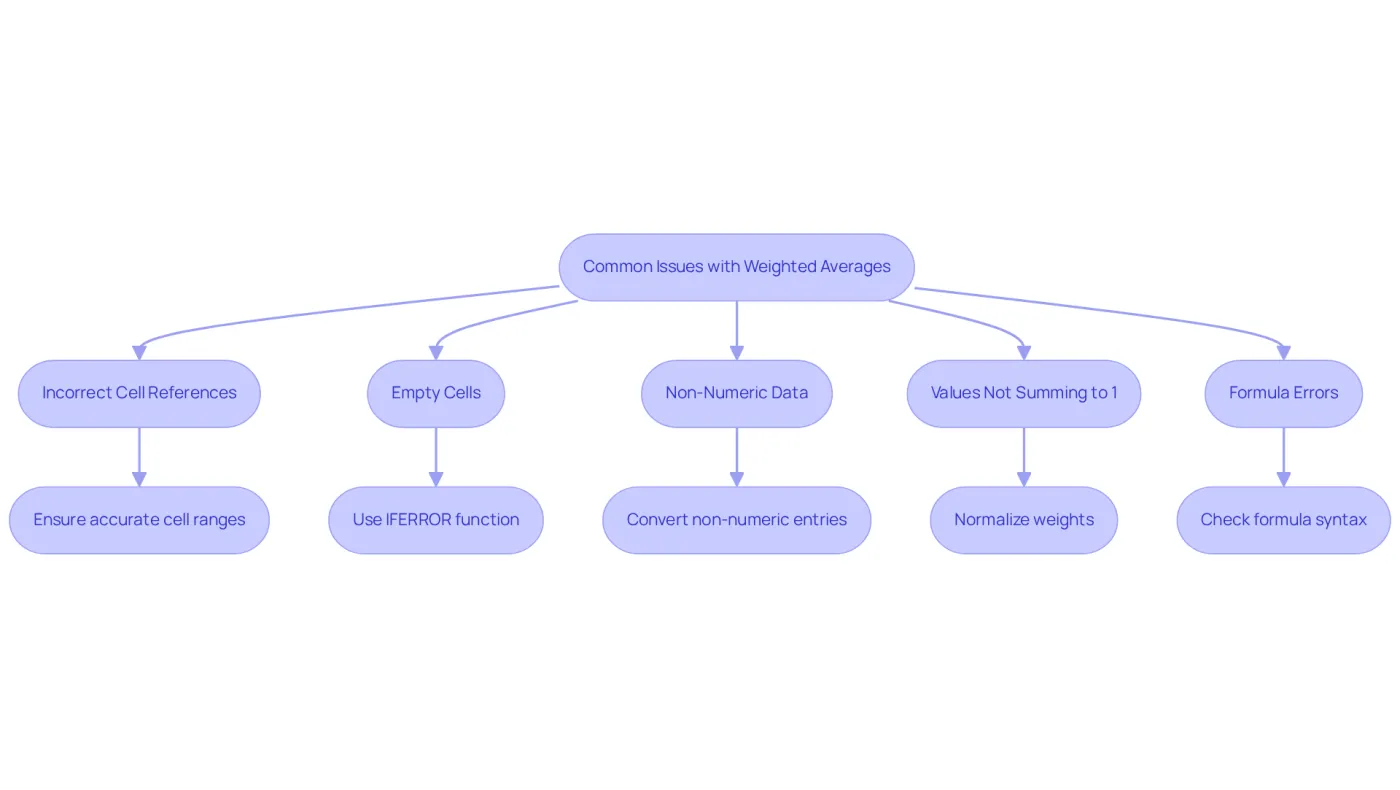
When using the formula for weighted average in Google Sheets, users often face several common challenges. Here are essential troubleshooting tips to enhance your experience:
- Incorrect Cell References: Ensure that the ranges specified in your formula accurately reflect the data you want to analyze. Double-check that the figures and measurements are aligned correctly.
- Empty Cells: If your data contains empty cells, it may lead to errors or inaccurate results. Use the
IFERRORfunction to handle potential errors gracefully:=IFERROR(AVERAGE.WEIGHTED(A2:A5, B2:B5), "Error in calculation").
- Non-Numeric Data: Confirm that all values and measures are numeric. Text or special characters can disrupt calculations. Convert any non-numeric entries to numbers.
- Values Not Summing to 1: While the
AVERAGE.WEIGHTEDfunction manages values that do not total 1, ensure that your numbers are suitable for your analysis. If necessary, normalize your weights by dividing each weight by the total sum of weights. - Formula Errors: If you receive an error message, check for typos in your formula. Ensure that you are using the correct syntax and that all parentheses are properly closed.
By addressing these common issues, you can ensure accurate calculations and a smoother experience when using the formula for weighted average in Google Sheets.
Conclusion
Mastering the weighted average formula in Google Sheets is essential for anyone looking to enhance their data analysis skills. This powerful tool allows users to conduct more precise calculations, ensuring that each data point's significance is accurately reflected. By applying this formula, individuals can make informed decisions across various fields, from education to finance.
Understanding the mechanics of the weighted average is crucial, especially in scenarios where different values hold varying levels of importance. The straightforward application of the AVERAGE.WEIGHTED function is just the beginning. Users will also learn to troubleshoot common issues and recognize the critical role of data quality in achieving accurate results. By following the outlined steps and best practices, you can significantly enhance your analytical capabilities and extract meaningful insights from your data.
In an era where data drives decisions, mastering the weighted average formula transcends mere technical skill; it becomes a vital competency. Whether you're analyzing customer feedback or evaluating investment returns, the ability to calculate weighted averages can profoundly influence outcomes. Embracing this knowledge empowers both individuals and organizations to make decisions rooted in a clearer understanding of their data, ultimately leading to better strategies and improved results.
Now is the time to take action. Equip yourself with the skills to master the weighted average formula and transform your data analysis approach. Your ability to make informed decisions starts here.
Frequently Asked Questions
What is a weighted average?
A weighted average is a type of mean where each item in a dataset contributes differently to the final result based on its assigned weight, allowing for more accurate representation of the data.
Why is the weighted average useful?
The weighted average is useful in scenarios where certain aspects hold greater significance than others, such as when calculating a student's GPA, where different courses may have varying credit weights.
How is the weighted average calculated?
The weighted average is calculated using the formula: Weighted Average = (x1 * w1 + x2 * w2 + ... + xn * wn) / (w1 + w2 + ... + wn), where xi denotes each value and wi signifies the weight assigned to each item.
How does the weighted average differ from a simple mean?
The weighted average takes into account the relative importance of each value, resulting in a more accurate representation of the dataset compared to a simple mean, which treats all values equally.
In what contexts is the weighted average commonly used?
The weighted average is commonly used in financial modeling, such as calculating the mean cost of capital (WACC), and in educational settings for assessing student performance, where different assessments may impact final scores differently.
What is the significance of understanding weighted averages in finance?
Understanding weighted averages is essential for precise data analysis and effective financial modeling, as they provide a clearer perspective on performance and value, aiding in better decision-making for investment strategies.