
Master the Google Sheet TODAY Function for Financial Success
Unlock financial success by mastering the Google Sheet TODAY function for dynamic date management.

Introduction
Mastering the Google Sheets TODAY function can revolutionize your financial management skills. This straightforward yet powerful tool not only provides the current date but also enables users to create dynamic budgets, track deadlines, and make informed decisions based on real-time data. However, the challenge lies in effectively integrating this function with other features to unlock its full potential.
How can finance professionals leverage the TODAY function to streamline their workflows and avoid common pitfalls in their spreadsheets? By understanding its capabilities and implementing it strategically, you can enhance your financial processes significantly.
Understand the TODAY Function: Syntax and Purpose
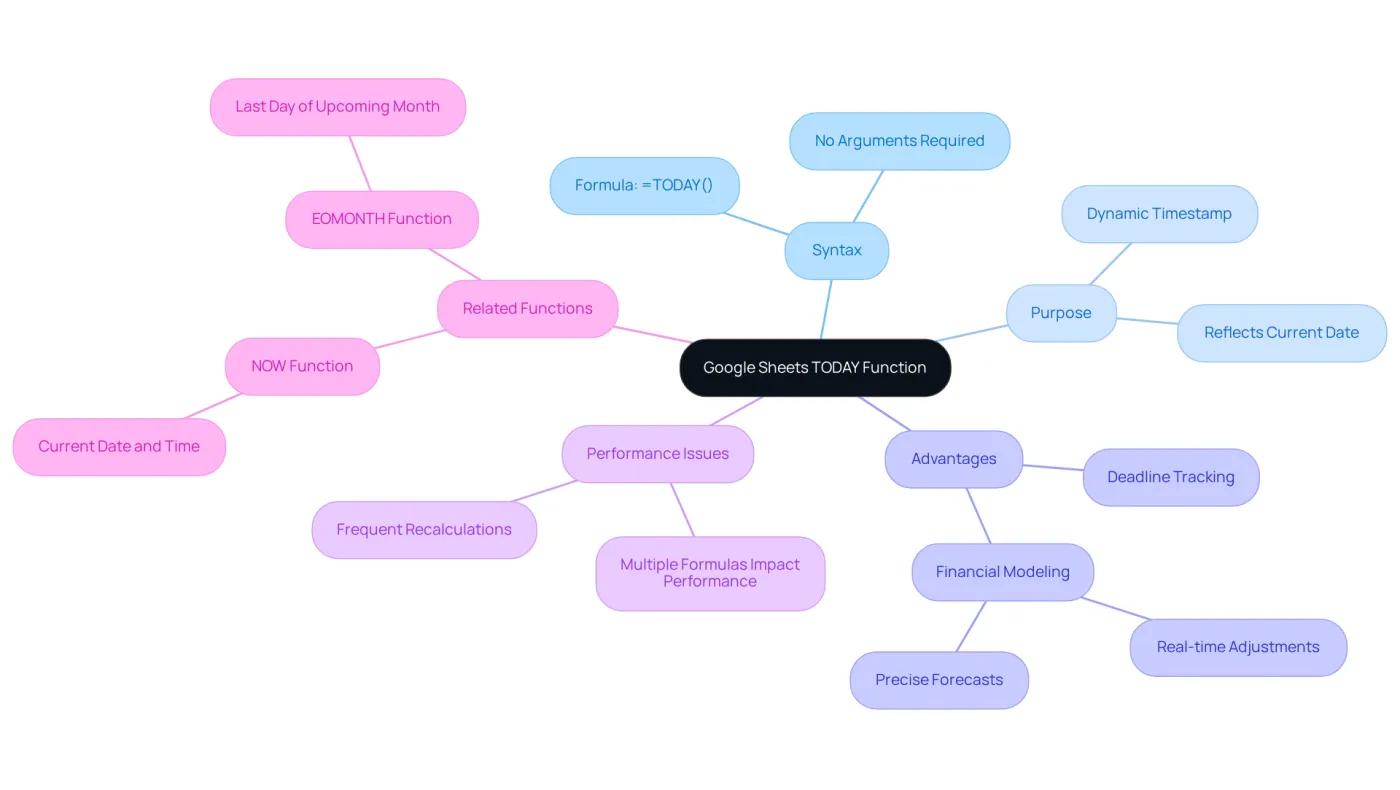
The google sheet today function serves as a straightforward yet powerful tool that effortlessly delivers the present date. Its syntax is simple: =TODAY(). This method, known as the google sheet today function, requires no arguments, making it user-friendly. The primary purpose of this utility is to provide a dynamic timestamp that refreshes automatically each day, using the google sheet today function to ensure your spreadsheets reflect the most up-to-date information. This feature is particularly advantageous in financial contexts, where accurate time tracking is essential for budgeting, forecasting, and reporting.
Dynamic temporal tools such as the google sheet today function are vital in financial modeling, enabling real-time adjustments and precise forecasts. Analysts emphasize that leveraging such features can significantly enhance the reliability of financial data, empowering professionals to make informed decisions based on the latest metrics. For instance, using the google sheet today function can streamline the tracking of deadlines and milestones in budgeting processes, ensuring that all financial activities align with the present time.
However, it’s crucial to note that using multiple current date formulas in a spreadsheet may lead to performance issues due to frequent recalculations. Additionally, the NOW function, which provides the current time and date, can also be advantageous in specific scenarios. Another related function, EOMONTH, can be utilized alongside the current day to return the last day of the upcoming month, further aiding in time management.
In conclusion, the google sheet today function not only simplifies date management in spreadsheets but also plays a pivotal role in maintaining the accuracy and relevance of financial analyses. By adopting this feature, finance professionals can enhance their workflows and boost overall productivity.
Apply the TODAY Function for Budgeting and Forecasting
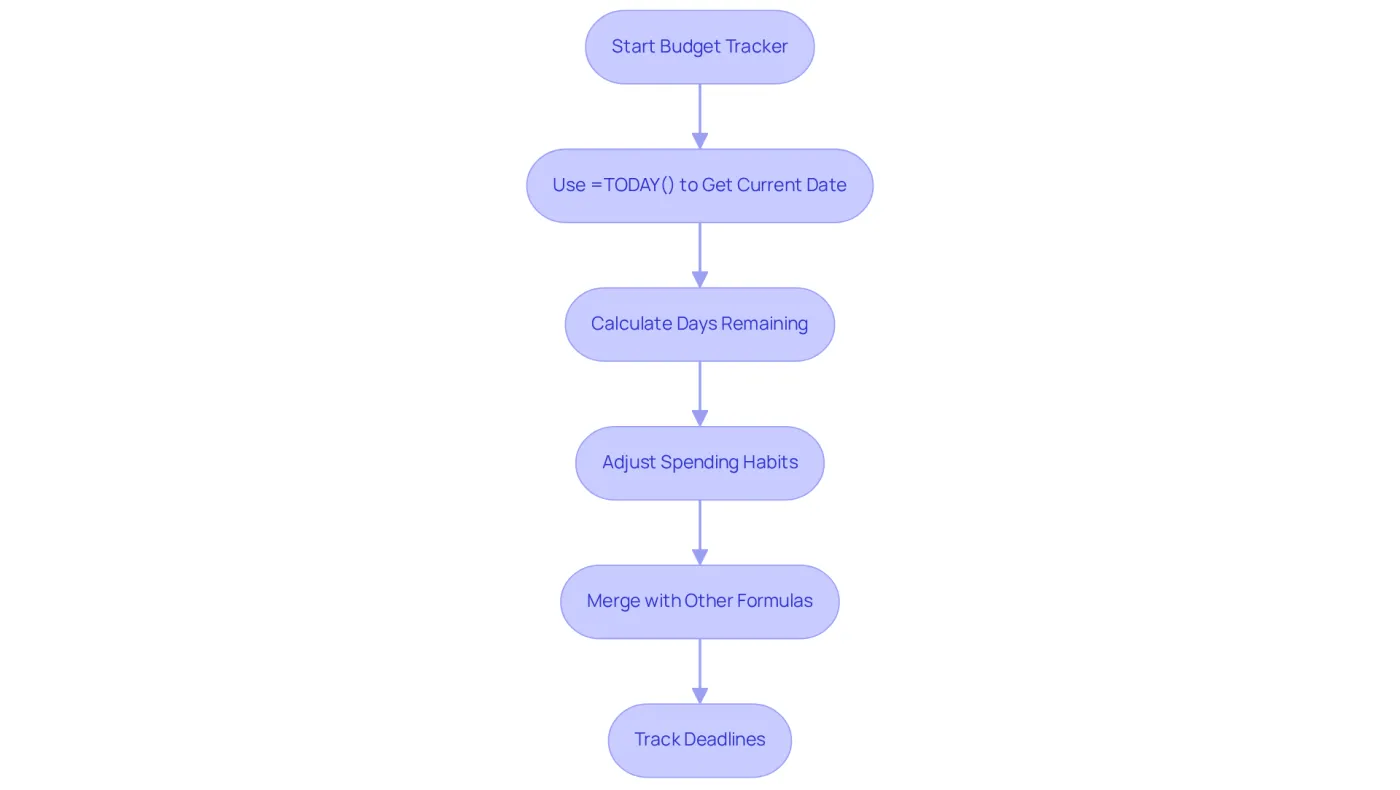
In fiscal modeling, the present method serves as a powerful tool for creating dynamic budgets and projections. Have you ever wondered how to keep your budget on track? A budget tracker can be set up to automatically adjust based on the current date using the Google Sheets TODAY function, making it easier than ever to manage your finances. By employing the formula =TODAY(), users can quickly calculate the number of days remaining in the month or year. This capability aids in adjusting spending habits and forecasting future expenses effectively.
Moreover, merging the Google Sheets TODAY function with additional formulas, such as =IF(TODAY() > A1, 'Overdue', 'On Track'), allows for efficient tracking of deadlines, ensuring timely reporting. This approach not only enhances monetary awareness but also aligns with the growing trend of utilizing automated budget trackers. According to educator Tiffany Aliche, "Using tools that adjust dynamically can significantly enhance your control over resources."
Statistics reveal that users of automated budget trackers report a 30% increase in their financial awareness. This underscores the effectiveness of integrating such tools into financial practices. By adopting these strategies, you can take control of your financial future and make informed decisions that lead to greater stability.
Combine TODAY with Other Functions for Advanced Financial Analysis
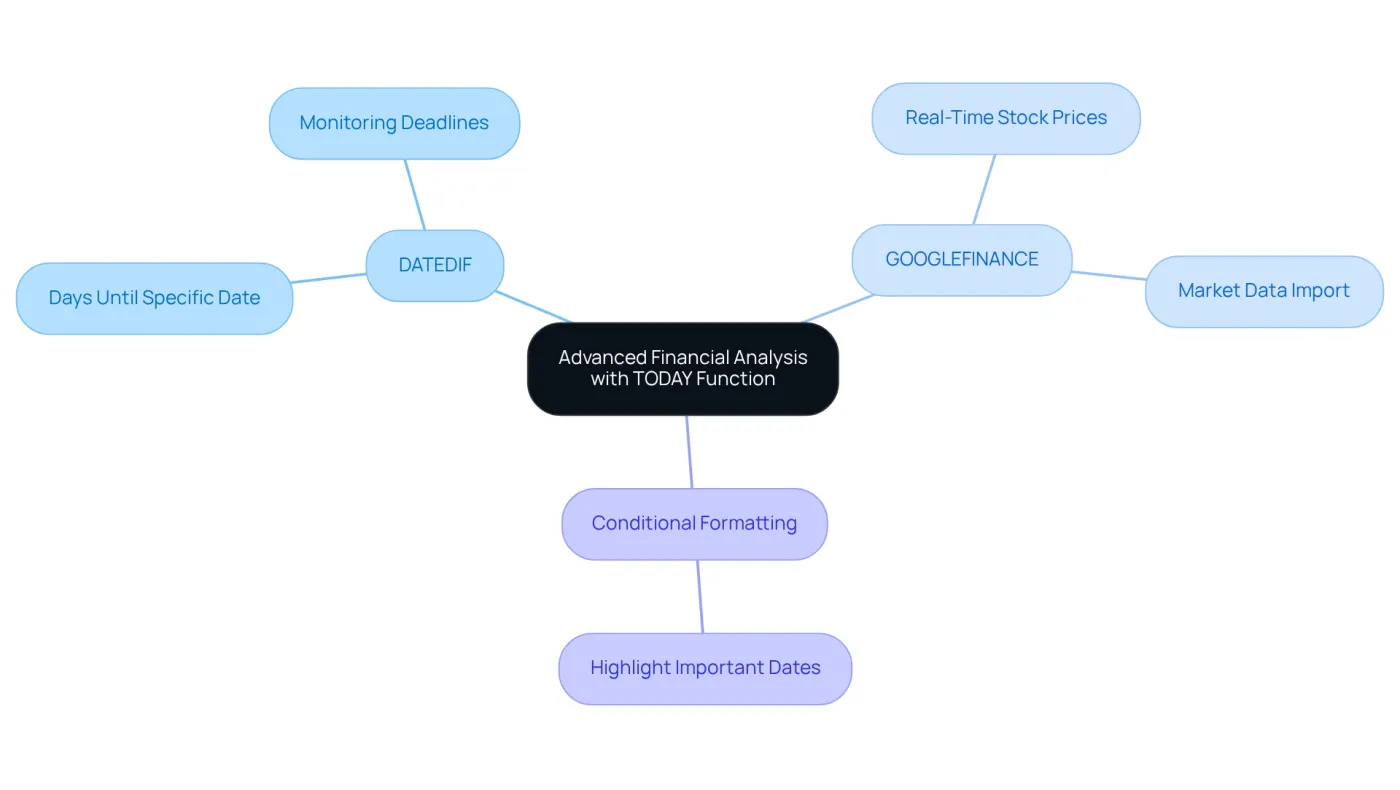
Enhancing the current date feature's usefulness can significantly improve your analytical capabilities. By pairing it with additional tools, you can conduct more advanced analyses. For example, using =DATEDIF(NOW(), A1, 'D') allows you to determine the number of days until a specific date. This function is invaluable for monitoring payment deadlines or project milestones.
Moreover, integrating the current date feature with the GOOGLEFINANCE tool can facilitate the development of real-time economic dashboards. With =GOOGLEFINANCE('NASDAQ:GOOG', 'price', NOW()), you can retrieve the current stock price, enabling immediate financial assessments. However, be aware that the GOOGLEFINANCE feature may experience delays in data updates and lacks historical stock financials, which can affect your decision-making process.
To enhance visual tracking of deadlines, consider employing conditional formatting alongside the google sheet today function. This approach can effectively highlight important dates, ensuring you never miss a critical deadline. As data analyst Valentine Schelstraete notes, "The GOOGLEFINANCE feature enables you to import real-time market and currency data directly into Google Sheets."
Integrating these functionalities not only simplifies data monitoring but also supports prompt decision-making in financial contexts. For instance, a finance professional can utilize these tools to simultaneously track stock prices and upcoming payment deadlines, ensuring they remain informed and proactive.
Avoid Common Pitfalls: Best Practices for Using TODAY
Avoiding Common Traps with the Current Date Feature
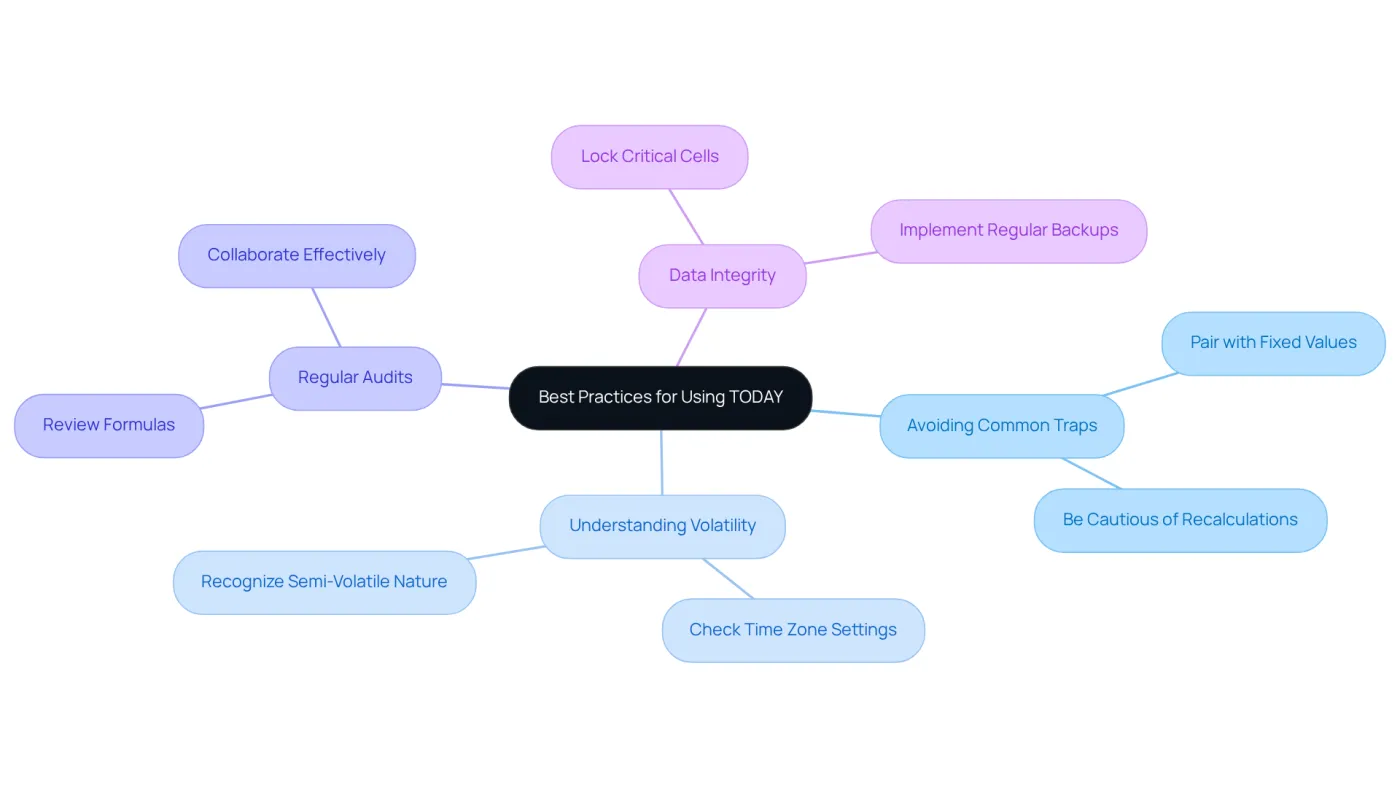
The current date feature, while straightforward to use, can lead to several pitfalls that users must navigate. One prevalent issue arises when this tool inadvertently triggers recalculations, potentially altering historical data. To mitigate this risk, it’s advisable to pair the current date feature with fixed values when necessary. This practice ensures that critical data remains intact.
Moreover, it’s vital to understand that the google sheet today function is semi-volatile; it refreshes only when the spreadsheet undergoes modifications. This characteristic can significantly impact monetary reporting. Therefore, confirming that your spreadsheet's time zone settings are accurate is essential, as any discrepancies may result in incorrect output values.
Regular audits of your formulas are equally important, especially when collaborating with colleagues. This diligence helps ensure that your formulas are functioning correctly and producing the expected results. Additionally, users should remain vigilant about the risk of data loss due to accidental deletions or software crashes, making regular backups a necessity.
By following these best practices, including utilizing the EOMONTH function for date calculations, you can enhance the reliability of your financial reporting and avoid costly errors. Take control of your data integrity today!
Conclusion
The Google Sheets TODAY function stands as a crucial tool for anyone striving for financial success. By delivering an automatic and precise representation of the current date, this function bolsters the reliability of financial data, empowering users to make informed decisions based on real-time insights. Its simplicity and efficiency render it indispensable for effective budgeting, forecasting, and comprehensive financial management.
Throughout this article, we explored how to harness the power of the TODAY function. From crafting dynamic budgets that adapt to the current date to integrating it with other functions for advanced financial analysis, the versatility of this tool is remarkable. We also highlighted best practices, underscoring the importance of avoiding common pitfalls like unnecessary recalculations and maintaining data integrity through regular audits and backups.
Ultimately, leveraging the Google Sheets TODAY function can significantly enhance financial workflows and decision-making processes. Embracing this tool not only simplifies date management but also empowers individuals and organizations to take charge of their financial futures. By incorporating the TODAY function into daily practices, users can elevate their financial awareness and stability, paving the way for long-term success.
Frequently Asked Questions
What is the TODAY function in Google Sheets?
The TODAY function in Google Sheets is a tool that provides the current date automatically. Its syntax is simple: =TODAY(), and it requires no arguments.
What is the primary purpose of the TODAY function?
The primary purpose of the TODAY function is to deliver a dynamic timestamp that refreshes automatically each day, ensuring spreadsheets reflect the most up-to-date information.
How does the TODAY function benefit financial contexts?
In financial contexts, the TODAY function is advantageous for accurate time tracking in budgeting, forecasting, and reporting, allowing for real-time adjustments and precise forecasts.
What should users be cautious about when using the TODAY function?
Users should be cautious about using multiple current date formulas in a spreadsheet, as this may lead to performance issues due to frequent recalculations.
Are there other related functions that can be used with the TODAY function?
Yes, the NOW function provides the current time and date, and the EOMONTH function can be used alongside the TODAY function to return the last day of the upcoming month, aiding in time management.
How does the TODAY function enhance productivity for finance professionals?
By simplifying date management and maintaining the accuracy and relevance of financial analyses, the TODAY function helps finance professionals enhance their workflows and boost overall productivity.