

Introduction
Understanding the complexities of Excel can elevate routine data tasks into efficient operations. Yet, many users overlook a fundamental tool: the absolute cell reference. This powerful feature guarantees that specific values remain unchanged, regardless of where calculations are copied or moved. It is essential for maintaining accuracy in financial models and data analysis.
What happens when users fail to grasp the significance of this notation? The potential for costly errors looms large. Mastering absolute cell references is not just a technical skill; it enhances efficiency and precision in spreadsheet management. By recognizing the importance of this feature, users can significantly reduce errors and improve their overall workflow.
Define Absolute Cell Reference in Excel
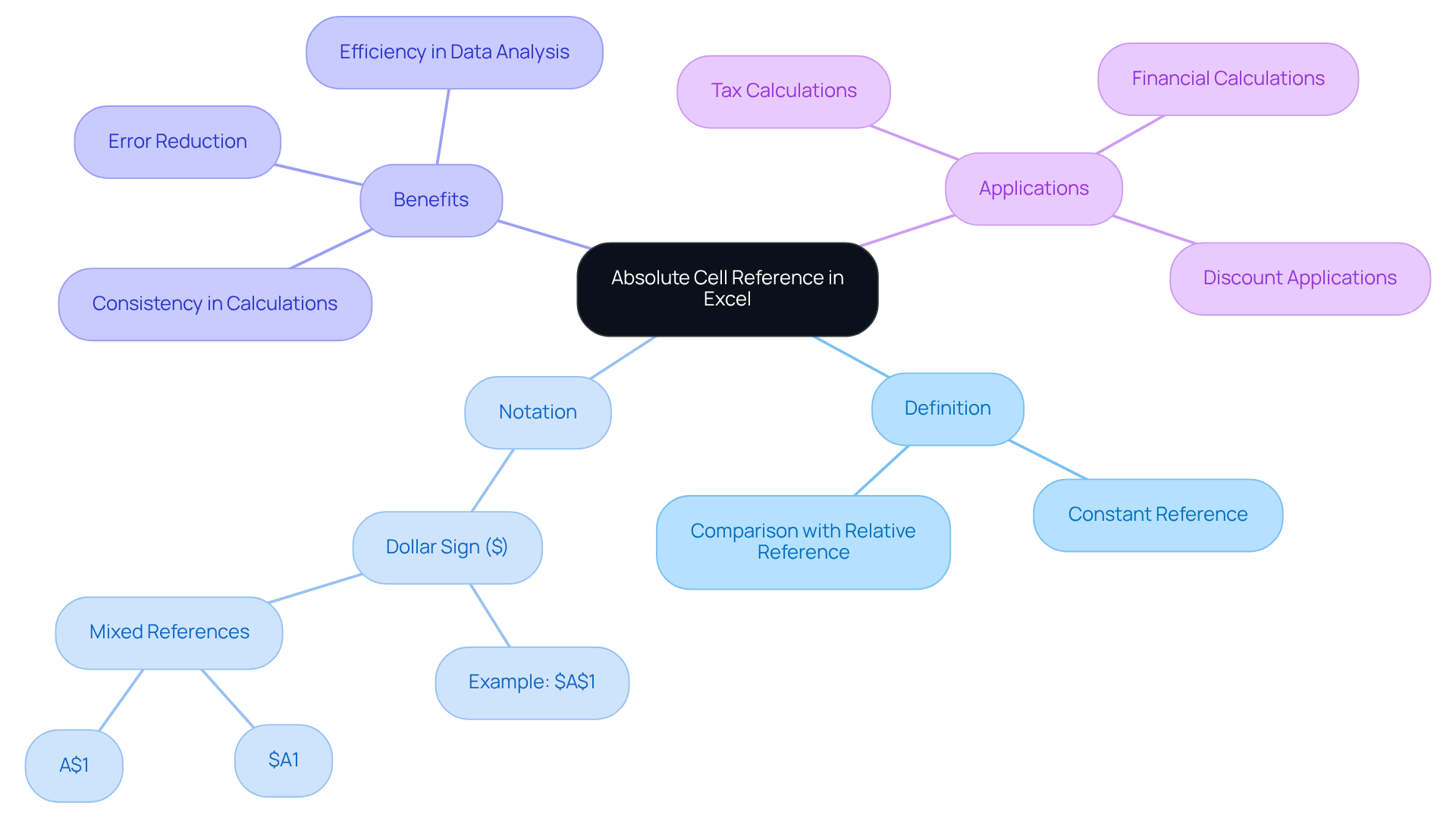
In Excel, what is an absolute cell reference refers to a notation that remains constant, regardless of where the calculation is duplicated or relocated. In Excel, what is an absolute cell reference is indicated by a dollar sign ($) placed before the column letter and row number, such as $A$1. This notation helps illustrate what is an absolute cell reference by ensuring that when you duplicate a calculation with a fixed link, the connection continues to point to the original position. As a result, the calculation operates uniformly across various areas in the spreadsheet.
This feature is particularly beneficial in scenarios where a specific value needs to be referenced repeatedly without alteration. By using fixed notation, you can maintain consistency in your calculations, which is essential for accurate data analysis and reporting. Imagine the efficiency gained when you can reference a single value across multiple calculations without the risk of errors or discrepancies.
Incorporating fixed notation into your Excel practices not only streamlines your workflow but also enhances the reliability of your data. This is a crucial tool for finance professionals who require precision and consistency in their analyses.
Explain the Importance of Absolute Cell References
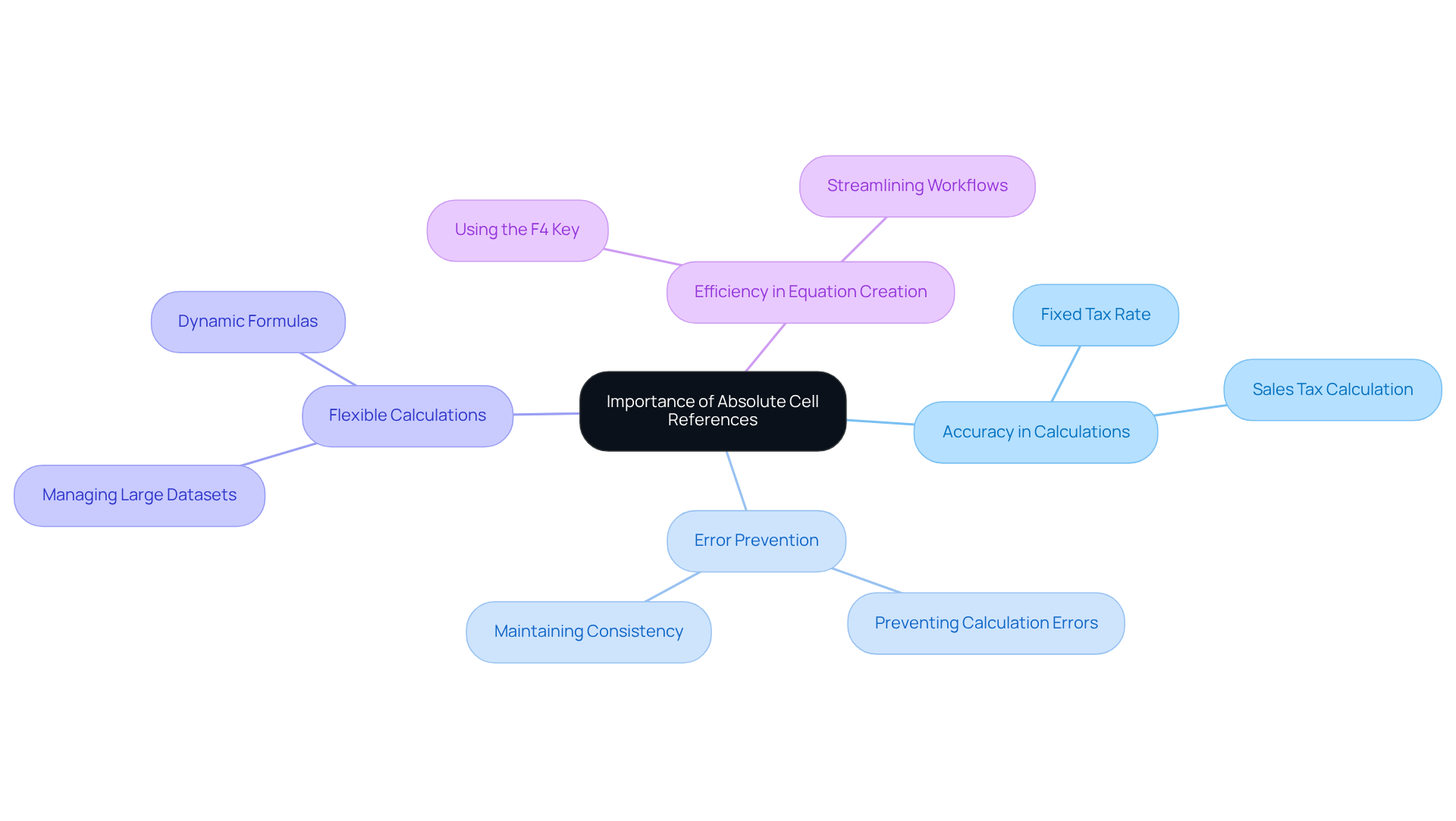
Fixed designations are essential for ensuring the accuracy of calculations when duplicated across multiple spaces. In financial modeling, for example, if a formula computes a total based on a fixed tax rate stored in a specific location, using a fixed pointer guarantees that the tax rate remains consistent when the formula is replicated in other rows. This consistency is vital for precise calculations, as it prevents errors that may arise from unintended changes in data links. Research indicates that a significant portion of errors in financial models - estimated to be as high as 30% - can be traced back to inaccurate cell connections. This underscores the importance of employing fixed values for reliable results.
Moreover, fixed identifiers facilitate the creation of flexible calculations, allowing users to manage large datasets efficiently without the need for constant adjustments. For instance, when calculating sales tax for various products, using a fixed point for the tax rate ensures that the correct value is consistently applied across all calculations. This practice not only boosts accuracy but also streamlines workflows, thereby reducing the risk of mistakes. Experts like Allan Ouko emphasize that understanding what is an absolute cell reference is a crucial skill for anyone involved in financial modeling, as it significantly contributes to maintaining calculation integrity and achieving accurate outcomes. Additionally, utilizing the F4 key to toggle between citation types can enhance efficiency in equation creation.
Differentiate Between Absolute, Relative, and Mixed References
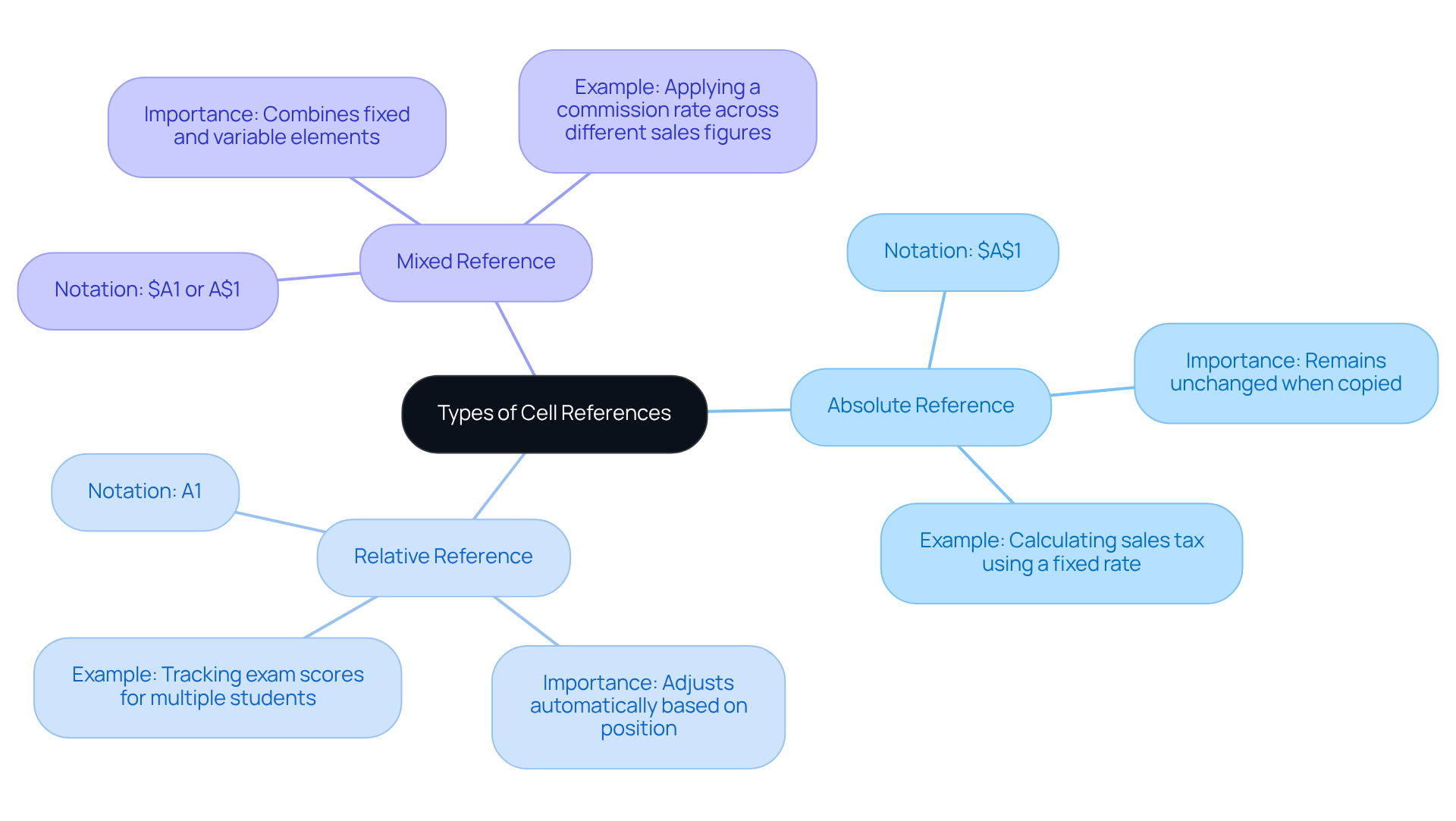
In spreadsheet applications like Excel and Google Sheets, knowing what is an absolute cell reference, along with the three categories of references - absolute, relative, and mixed - is essential for effective data management.
Why is this important? What is an absolute cell reference is illustrated by the notation (e.g., $A$1), which is created by placing a dollar sign ($) before the column letter and row number. This ensures that what is an absolute cell reference remains unchanged when the calculation is copied elsewhere. This feature is particularly valuable in financial modeling, where certain values, such as tax rates or fixed costs, must remain constant across calculations.
Conversely, a relative notation (e.g., A1) adjusts automatically based on the location of the calculation. This flexibility allows users to perform repetitive calculations across rows or columns without the need to rewrite formulas, significantly boosting efficiency. For instance, when calculating monthly sales growth, a formula like =(C2-B2)/B2 can be easily duplicated across cells, automatically updating to reflect the correct data.
Mixed references combine elements of both types, allowing either the row or the column to stay fixed while the other varies (e.g., $A1 or A$1). This is especially useful when one part of the calculation needs to remain constant, such as applying a commission rate across different sales figures.
Enhance Your Productivity: To further elevate your productivity in Google Sheets, consider utilizing the ShortieCuts extension. This tool grants access to over 300 Excel ALT shortcuts. By simply pressing "ALT" (or Option on Mac), key-tips will appear in the corner of your screen, enabling you to seamlessly incorporate these shortcuts into your workflow.
Mastering these reference types, such as understanding what is an absolute cell reference, not only streamlines calculations but also minimizes errors, making it easier to manage large datasets. As Baz Roberts emphasizes, understanding these distinctions is crucial for developing flexible and precise models, particularly for finance professionals engaged in complex data analysis.
Provide Examples of Using Absolute Cell References
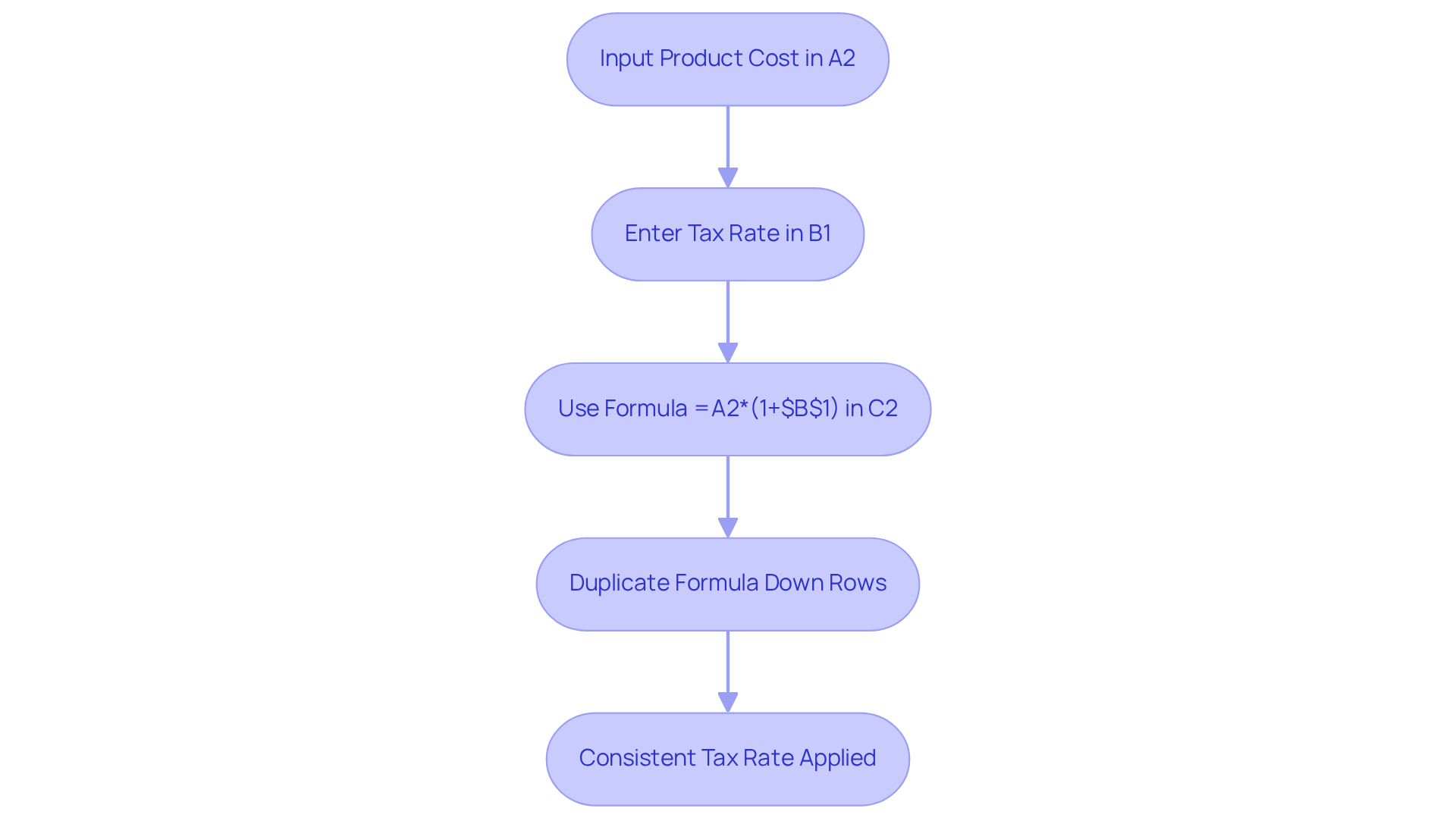
Consider a scenario where a company must calculate the total cost of products, including a fixed tax rate. If the tax rate is stored in cell B1, the calculation for determining the total cost in cell C2 would be expressed as follows: =A2*(1+$B$1). This formula, when duplicated down to other rows, retains its connection to B1 due to what is an absolute cell reference, which ensures that the same tax rate is consistently applied across all computations.
In budgeting, a fixed budget amount is often referenced in multiple calculations. By understanding what is an absolute cell reference, users can replicate the formula effortlessly, eliminating the risk of inadvertently altering the budget figure. This approach not only streamlines the calculation process but also enhances accuracy, making it an essential practice for finance professionals.
Conclusion
Mastering absolute cell references in Excel is essential for anyone aiming to elevate their data management skills. This powerful feature ensures that users maintain consistent references when duplicating formulas, which is vital for accuracy and reliability in calculations. By employing the dollar sign notation, such as $A$1, users can keep their calculations anchored to their original data points. This capability is particularly advantageous in precision-driven fields like finance.
The significance of absolute cell references has been underscored through various examples and scenarios throughout this article. We explored how these references effectively prevent errors in financial models, streamline workflows, and enhance overall efficiency. Furthermore, we clarified the distinctions between absolute, relative, and mixed references, providing a thorough understanding of how to leverage these tools in Excel effectively.
Incorporating absolute cell references into your spreadsheet practices not only boosts productivity but also significantly mitigates the risk of errors. As data management grows increasingly complex, mastering these concepts becomes crucial for achieving accurate outcomes. Embracing this knowledge empowers users to navigate Excel confidently, ensuring that their calculations are both reliable and efficient.
Frequently Asked Questions
What is an absolute cell reference in Excel?
An absolute cell reference in Excel is a notation that remains constant, regardless of where the calculation is duplicated or relocated. It is indicated by a dollar sign ($) placed before the column letter and row number, such as $A$1.
How does an absolute cell reference work?
An absolute cell reference ensures that when you duplicate a calculation with a fixed link, it continues to point to the original position. This allows the calculation to operate uniformly across various areas in the spreadsheet.
Why is using an absolute cell reference beneficial?
It is beneficial because it allows you to reference a specific value repeatedly without alteration, maintaining consistency in calculations. This is essential for accurate data analysis and reporting.
In what scenarios is an absolute cell reference particularly useful?
It is particularly useful in scenarios where a specific value needs to be referenced multiple times in calculations without the risk of errors or discrepancies.
How does incorporating absolute cell references enhance workflow in Excel?
Incorporating absolute cell references streamlines workflow and enhances the reliability of data, making it a crucial tool for finance professionals who require precision and consistency in their analyses.