
Enhance Google Sheets with Excel Features for Finance Professionals
Enhance Google Sheets with Excel features to boost productivity and streamline financial analysis.

Introduction
Navigating the realm of spreadsheets can often seem overwhelming, particularly for finance professionals who are well-versed in the familiar landscape of Excel. Yet, Google Sheets presents a powerful alternative that, when enhanced with Excel features, can significantly streamline financial analysis and reporting. This article explores practical strategies and tools that empower users to harness Excel shortcuts and advanced functionalities within Google Sheets, ultimately enhancing productivity and efficiency. But how can finance professionals transition seamlessly to this new environment without sacrificing their competitive edge?
Leverage Familiar Excel Shortcuts in Google Sheets
Enhance Your Google Sheets Experience with ShortieCuts
Are you tired of navigating Google Sheets with unfamiliar commands? You’re not alone. Many users struggle to adapt to new key combinations, which can hinder productivity. Fortunately, there’s a solution: the ShortieCuts extension.
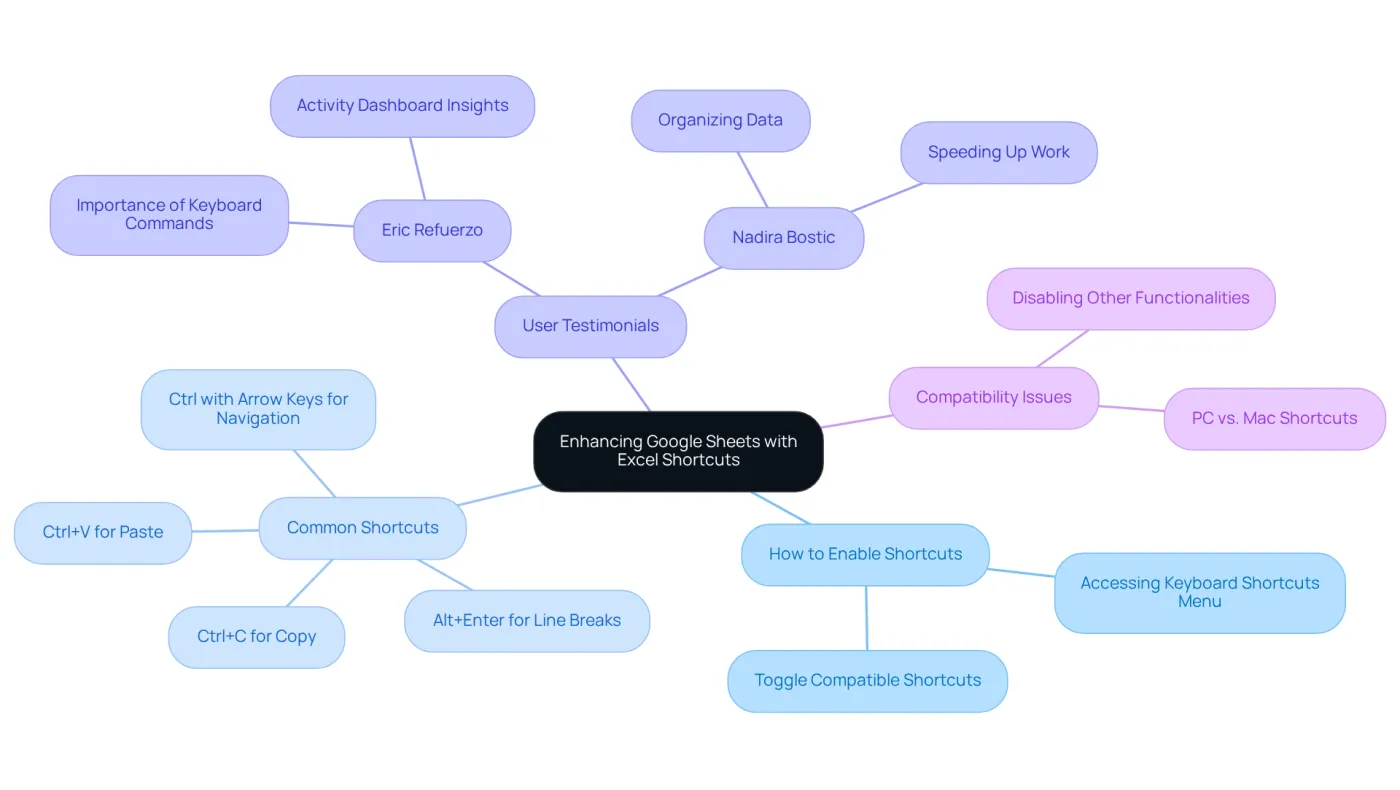
You can enhance Google Sheets with Excel features by activating Excel-style key combinations to streamline your workflow significantly. Simply access the 'Help' menu, select 'Keyboard keys,' and toggle the option to 'Enable compatible spreadsheet keys.' This feature allows you to use familiar commands like Ctrl+C for copy, Ctrl+V for paste, and Alt+Enter for line breaks. Imagine how much time you’ll save!
Moreover, combinations such as Ctrl with the arrow keys facilitate swift navigation through data ranges, allowing you to focus on what truly matters - your analysis. For finance professionals, these well-known techniques can help enhance Google Sheets with Excel features, leading to quicker data analysis and reporting, enabling you to concentrate on strategic decision-making rather than learning new commands.
Eric Refuerzo, Senior Director of Finance at Google Cloud AI, emphasizes the importance of these tools: 'Keyboard commands are essential to enhance Google Sheets with Excel features, helping to accelerate your tasks while you're actively utilizing Google Sheets.' This insight underscores the value of mastering keyboard shortcuts.
However, it’s crucial to be aware that many Excel key combinations available on PC may not be compatible with Mac systems. Enabling 'Compatible Spreadsheet Key Combinations' might also disable other functionalities that could interfere with the new key combinations.
Practical applications of these techniques have shown remarkable advancements in productivity. Users report improved efficiency in managing complex datasets and generating reports swiftly. With ShortieCuts, you can enhance Google Sheets with Excel features by accessing 233 Excel ALT shortcuts, ensuring a user-friendly experience while maintaining local data privacy, as all operations run locally on your computer.
Don’t let unfamiliar commands slow you down. Embrace the power of ShortieCuts and transform your Google Sheets experience today!
Utilize Advanced Features for Enhanced Financial Analysis
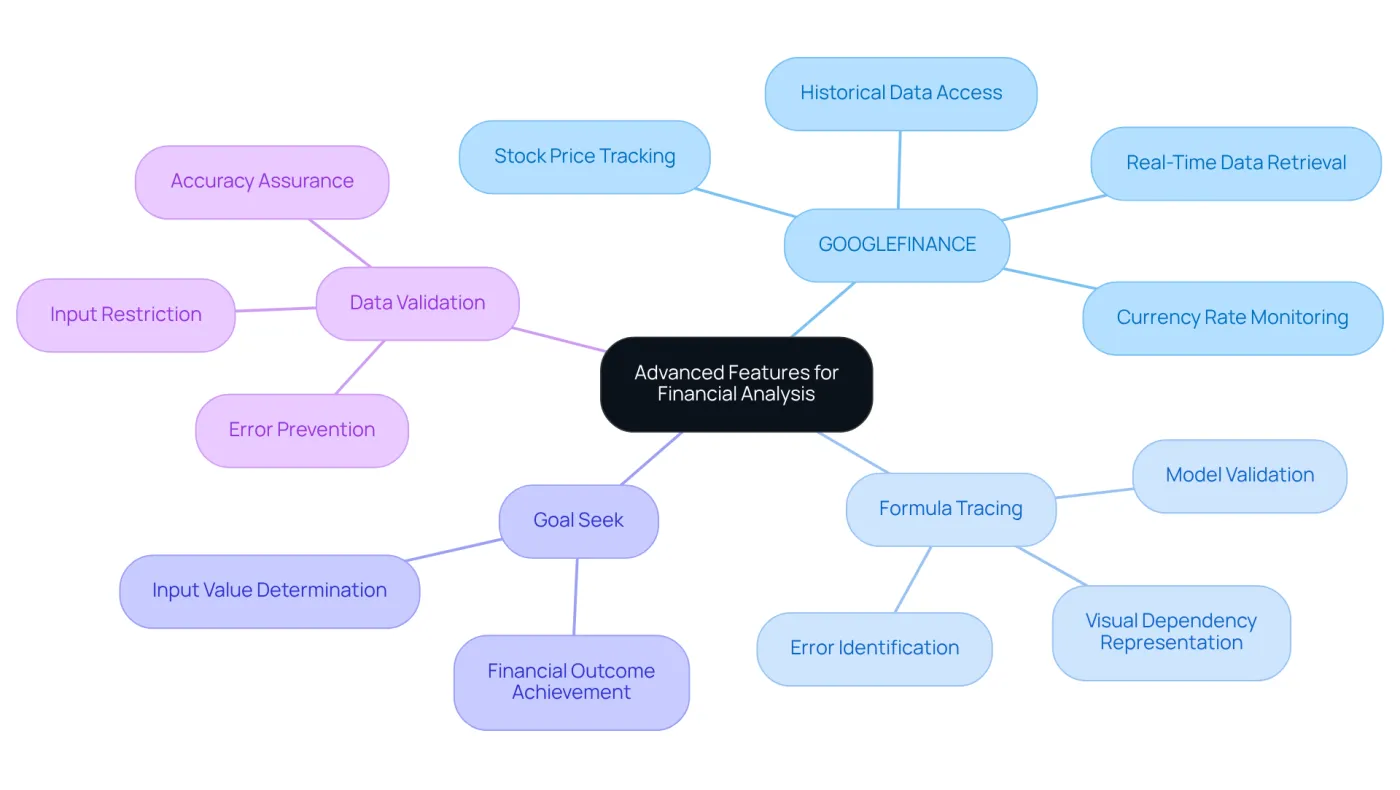
Advanced features in Google Sheets can enhance Google Sheets with Excel features, significantly improving financial analysis capabilities. One standout tool is the GOOGLEFINANCE function, which allows users to effortlessly pull real-time monetary data into their spreadsheets. This functionality is essential for tracking stock prices and currency rates, empowering finance professionals to make timely, informed decisions.
However, it's crucial to be aware of potential delays in data updates, as these can mislead analyses. Additionally, the formula tracing feature provides a visual representation of dependencies within calculations, which is invaluable for auditing and validating financial models. This capability ensures accuracy in monetary analysis, enabling users to quickly identify and rectify errors.
Moreover, to enhance Google Sheets with Excel features, the Goal Seek function allows users to determine the necessary input values to achieve specific financial outcomes. To uphold the integrity of financial data, implementing data validation rules is vital, ensuring that only accurate and relevant information is utilized.
Combining spreadsheet tools with accounting software and banking applications can further enhance precision and save time in financial management. By mastering these features and adhering to best practices, finance professionals can create more dynamic and responsive financial models, ultimately improving their strategic decision-making processes.
Implement Best Practices for Seamless Transition to Google Sheets
Transitioning from Excel to an online spreadsheet application can be daunting for finance professionals. However, by adopting effective strategies, you can navigate this change smoothly and enhance your productivity.
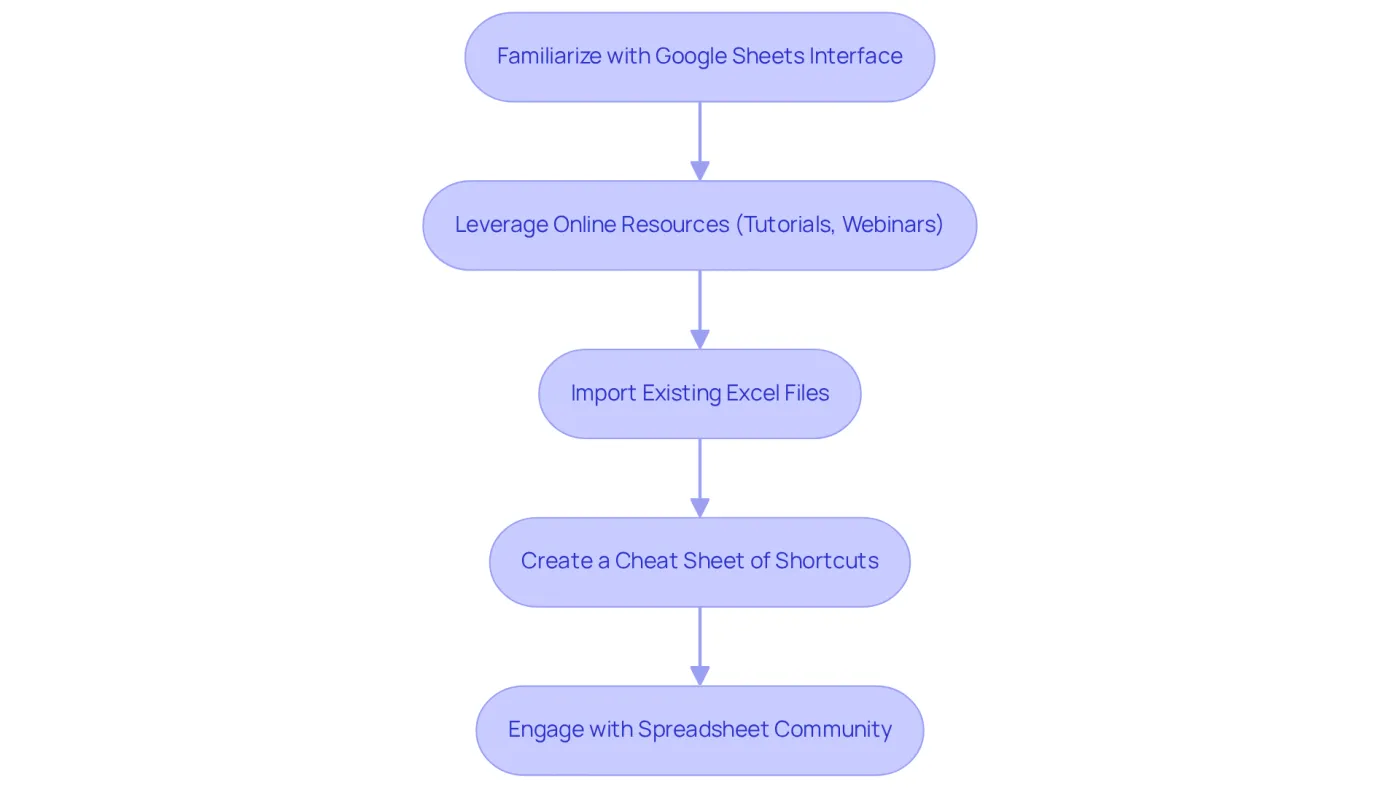
First, familiarize yourself with the new spreadsheet interface. Take the time to observe its unique features and functionalities. This foundational step is crucial for a seamless transition. Next, leverage online resources such as tutorials and webinars. These tools will help you grasp the key differences and similarities between Excel and the new platform, ensuring you’re well-prepared.
Importing your existing Excel files into the online application is another vital step. This process allows you to see how your data translates and helps identify necessary adjustments in formulas and formatting. Additionally, consider creating a cheat sheet of essential shortcuts and functions you frequently use in Excel. Modifying these for the new platform can significantly boost your efficiency.
Engagement with the spreadsheet community is equally important. Participate in forums and user groups where you can share experiences and gather valuable insights from fellow finance professionals who have successfully made this transition. With over 70% of organizations expected to phase out Excel as their primary planning tool by 2026, embracing these strategies is not just beneficial; it’s essential.
By following these steps, you can mitigate common challenges, such as burnout associated with spreadsheet budgeting. Ultimately, you’ll be able to enhance Google Sheets with Excel features to leverage its full potential in your financial modeling and analysis.
Conclusion
Enhancing Google Sheets with Excel features can significantly elevate the productivity and efficiency of finance professionals. By integrating familiar Excel shortcuts and advanced functionalities, users can streamline their workflow, allowing for quicker data analysis and improved decision-making. Embracing tools like ShortieCuts and utilizing advanced features such as the GOOGLEFINANCE function can transform the way financial data is managed and analyzed.
Mastering keyboard shortcuts is crucial for reducing the learning curve associated with transitioning to Google Sheets. Leveraging advanced features is equally important for accurate financial analysis. Implementing best practices for a smooth transition from Excel to Google Sheets is essential, enabling finance teams to adapt seamlessly and maximize the potential of their new tools.
The shift towards Google Sheets is not merely a trend; it’s a strategic move that enhances financial management capabilities. By embracing these changes and utilizing the available features effectively, finance professionals can ensure they remain competitive and responsive in a rapidly evolving landscape.
It’s time to take action. Enhance your Google Sheets experience and unlock the full potential of your financial analysis today.
Frequently Asked Questions
What is ShortieCuts and how does it help users of Google Sheets?
ShortieCuts is an extension that enhances Google Sheets by allowing users to activate Excel-style key combinations, making it easier to navigate and streamline workflow in Google Sheets.
How can I enable Excel-style key combinations in Google Sheets?
To enable Excel-style key combinations, access the 'Help' menu in Google Sheets, select 'Keyboard keys,' and toggle the option to 'Enable compatible spreadsheet keys.'
What are some common Excel commands that I can use in Google Sheets with ShortieCuts?
With ShortieCuts, you can use familiar commands such as Ctrl+C for copy, Ctrl+V for paste, and Alt+Enter for line breaks, among others.
How do keyboard shortcuts improve productivity in Google Sheets?
Keyboard shortcuts allow for swift navigation through data ranges and quicker execution of commands, which can significantly enhance productivity, particularly for finance professionals managing complex datasets.
Are there any compatibility issues when using ShortieCuts on different operating systems?
Yes, many Excel key combinations available on PC may not be compatible with Mac systems. Additionally, enabling 'Compatible Spreadsheet Key Combinations' might disable other functionalities that could interfere with the new key combinations.
What additional features does ShortieCuts offer?
ShortieCuts provides access to 233 Excel ALT shortcuts, enhancing the user experience in Google Sheets while ensuring local data privacy, as all operations run locally on your computer.
What benefits have users reported from using ShortieCuts?
Users have reported improved efficiency in managing complex datasets and generating reports swiftly, allowing them to focus on strategic decision-making rather than learning new commands.